Ir para conteúdo
View in the app

A better way to browse. Learn more.

EletrônicaBR.com

A full-screen app on your home screen with push notifications, badges and more.

To install this app on iOS and iPadOS
  1. Tap the Share icon in Safari
  2. Scroll the menu and tap Add to Home Screen.
  3. Tap Add in the top-right corner.
To install this app on Android
  1. Tap the 3-dot menu (⋮) in the top-right corner of the browser.
  2. Tap Add to Home screen or Install app.
  3. Confirm by tapping Install.

Prosel Automacao

Membros
  • Registrado em

  • Última visita

  • Créditos EBR

    1
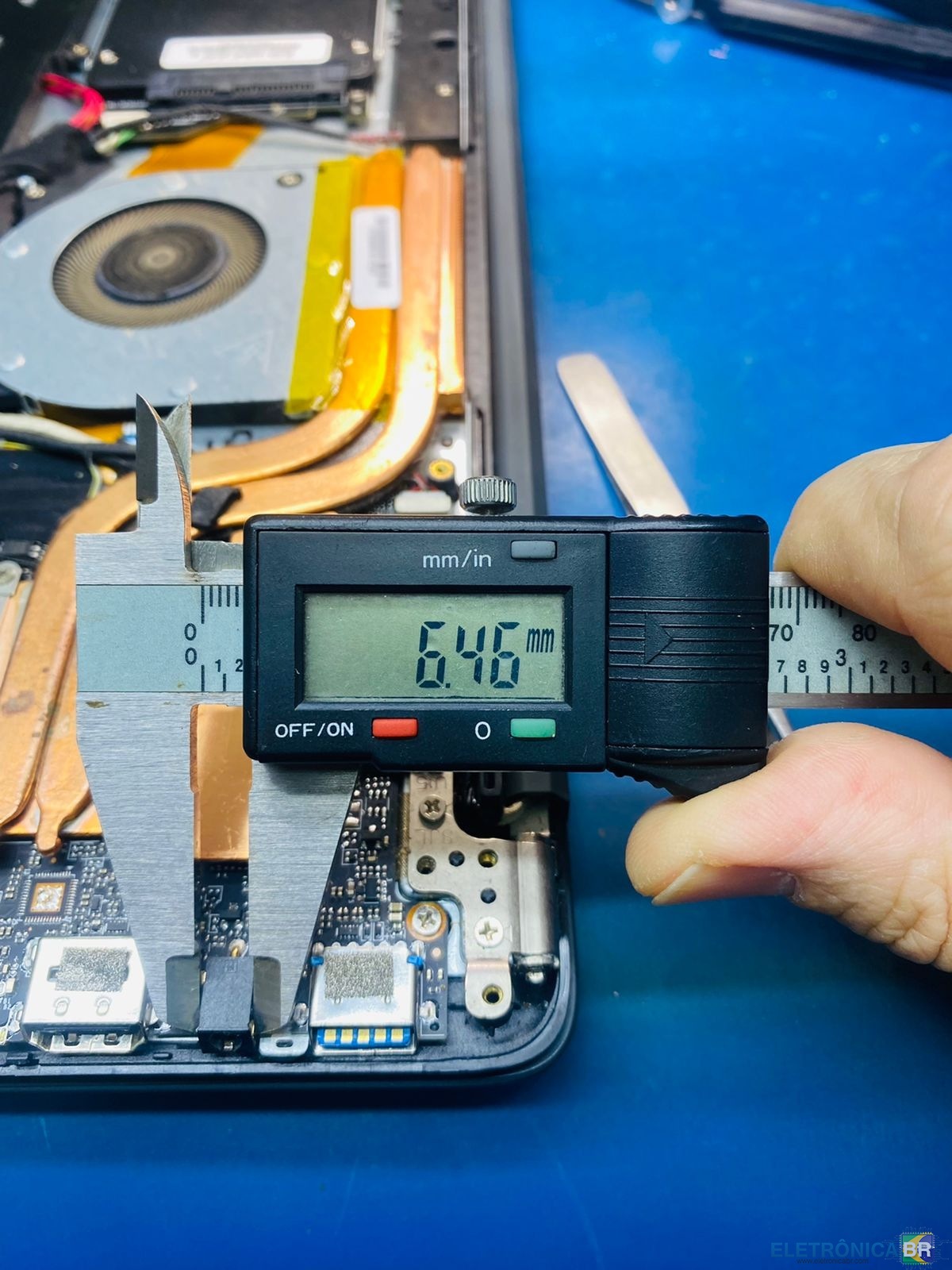
  1. @nelson junior @WJinformatica2016 eles são muito parecidos, eu falei com Marcelo na MMLapTop e ele disse que são muito parecidos, mas as dimensões externas são diferentes, ou seja, ele não substitui o original, ele ainda me desejou "boa sorte na procura". Vou postar algumas fotos. Grato.
  2. @Alexandre Grecco Olá! Sim, fiz pesquisar de formas variadas, mas não tive sucesso. O meu último recurso está sendo aqui. Grato.
  3. Preciso do jack dc para o Compac Presario CQ-29, placa NK53 Ver03. Já procurei nas plataformas de marketplace e lojas on-line, não encontrei. Se alguém souber e puder ajudar, serei grato. OBS: Olá sou novo aqui e se tiver criado o tópico no local errado peço desculpas e que eu seja corrigido.

Account

Navigation

Pesquisar

Pesquisar

Configure browser push notifications

Chrome (Android)
  1. Tap the lock icon next to the address bar.
  2. Tap Permissions → Notifications.
  3. Adjust your preference.
Chrome (Desktop)
  1. Click the padlock icon in the address bar.
  2. Select Site settings.
  3. Find Notifications and adjust your preference.