dudufraga
Membros
-
Registrado em
-
Última visita
-
Créditos EBR
0
-
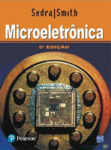
 Arquivo PDF completo do livro Microelectronic Circuits, 8ª edição, dos autores Adel S. Sedra e Kenneth C. Smith, traduzido para o português do Brasil. Obra de referência mundial no ensino de microeletrônica e análise de circuitos, amplamente utilizada em cursos de engenharia elétrica, eletrônica e áreas correlatas. Conteúdo principal abordado: Dispositivos semicondutores: diodos, MOSFETs, BJTsAmplificadores de pequeno sinal e polarizaçãoAmplificadores operacionais e aplicaçõesCircuitos integrados analógicosResposta em frequência e realimentaçãoCircuitos digitais CMOS e bipolarMemórias e conversores A/D, D/AProjeto de circuitos integrados de sinal mistoDetalhes do arquivo: Nome do arquivo: Circuito Microeletronica Sedra 8ed.pdfTamanho: 140,21 MBFormato: PDF (texto pesquisável)Idioma: Português do Brasil (tradução completa)Edição: 8ª edição (2015/2016)Finalidade e público-alvo: Material de estudo avançado para estudantes de engenharia, técnicos em eletrônica, projetistas de circuitos analógicos/digitais e profissionais que precisam de referência teórica sólida sobre dispositivos semicondutores e circuitos integrados. O livro cobre desde fundamentos de física do estado sólido até projeto de sistemas complexos em CMOS. Observações importantes: Arquivo de grande porte (140 MB) — recomenda-se conexão estável para downloadTrata-se de material didático protegido por direitos autorais; o uso deve respeitar a legislação vigente e finalidade educacional/pessoalNão inclui arquivos suplementares (soluções, slides, simuladores) — apenas o livro principalEste arquivo é útil como referência de bancada para consulta de modelos de dispositivos, topologias de amplificadores, técnicas de polarização e projeto de circuitos integrados analógicos e digitais. Conteúdo do pacoteCircuito Microeletronica Sedra 8ed.pdf (140,21 MB)Free
 -
Circuitos Microeletronica Sedra 8ed Traduzido Livro está traduzido Informações do Arquivo Uploader dudufraga Enviado 18/01/2025 Categoria Eletrônica Arquivo disponível no Gerenciador de Downloads Abra a página do arquivo para clicar em Download, conferir detalhes, versões, comentários e avaliações. Abrir página do download

-
-
 Este arquivo consiste em um guia técnico em formato PDF que detalha procedimentos de instalação, configuração e utilização do pacote Microsoft Office 2010. O material é voltado para técnicos e usuários que necessitam de suporte para implantar ou gerenciar esta versão do software em ambientes Windows. Conteúdo do pacote: 247804193_Microsoftoffice2010complete.pdf (11,64 MB): Documentação técnica completa contendo passos de instalação, requisitos de sistema e orientações de configuração.Informações técnicas e cuidados: O Microsoft Office 2010 possui versões de 32 bits (x86) e 64 bits (x64). Certifique-se de verificar a arquitetura do seu sistema operacional antes de iniciar qualquer procedimento de instalação.Este material é informativo. A ativação do software requer uma chave de licença original (Product Key) válida e vinculada ao seu produto.Lembre-se que o Office 2010 é um software legado. Para ambientes corporativos ou de alta segurança, recomenda-se a utilização de versões mais recentes e com suporte ativo da Microsoft.Para baixar este arquivo, é necessário possuir Créditos EBR ou uma assinatura VIP ativa. Caso você ainda não possua créditos, participe do fórum ajudando outros membros ou confira o sistema de créditos em nosso guia oficial.Free
 -
Office 2010 Office 2010 Informações do Arquivo Uploader dudufraga Enviado 05/12/2022 Categoria Software Arquivo disponível no Gerenciador de Downloads Abra a página do arquivo para clicar em Download, conferir detalhes, versões, comentários e avaliações. Abrir página do download
-
- Conheci atraves do Google - Estudante porem ja atuo na area - Tenho habilidades em informatica e eletronica, em microsolda, formatação, analise de componentes, esquema eletrico, formatação e manutenção de computadores, manutenção em smartfones. - Sou formado em anali e desenvolvimento de computadores, ja trabalhei na SKY, TRE entre outras empresas.