Ir para conteúdo
View in the app

A better way to browse. Learn more.

EletrônicaBR.com

A full-screen app on your home screen with push notifications, badges and more.

To install this app on iOS and iPadOS
  1. Tap the Share icon in Safari
  2. Scroll the menu and tap Add to Home Screen.
  3. Tap Add in the top-right corner.
To install this app on Android
  1. Tap the 3-dot menu (⋮) in the top-right corner of the browser.
  2. Tap Add to Home screen or Install app.
  3. Confirm by tapping Install.

maikobandeira

Membros
  • Registrado em

  • Última visita

  • Créditos EBR

    0
  1. Conheci o site por meio de videos no youtube e tambem por pesquisas no google. nivel amador, tenho habilidades com formatação de notebook , instalação de softwares. Venho brincando com a infomatica desde jovem, onde formatava e instalava peças no pcs da familia e amigos.desde entao venho praticando ..
  2. maikobandeira alterou sua foto pessoal
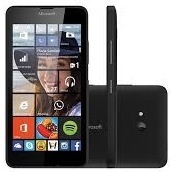
  3. @Juniorcell gostaria de ver a imagem do jumper que voce realizou no lumia 640, e possivel enviar novamente? nao consigo abrir essa que esta no post.
Account

Navigation

Pesquisar

Pesquisar

Configure browser push notifications

Chrome (Android)
  1. Tap the lock icon next to the address bar.
  2. Tap Permissions → Notifications.
  3. Adjust your preference.
Chrome (Desktop)
  1. Click the padlock icon in the address bar.
  2. Select Site settings.
  3. Find Notifications and adjust your preference.