


claudio faria
Membros
-
Registrado em
-
Última visita
-
Créditos EBR
1
-
Livro Instalações Elétricas Industriais - 9ª edição - João Mamede Filho Esta obra, escrita por João Mamede Filho e publicada pela editora LTC, é uma referência técnica consolidada para profissionais e estudantes de engenharia elétrica. A 9ª edição aborda de forma aprofundada o projeto, a especificação e a manutenção de sistemas elétricos em plantas industriais, em conformidade com as normas técnicas vigentes, incluindo a NBR 5410 e a NBR 5419:2015. Conteúdo técnico abordado: Estudo de Cargas: Critérios para levantamento, fatores de demanda, utilização e simultaneidade.Fator de Potência: Análise de energia reativa e dimensionamento de bancos de capacitores.Condutores: Critérios de seleção de fios e cabos (capacidade de condução, queda de tensão e curto-circuito).Sistemas de Proteção: Cálculo de correntes de curto-circuito e coordenação de dispositivos (disjuntores, fusíveis e relés).Subestações: Projeto e especificação de subestações de média tensão, aterramento e proteção por para-raios.Acionamento de Motores: Métodos de partida (direta, estrela-triângulo, soft-starters) e inversores de frequência.Iluminação Industrial: Projetos de iluminação interna e externa conforme normas regulamentadoras.Automação e Eficiência Energética: Conceitos de automação industrial, UAD, eficiência energética e usinas de geração industrial.Conteúdo do pacote: Instalações-elétricas-industriais-9-ed-mamede-pdf-free.pdf (39,03 MB)Este material é um recurso de consulta indispensável para o dimensionamento de sistemas elétricos industriais. Para baixar este arquivo, lembre-se que o EletrônicaBR é uma comunidade colaborativa. Caso precise de mais acesso, você pode participar ativamente do fórum para acumular Créditos EBR ou verificar nossos planos de assinatura. Links úteis: Sistema de Créditos EBRPlanos de Assinatura VIP Informações do Arquivo Uploader claudio faria Enviado 25/07/2026 Categoria Elétrica e Eletrônica Industrial Arquivo disponível no Gerenciador de Downloads Abra a página do arquivo para clicar em Download, conferir detalhes, versões, comentários e avaliações. Abrir página do download

-
Esta obra, escrita por João Mamede Filho e publicada pela editora LTC, é uma referência técnica consolidada para profissionais e estudantes de engenharia elétrica. A 9ª edição aborda de forma aprofundada o projeto, a especificação e a manutenção de sistemas elétricos em plantas industriais, em conformidade com as normas técnicas vigentes, incluindo a NBR 5410 e a NBR 5419:2015. Conteúdo técnico abordado: Estudo de Cargas: Critérios para levantamento, fatores de demanda, utilização e simultaneidade.Fator de Potência: Análise de energia reativa e dimensionamento de bancos de capacitores.Condutores: Critérios de seleção de fios e cabos (capacidade de condução, queda de tensão e curto-circuito).Sistemas de Proteção: Cálculo de correntes de curto-circuito e coordenação de dispositivos (disjuntores, fusíveis e relés).Subestações: Projeto e especificação de subestações de média tensão, aterramento e proteção por para-raios.Acionamento de Motores: Métodos de partida (direta, estrela-triângulo, soft-starters) e inversores de frequência.Iluminação Industrial: Projetos de iluminação interna e externa conforme normas regulamentadoras.Automação e Eficiência Energética: Conceitos de automação industrial, UAD, eficiência energética e usinas de geração industrial.Conteúdo do pacote: Instalações-elétricas-industriais-9-ed-mamede-pdf-free.pdf (39,03 MB)Este material é um recurso de consulta indispensável para o dimensionamento de sistemas elétricos industriais. Para baixar este arquivo, lembre-se que o EletrônicaBR é uma comunidade colaborativa. Caso precise de mais acesso, você pode participar ativamente do fórum para acumular Créditos EBR ou verificar nossos planos de assinatura. Links úteis: Sistema de Créditos EBRPlanos de Assinatura VIPFree
-
Análise de Circuitos - Boylestad 12ª Ed O livro "Introdução à Análise de Circuitos" (muitas vezes referido apenas como Análise de Circuitos), escrito por Robert L. Boylestad em sua 12ª edição, é uma das obras mais tradicionais, completas e respeitadas na área de engenharia elétrica, eletrônica e cursos técnicos. Ele serve como a base fundamental para a compreensão de circuitos elétricos de corrente contínua (CC) e corrente alternada (CA). A estrutura do livro aborda progressivamente os conceitos, dividindo-se nos seguintes tópicos centrais: Confundamentos e Unidades: Introdução ao Sistema Internacional de Unidades (SI), conceitos fundamentais de carga, tensão, corrente, resistência, e as leis básicas que regem a eletricidade. Lei de Ohm e Potência: Estudo detalhado da Lei de Ohm, cálculo de potência e energia em circuitos elétricos. Circuitos Série e Paralelo: Análise de resistores conectados em série, em paralelo e em configurações mistas (série-paralelo), aplicando divisores de tensão e de corrente. Métodos de Análise e Teoremas de Rede: Técnicas avançadas para resolução de circuitos complexos, incluindo as Leis de Kirchhoff (LCK e LKT), Análise de Malhas, Análise de Nodal, e teoremas fundamentais como o de Thévenin, Norton, Superposição, Máxima Transferência de Potência e Reciprocidade. Capacitores e Indutores: Estudo detalhado dos componentes armazenadores de energia, seu comportamento em regime permanente e transiente (circuitos RC e RL). Corrente Alternada (CA) e Fasores: Introdução aos sinais senoidais, valores eficazes (RMS), fase, e a representação matemática por meio de números complexos e fasores. Elementos em CA e Circuitos Impedanciais: Comportamento de resistores, capacitores e indutores sob regime CA, introduzindo os conceitos de reatância indutiva e capacitiva, e de impedância e admitância. Análise de Circuitos CA: Aplicação das leis de circuito, métodos de malhas/nodos e teoremas de rede estendidos para o domínio da corrente alternada, além de cálculos de potência ativa, reativa, aparente e o fator de potência. Ressonância e Resposta em Frequência: Estudo de circuitos ressonantes série e paralelo, fatores de qualidade ($Q$), largura de banda e filtros passivos básicos. Transformadores e Circuitos Acoplados Magneticamente: Princípios de funcionamento de indutores acoplados e transformadores lineares/ideais em CA. Sistemas Polifásicos: Introdução aos sistemas trifásicos equilibrados e desequilibrados (ligações em estrela $Y$ e delta $\Delta$) e medição de potência. Cada capítulo do livro é amplamente conhecido por sua didática, contendo centenas de problemas resolvidos, exemplos práticos orientados a aplicações industriais/laboratoriais, e exercícios de fixação de diferentes níveis de dificuldade. Informações do Arquivo Uploader claudio faria Enviado 25/07/2026 Categoria Eletrônica Arquivo disponível no Gerenciador de Downloads Abra a página do arquivo para clicar em Download, conferir detalhes, versões, comentários e avaliações. Abrir página do download

-
O livro "Introdução à Análise de Circuitos" (muitas vezes referido apenas como Análise de Circuitos), escrito por Robert L. Boylestad em sua 12ª edição, é uma das obras mais tradicionais, completas e respeitadas na área de engenharia elétrica, eletrônica e cursos técnicos. Ele serve como a base fundamental para a compreensão de circuitos elétricos de corrente contínua (CC) e corrente alternada (CA). A estrutura do livro aborda progressivamente os conceitos, dividindo-se nos seguintes tópicos centrais: Confundamentos e Unidades: Introdução ao Sistema Internacional de Unidades (SI), conceitos fundamentais de carga, tensão, corrente, resistência, e as leis básicas que regem a eletricidade. Lei de Ohm e Potência: Estudo detalhado da Lei de Ohm, cálculo de potência e energia em circuitos elétricos. Circuitos Série e Paralelo: Análise de resistores conectados em série, em paralelo e em configurações mistas (série-paralelo), aplicando divisores de tensão e de corrente. Métodos de Análise e Teoremas de Rede: Técnicas avançadas para resolução de circuitos complexos, incluindo as Leis de Kirchhoff (LCK e LKT), Análise de Malhas, Análise de Nodal, e teoremas fundamentais como o de Thévenin, Norton, Superposição, Máxima Transferência de Potência e Reciprocidade. Capacitores e Indutores: Estudo detalhado dos componentes armazenadores de energia, seu comportamento em regime permanente e transiente (circuitos RC e RL). Corrente Alternada (CA) e Fasores: Introdução aos sinais senoidais, valores eficazes (RMS), fase, e a representação matemática por meio de números complexos e fasores. Elementos em CA e Circuitos Impedanciais: Comportamento de resistores, capacitores e indutores sob regime CA, introduzindo os conceitos de reatância indutiva e capacitiva, e de impedância e admitância. Análise de Circuitos CA: Aplicação das leis de circuito, métodos de malhas/nodos e teoremas de rede estendidos para o domínio da corrente alternada, além de cálculos de potência ativa, reativa, aparente e o fator de potência. Ressonância e Resposta em Frequência: Estudo de circuitos ressonantes série e paralelo, fatores de qualidade ($Q$), largura de banda e filtros passivos básicos. Transformadores e Circuitos Acoplados Magneticamente: Princípios de funcionamento de indutores acoplados e transformadores lineares/ideais em CA. Sistemas Polifásicos: Introdução aos sistemas trifásicos equilibrados e desequilibrados (ligações em estrela $Y$ e delta $\Delta$) e medição de potência. Cada capítulo do livro é amplamente conhecido por sua didática, contendo centenas de problemas resolvidos, exemplos práticos orientados a aplicações industriais/laboratoriais, e exercícios de fixação de diferentes níveis de dificuldade.Free
-
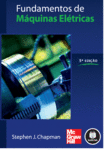 Esta obra, escrita por Stephen J. Chapman, é amplamente reconhecida como uma das principais referências bibliográficas para estudantes de engenharia elétrica, tecnologia e profissionais da área de eletrotécnica. O livro apresenta de forma clara e didática os princípios fundamentais da conversão eletromecânica de energia e o funcionamento de sistemas elétricos. Conteúdo abordado: Eletromagnetismo: Revisão de campos magnéticos, circuitos magnéticos, indução, fluxo e materiais magnéticos.Transformadores: Teoria, circuitos equivalentes, ensaios, eficiência e conexões trifásicas.Conversão de Energia: Princípios de torque, força induzida e campos magnéticos girantes.Máquinas CC: Construção, operação, circuitos equivalentes e regulação de velocidade.Máquinas CA: Geração trifásica, enrolamentos, máquinas síncronas e motores de indução (incluindo curvas de conjugado-velocidade e métodos de partida).O material é ideal para consulta acadêmica e suporte em projetos de sistemas elétricos. Esta edição inclui problemas práticos baseados em folhas de especificações de máquinas reais, facilitando a aplicação dos conceitos teóricos. Conteúdo do pacote: Fundamentos de Máquinas Elétricas 5ªed - Stephen Chapman.pdf (35,67 MB)Links úteis: Para baixar este arquivo, é necessário ter Créditos EBR ou uma Assinatura VIP ativa. Confira o Sistema de Créditos EBR para entender como participar e obter acesso.Se você já possui 10 Créditos EBR, pode ativar a assinatura Download 1 diretamente na Loja de Assinaturas.Free
 -
Fundamentos de Máquinas Elétricas 5ªed - Stephen Chapman O livro "Fundamentos de Máquinas Elétricas", de Stephen Chapman, é uma das principais referências bibliográficas da área de engenharia elétrica e eletrotécnica, sendo amplamente utilizado em cursos técnicos, de tecnologia e de graduação para o estudo aprofundado da conversão eletromecânica de energia e de sistemas de corrente alternada e contínua. A obra aborda os seguintes tópicos centrais: Princípios Básicos de Eletromagnetismo: Revisão detalhada de campos magnéticos, circuitos magnéticos, indução eletromagnética, fluxo magnético, materiais magnéticos (curvas de magnetização, perdas no ferro e histerese) e transformações de energia. Transformadores: Teoria de funcionamento dos transformadores monofásicos e trifásicos, circuitos equivalentes, ensaios em vazio e em curto-circuito, regulação de tensão, eficiência, autotransformadores e conexões especiais de transformadores trifásicos. Princípios de Conversão Eletromecânica de Energia: Introdução ao movimento mecânico gerado por campos magnéticos, força induzida, torque, campos magnéticos girantes e sistemas lineares básicos. Máquinas de Corrente Contínua (CC): Construção, princípio de operação, circuitos equivalentes, equações de torque e tensão, características de funcionamento e regulação de velocidade para motores e geradores CC (paralelo, série e composto). Fundamentos de Máquinas CA (Corrente Alternada): Geração de tensões alternadas trifásicas, enrolamentos de armadura, fator de passo e de distribuição, e produção de campos magnéticos girantes em máquinas de corrente alternada. Máquinas síncronas: Focada em geradores e motores síncronos, abordando circuitos equivalentes, características de carga, diagramaorial vetorial, regulação de tensão, capacidade de operação e sincronização à rede. Motores de Indução: Estudo completo dos motores de indução trifásicos (e monofásicos), funcionamento em regime permanente, circuito equivalente por fase, curvas de conjugado-velocidade, métodos de partida e controle de velocidade. Informações do Arquivo Uploader claudio faria Enviado 25/07/2026 Categoria Eletrônica Arquivo disponível no Gerenciador de Downloads Abra a página do arquivo para clicar em Download, conferir detalhes, versões, comentários e avaliações. Abrir página do download
-
 Obra de referência fundamental para estudantes de engenharia elétrica, tecnologia e profissionais da área de eletrotécnica. O livro Fundamentos de Máquinas Elétricas (5ª Edição), escrito por Stephen J. Chapman, oferece uma abordagem didática e aprofundada sobre a conversão eletromecânica de energia, sendo amplamente adotado em cursos superiores e técnicos. Conteúdo abordado: Princípios de Eletromagnetismo: Revisão de circuitos magnéticos, indução, fluxo e materiais magnéticos.Transformadores: Teoria de operação, circuitos equivalentes, ensaios, eficiência e conexões trifásicas.Conversão de Energia: Força induzida, torque e sistemas de campos magnéticos girantes.Máquinas de Corrente Contínua (CC): Construção, operação, equações de torque/tensão e controle de velocidade.Máquinas de Corrente Alternada (CA): Geração trifásica, enrolamentos e campos girantes.Máquinas Síncronas e Motores de Indução: Análise detalhada de geradores síncronos, motores de indução trifásicos, curvas conjugado-velocidade e métodos de partida.Esta edição destaca-se pela clareza na exposição dos temas e pela inclusão de problemas práticos baseados em folhas de especificações de máquinas reais, auxiliando na compreensão das tendências atuais da indústria. Conteúdo do pacote: Fundamentos de Máquinas Elétricas 5ªed - Stephen Chapman.pdf (35,67 MB)Para baixar arquivos técnicos, é necessário ter Créditos EBR ou uma assinatura VIP ativa. Caso ainda não tenha créditos, você pode obtê-los participando da comunidade, ajudando outros membros ou enviando arquivos úteis para o nosso acervo. Confira como funciona o nosso Sistema de Créditos EBR.Free
 -
Fundamentos de Máquinas Elétricas 5ªed - Stephen Chapman O livro "Fundamentos de Máquinas Elétricas", de Stephen Chapman, é uma das principais referências bibliográficas da área de engenharia elétrica e eletrotécnica, sendo amplamente utilizado em cursos técnicos, de tecnologia e de graduação para o estudo aprofundado da conversão eletromecânica de energia e de sistemas de corrente alternada e contínua. A obra aborda os seguintes tópicos centrais: Princípios Básicos de Eletromagnetismo: Revisão detalhada de campos magnéticos, circuitos magnéticos, indução eletromagnética, fluxo magnético, materiais magnéticos (curvas de magnetização, perdas no ferro e histerese) e transformações de energia. Transformadores: Teoria de funcionamento dos transformadores monofásicos e trifásicos, circuitos equivalentes, ensaios em vazio e em curto-circuito, regulação de tensão, eficiência, autotransformadores e conexões especiais de transformadores trifásicos. Princípios de Conversão Eletromecânica de Energia: Introdução ao movimento mecânico gerado por campos magnéticos, força induzida, torque, campos magnéticos girantes e sistemas lineares básicos. Máquinas de Corrente Contínua (CC): Construção, princípio de operação, circuitos equivalentes, equações de torque e tensão, características de funcionamento e regulação de velocidade para motores e geradores CC (paralelo, série e composto). Fundamentos de Máquinas CA (Corrente Alternada): Geração de tensões alternadas trifásicas, enrolamentos de armadura, fator de passo e de distribuição, e produção de campos magnéticos girantes em máquinas de corrente alternada. Máquinas síncronas: Focada em geradores e motores síncronos, abordando circuitos equivalentes, características de carga, diagramaorial vetorial, regulação de tensão, capacidade de operação e sincronização à rede. Motores de Indução: Estudo completo dos motores de indução trifásicos (e monofásicos), funcionamento em regime permanente, circuito equivalente por fase, curvas de conjugado-velocidade, métodos de partida e controle de velocidade. Informações do Arquivo Uploader claudio faria Enviado 25/07/2026 Categoria Eletrônica Arquivo disponível no Gerenciador de Downloads Abra a página do arquivo para clicar em Download, conferir detalhes, versões, comentários e avaliações. Abrir página do download
-
editei
-
desculpe, lugar errado.
-
claudio faria alterou sua foto pessoal
-
Qual seu nível técnico? "Técnico em info e eletrônica". Já terminnei os cursos. Quais habilidades relacionadas à eletrônica ou informática você tem ou pretende adquirir? interesado em programas automotivos e esquemas eletricos. Qual é o seu principal objetivo ao se juntar à comunidade? Exemplos: aprender do zero, tirar dúvidas específicas, compartilhar arquivos/esquemas, fazer networking ou ajudar outros membros. tirar duvidas sobre manutenção automotiva, compartilhar esquemas q ja tenho e não achei na FIAT, aprender mais sobre manutençã auto. Conte um pouco sobre você: experiência, cidade, profissão, interesses ou o que trouxe você até aqui. (Você mencionou "Brasil", mas seria bom saber sua cidade/estado para um título mais completo, se quiser compartilhar.) brasil, sao paulo-sp,
-
.


