-
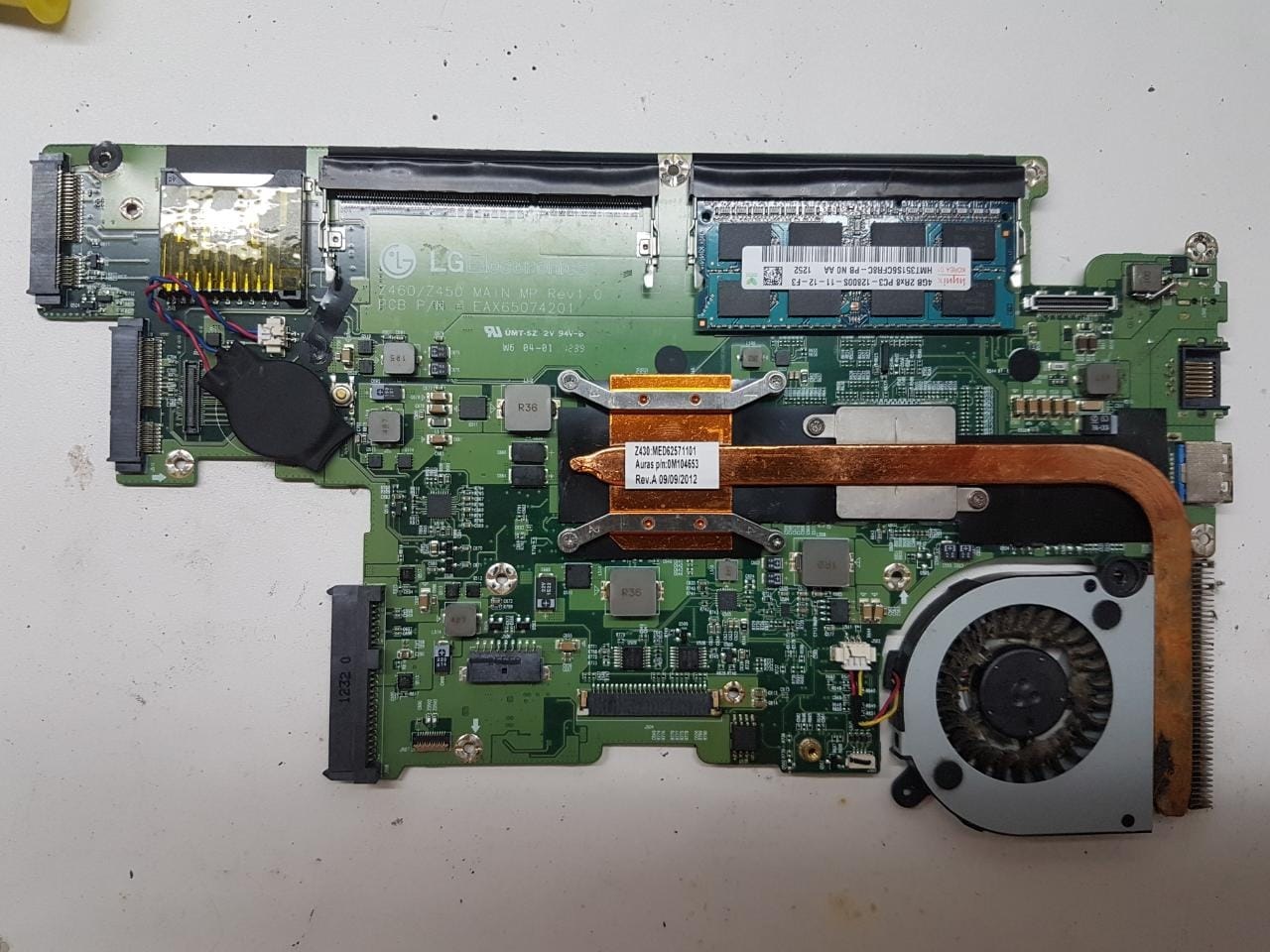
LG Z460/Z450 / MB EAX65074201 / REV 1.0
Rampelot Souza começou a seguir: Notebook - BIOS
- LG Z460/Z450 / MB EAX65074201 / REV 1.0
Ok, fico aguardando!- LG Z460/Z450 / MB EAX65074201 / REV 1.0
- LG Z460/Z450 / MB EAX65074201 / REV 1.0
Estou com o backup salvo sim, porém essa placa mãe passou na mão de duas assistências antes de eu pega-lá, não sei se o arquivo que eu fiz backup é o original, mais enviarei sim.- LG Z460/Z450 / MB EAX65074201 / REV 1.0
Bom dia, então, esse eu tenho aqui, já gravei e não dá certo, a placa não liga... o chip de bios da minha placa é de 8mb, se eu não me engano esse arquivo z430 é de 4mb. Ele até grava, mais não liga a placa...- LG Z460/Z450 / MB EAX65074201 / REV 1.0
Te agradeço muitíssimo, fico no aguardo!!- LG Z460/Z450 / MB EAX65074201 / REV 1.0
Obrigado amigo mais conheço o site, e sim, se caso eu conseguir o arquivo irei comprar a assinatura vip. agradeço a atenção!!- LG Z460/Z450 / MB EAX65074201 / REV 1.0
Boa noite a todos, sou novo aqui! Já me bati em vários sites e grupos e não acho esse arquivo, se alguém tiver, por favor compartilhe pois acredito que muita gente precisa também! Placa mãe LG Z460/Z450 / MB EAX65074201 / REV 1.0 Processador Intel Core i7 Modelo do note: LGZ45 / Configuração: Z460
Account
Navigation
Pesquisar
Configure browser push notifications
Chrome (Android)
- Tap the lock icon next to the address bar.
- Tap Permissions → Notifications.
- Adjust your preference.
Chrome (Desktop)
- Click the padlock icon in the address bar.
- Select Site settings.
- Find Notifications and adjust your preference.
Safari (iOS 16.4+)
- Ensure the site is installed via Add to Home Screen.
- Open Settings App → Notifications.
- Find your app name and adjust your preference.
Safari (macOS)
- Go to Safari → Preferences.
- Click the Websites tab.
- Select Notifications in the sidebar.
- Find this website and adjust your preference.
Edge (Android)
- Tap the lock icon next to the address bar.
- Tap Permissions.
- Find Notifications and adjust your preference.
Edge (Desktop)
- Click the padlock icon in the address bar.
- Click Permissions for this site.
- Find Notifications and adjust your preference.
Firefox (Android)
- Go to Settings → Site permissions.
- Tap Notifications.
- Find this site in the list and adjust your preference.
Firefox (Desktop)
- Open Firefox Settings.
- Search for Notifications.
- Find this site in the list and adjust your preference.