



A5K Informática
Membros
-
Registrado em
-
Última visita
-
Créditos EBR
0
-
-
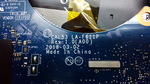 O arquivo demorou pra dar vídeo, mais funcionou , o teclado está travando e a máquina está dando umas travadas.
- 4 comentários
- 2 análises
-
-
Boa tarde Arnaldo, verifique as trilhas que vão para o ci se não tem alguma rompida ou algum capacitor em curto ao redor!
-
A5K Informática alterou sua foto pessoal
-
1. Conheci o fórum pesquisando pelo google . 2. Meu nível é Empresário. 3. Gostaria de ter mais conhecimento e desenvolver mais técnicas na área eletrônica. 4. Estou a 12 anos na área de informática, no reparo de placa mãe de desktop, notebook e monitores, sempre procurando aprender mais e aperfeiçoar meu trabalho, Gosto muito de pesquisar sobre minha área e mecânica. Em minha cidade gostaria que tivesse mais cursos em eletrônica.
