Ir para conteúdo
View in the app

A better way to browse. Learn more.

EletrônicaBR.com

A full-screen app on your home screen with push notifications, badges and more.

To install this app on iOS and iPadOS
  1. Tap the Share icon in Safari
  2. Scroll the menu and tap Add to Home Screen.
  3. Tap Add in the top-right corner.
To install this app on Android
  1. Tap the 3-dot menu (⋮) in the top-right corner of the browser.
  2. Tap Add to Home screen or Install app.
  3. Confirm by tapping Install.

Analia

Membros
  • Registrado em

  • Última visita

  • Créditos EBR

    0
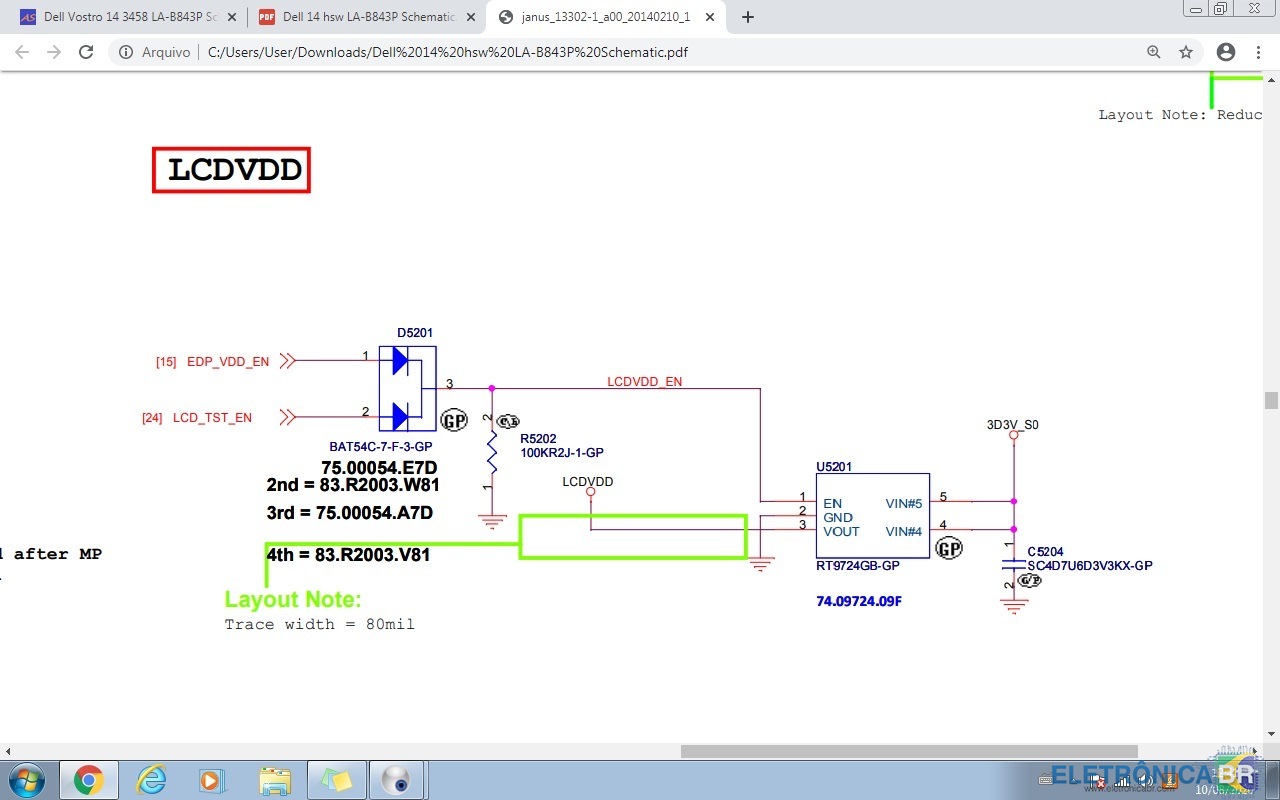
  1. Bom dia! Estou com um notebook dell na bancada, placa AAL10 LA-B843P, que veio sem ligar. Assim que tentei liga-lo, começou a sair fumaça, então abri para verificar. O U5201 estava torrado, verifiquei que é o ci RT9724gb pelo esquema (foto em anexo). Porém não tenho nenhuma placa de sucata para retirar e nem encontro um compatível, além de que também não achei um novo no mercado livre. Alguém tem alguma sugestão?
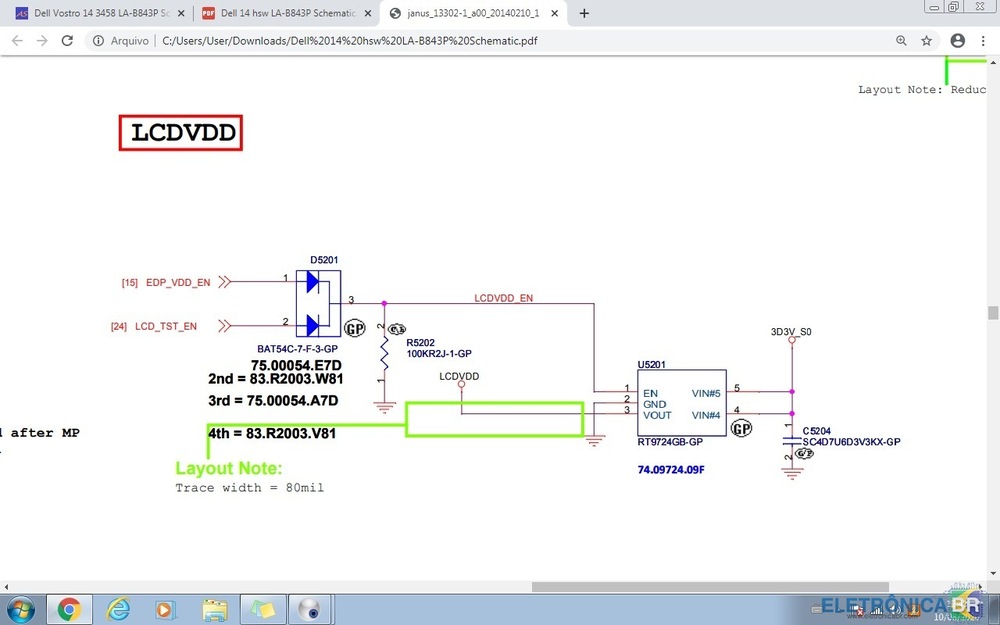
  2. Bom dia! Estou com um notebook na bancada que está com este componente torrado e não encontro algum igual aqui nas placas de sucata, assim como não achei para comprar no mercado livre. Alguém saberia me informar algum equivalente?

Account

Navigation

Pesquisar

Pesquisar

Configure browser push notifications

Chrome (Android)
  1. Tap the lock icon next to the address bar.
  2. Tap Permissions → Notifications.
  3. Adjust your preference.
Chrome (Desktop)
  1. Click the padlock icon in the address bar.
  2. Select Site settings.
  3. Find Notifications and adjust your preference.