



Diño Maia
Membros
-
Registrado em
-
Última visita
-
Créditos EBR
0
-
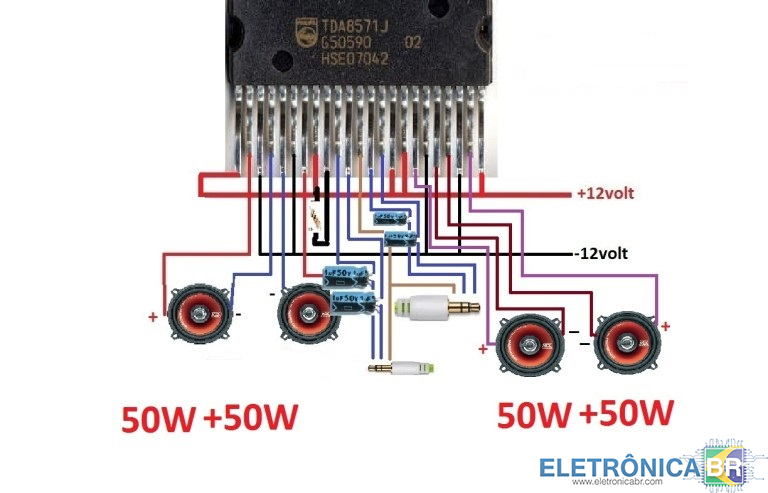
Esquema de som stereo 50w +50w com TDA 8571
-
 Já consegui o arquivo faz tempo, minha tv já esta funcionando perfeitamente, não consegui por aqui, mas consegui grátis, hoje que fui ver essa norificação, mas mesmo não tendo dinheiro pra comprar creditos e nem condições de comprar uma assinatura vip, agradeço a todos.
 -
Por favor...liberem esse arquivo pra mim, quero atualizar minha tv...obrigadoconheci pesquisando esquemas eletricos ,sou tecnico estudante, tenho habilidades em montagens de amplificadores1.conheci pelo Google 2.Técnico 3.Em geral 4.Sou pai de família, tenho minha esposa e 4 filhos pra criar, gosto de trocar ideias para todos se ajudarem, espero fazer amigos, socorrer e ser socorrido aqui no site o que puder. Obrigado.
