Crisleandro Oliveira
Membros
-
Registrado em
-
Última visita
-
Créditos EBR
0
-
 obrigado... so hoje de joia pois so agora entendi como agradecer pela ajuda...
- 9 comentários
- 6 análises
-
-
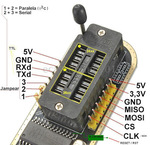
Ola... Precisava do programa para abrir a regravadora de bios ch341 , para tentar consertar meu note que apaguei tudo enquanto fazia um teste de upgrade , ai ele so pisca o led mas não liga mais...
-
Crisleandro Oliveira alterou sua foto pessoal
-
Ola! 1-Conheci o Site em um curso que estava fazendo e foi recomendado essa comunidade! 2-Estudante 3-manutencao de notebooks 4- Sou alguem que sempre gostou de eletronica mas nunca teve a oportunidade de aprofundar , e sendo encorajado por algumas pessoas e pela atual crise resolvi deixar de ser amador e aprofundar realmente na area, pois preciso ser um espelho para meu filho.