putro wayahwengi
Membros
-
Registrado em
-
Última visita
-
Créditos EBR
21
-
 Esquema elétrico completo (schematic) do notebook BenQ Joybook T31, projeto Quanta ED5, revisão A. O documento contém 34 páginas com diagrama de blocos, tabela de conteúdos, sequência de alimentação e todas as interfaces do sistema. Identificação das placasPlaca principal (MB): DA0ED5MB8A8 (S/S) e DA0ED5MB8B6 (C/S)Placa USB/B (daughterboard): DA0ED5SB8A5 (S/S) e DA0ED5SB8B3 (C/S)Projeto: Quanta ED5Revisão: A (PCB 8L, 309×218 mm)Plataforma e componentes principaisProcessador: AMD Turion 64 / Sempron (soquete S1g1) – single/dual-coreChipset: AMD RS485 (northbridge) + SB460 (southbridge)Memória: 2 slots DDR2 SODIMM (533/667 MHz)Clock: ICS951462Áudio: Realtek ALC262 + amplificador MAX9755ARede: Realtek RTL8111B Gigabit EthernetControladora: TI PCI8402 (PCI Express, 1394, leitor de cartões)KBC/EC: NS97551Carregador: circuito de carga de bateria inclusoIdentificação técnicaTipo de material: Esquema elétricoEquipamento: TVMarca/fabricante: BenQModelo/código: T31Placa/plataforma: DA0ED5MB8A8, DA0ED5SB8A5 e DA0ED5MB8B6Revisão: A Conteúdo do pacoteArquivo: Esquema_Schematic_BenQ-_JOYBOOK_T31_10769-eletronicabr.com.pdf (993,6 KB)Cuidados de compatibilidadeEste esquema corresponde às placas com os P/N listados acima. Confirme a revisão e o número de série do seu equipamento antes de usar. Diagramas de blocos e tensões auxiliam na análise de falhas em alimentação, áudio, vídeo, USB e demais periféricos.Free
 -
Esquema elétrico TV BenQ T31 - Placa DA0ED5MB8A8, DA0ED5SB8A5 e DA0ED5MB8B6 - Rev. A - Schematic Esquema elétrico completo (schematic) do notebook BenQ Joybook T31, projeto Quanta ED5, revisão A. O documento contém 34 páginas com diagrama de blocos, tabela de conteúdos, sequência de alimentação e todas as interfaces do sistema. Identificação das placasPlaca principal (MB): DA0ED5MB8A8 (S/S) e DA0ED5MB8B6 (C/S)Placa USB/B (daughterboard): DA0ED5SB8A5 (S/S) e DA0ED5SB8B3 (C/S)Projeto: Quanta ED5Revisão: A (PCB 8L, 309×218 mm)Plataforma e componentes principaisProcessador: AMD Turion 64 / Sempron (soquete S1g1) – single/dual-coreChipset: AMD RS485 (northbridge) + SB460 (southbridge)Memória: 2 slots DDR2 SODIMM (533/667 MHz)Clock: ICS951462Áudio: Realtek ALC262 + amplificador MAX9755ARede: Realtek RTL8111B Gigabit EthernetControladora: TI PCI8402 (PCI Express, 1394, leitor de cartões)KBC/EC: NS97551Carregador: circuito de carga de bateria inclusoIdentificação técnicaTipo de material: Esquema elétricoEquipamento: TVMarca/fabricante: BenQModelo/código: T31Placa/plataforma: DA0ED5MB8A8, DA0ED5SB8A5 e DA0ED5MB8B6Revisão: A Conteúdo do pacoteArquivo: Esquema_Schematic_BenQ-_JOYBOOK_T31_10769-eletronicabr.com.pdf (993,6 KB)Cuidados de compatibilidadeEste esquema corresponde às placas com os P/N listados acima. Confirme a revisão e o número de série do seu equipamento antes de usar. Diagramas de blocos e tensões auxiliam na análise de falhas em alimentação, áudio, vídeo, USB e demais periféricos. Informações do Arquivo Uploader putro wayahwengi Enviado 18/04/2017 Categoria BENQ Arquivo disponível no Gerenciador de Downloads Abra a página do arquivo para clicar em Download, conferir detalhes, versões, comentários e avaliações. Abrir página do download
-
Nome do arquivo: BENQ JOYBOOK T31 arquivo enviado: January 2, 2015, 7:38:24 AM BENQ JOYBOOK T31 Acesse a página do download para baixar este arquivo. Na página do arquivo, clique no botão Download para iniciar o download ou conferir as informações completas. Acessar página de download
-
when press power button led orange blink green theb back to orange
-
i have try to jump Gate Q46 to 3.3v that voltage on all TP raise when pressing power button, but just few secon disapear again.
-
the problem is no triger to EN/PSV2 but EN/PS1 is good .

-
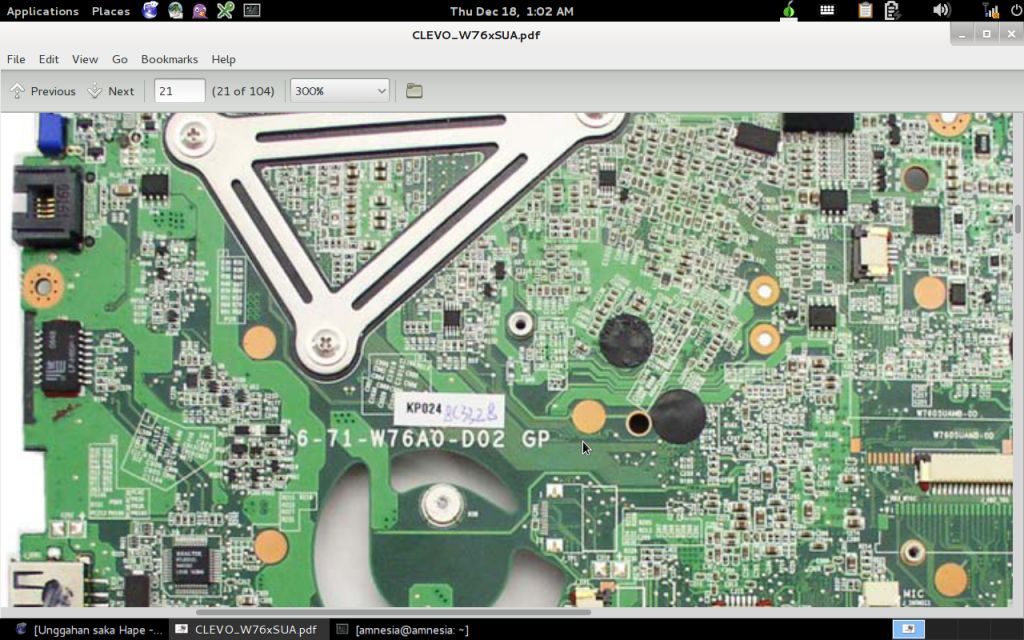
this is for mainboard 6-71-W76A0-D02 GP ??

-
this schematic is not 6-71-M74S0-D06A sir . its main board code 6-71-W76A0-D02 GP . its difference.
-
thanks h3l10 i will share solution here when solved
-
jack connector is good
-
what coil sir? i have check not found short. there is no input triger to SC413 for 1.05v
-
OK.sir i hope. I like this forum and the people . thanks
-
the netbook cant turn on, VDD3 VDD5 is good. when press power button only raise 1.2v 1.8v in few secon but there is no 0.9v 1.05v nothing
-
thanks sir , please let me get it .
-
thanks for let me loin