Ir para conteúdo
View in the app

A better way to browse. Learn more.

EletrônicaBR.com

A full-screen app on your home screen with push notifications, badges and more.

To install this app on iOS and iPadOS
  1. Tap the Share icon in Safari
  2. Scroll the menu and tap Add to Home Screen.
  3. Tap Add in the top-right corner.
To install this app on Android
  1. Tap the 3-dot menu (⋮) in the top-right corner of the browser.
  2. Tap Add to Home screen or Install app.
  3. Confirm by tapping Install.

BINFUAD GAMING

Membros
  • Registrado em

  • Última visita

  • Créditos EBR

    0
  1. @zFuxz hello brother can you help me to download this bios? @Wandesar
  2. hi guys 👋, please i need to download this file,why am getting a message you are not permitted to download this file
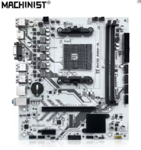
  3. 1. i hear about EletrônicaBR in Google when am searching bios for my machinist b450m motherboard 2. My technical level is student. 3. electronic skill that I'm planning to study is engineering about pc. about me am student but I like to play games like warzone, apex legends and also i like to play music some time .

Account

Navigation

Pesquisar

Pesquisar

Configure browser push notifications

Chrome (Android)
  1. Tap the lock icon next to the address bar.
  2. Tap Permissions → Notifications.
  3. Adjust your preference.
Chrome (Desktop)
  1. Click the padlock icon in the address bar.
  2. Select Site settings.
  3. Find Notifications and adjust your preference.