Ir para conteúdo
View in the app

A better way to browse. Learn more.

EletrônicaBR.com

A full-screen app on your home screen with push notifications, badges and more.

To install this app on iOS and iPadOS
  1. Tap the Share icon in Safari
  2. Scroll the menu and tap Add to Home Screen.
  3. Tap Add in the top-right corner.
To install this app on Android
  1. Tap the 3-dot menu (⋮) in the top-right corner of the browser.
  2. Tap Add to Home screen or Install app.
  3. Confirm by tapping Install.

Leo93

Vip 60
  • Registrado em

  • Última visita

  • Créditos EBR

    1
  1. Leo93 começou a seguir: Videogames e Consoles
  2. Boa Noite! Passando para agradecer ao arquivo, deu certo aqui, salvou 🙌
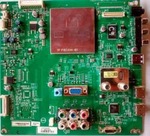
  3. Boa Tarde Pessoal! Estou precisando da BIOS da Tv Philips 42 polegadas Modelo: 42PFL3707D/78 Chassi: TPM9.1L LA Placa: M715G5172-M01-001-0040I Modelo EPROOM: 24C128 (3,3V) Por gentileza se alguém conseguir dar um joinha e mandar o arquivo, sou novo no fórum e não tenho autorização para downloads no momento
  4. Leo93 alterou sua foto pessoal
  5. Boa noite Me chamo Leonel, sou de Três coroas, Rio grande do Sul Sou técnico em eletrônica, trabalho com automação residencial, mas a noite e final de semana, faço alguns consertos de notebook, tvs, celulares, algumas placas em geral. Objetivo é a troca de informações e aprendizado

Account

Navigation

Pesquisar

Pesquisar

Configure browser push notifications

Chrome (Android)
  1. Tap the lock icon next to the address bar.
  2. Tap Permissions → Notifications.
  3. Adjust your preference.
Chrome (Desktop)
  1. Click the padlock icon in the address bar.
  2. Select Site settings.
  3. Find Notifications and adjust your preference.