Ir para conteúdo
View in the app

A better way to browse. Learn more.

EletrônicaBR.com

A full-screen app on your home screen with push notifications, badges and more.

To install this app on iOS and iPadOS
  1. Tap the Share icon in Safari
  2. Scroll the menu and tap Add to Home Screen.
  3. Tap Add in the top-right corner.
To install this app on Android
  1. Tap the 3-dot menu (⋮) in the top-right corner of the browser.
  2. Tap Add to Home screen or Install app.
  3. Confirm by tapping Install.

Tópicos

  1. Tenho um Asus modelo x543n , foi trocada senha da Bios e o proprietário não lembra da mesma e agora não consigo mais ter acesso, teria como me ajudar?

  2. Criado por Walone,

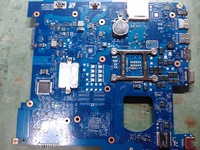
    Bom pessoal algum membro poderia da opinião sobre conhecimentos em esquemas sei que devemos sempre esta a estudar e buscar cursos na área,no meu caso o tempo é corrido e se alguém puder ajudar a entender esse esquema agradeço que acredito servir para outros.

      • Legal
      • Joinha
    • 7 respostas
    • 5k visualizações

Account

Navigation

Pesquisar

Pesquisar

Configure browser push notifications

Chrome (Android)
  1. Tap the lock icon next to the address bar.
  2. Tap Permissions → Notifications.
  3. Adjust your preference.
Chrome (Desktop)
  1. Click the padlock icon in the address bar.
  2. Select Site settings.
  3. Find Notifications and adjust your preference.
