
Ir para conteúdo
View in the app

A better way to browse. Learn more.

EletrônicaBR.com

A full-screen app on your home screen with push notifications, badges and more.

To install this app on iOS and iPadOS
  1. Tap the Share icon in Safari
  2. Scroll the menu and tap Add to Home Screen.
  3. Tap Add in the top-right corner.
To install this app on Android
  1. Tap the 3-dot menu (⋮) in the top-right corner of the browser.
  2. Tap Add to Home screen or Install app.
  3. Confirm by tapping Install.

harry_ddc

Membros
  • Registrado em

  • Última visita

  • Créditos EBR

    1
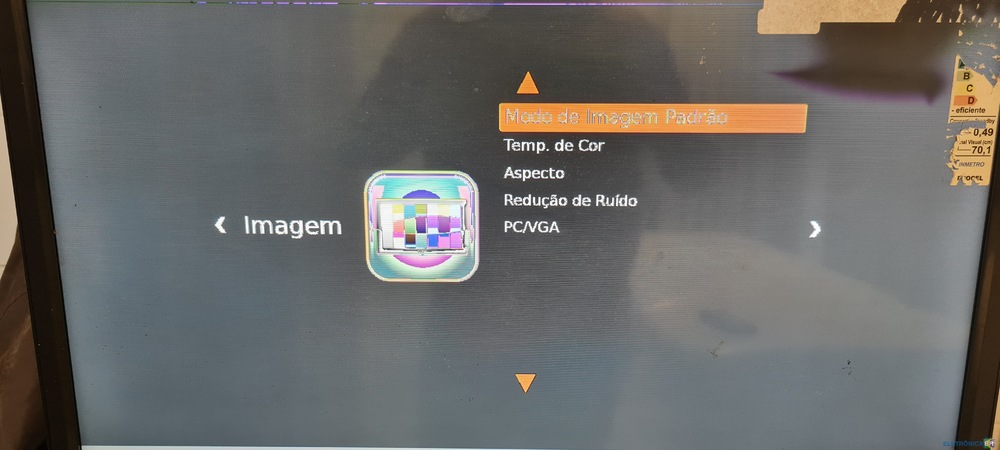
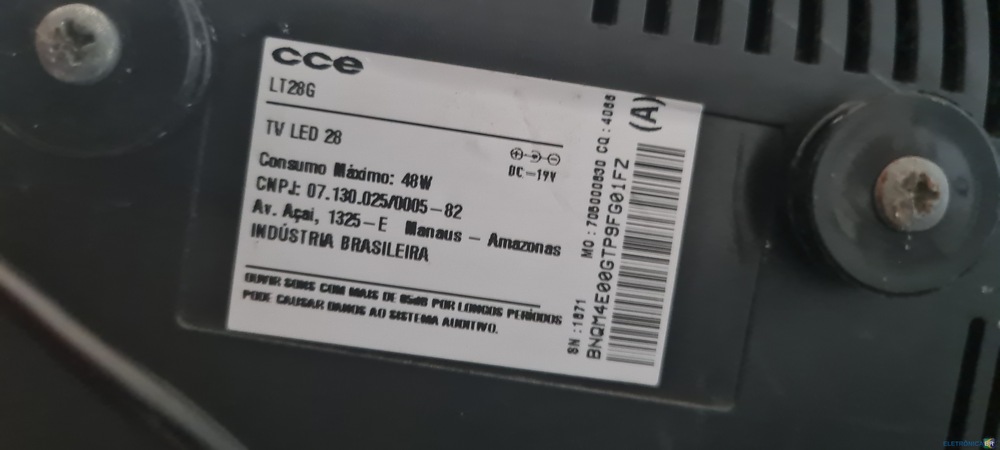
  1. Fala galera, vê se alguém pode ajudar o amigo aqui, estou com uma TV cce lt28g que recentemente a placa foi substituída e agora a imagem aparece negativada/ borrada, tentei até entrar no menu de serviço pois em algumas marcas se alterar o bit do cabo lvds é corrigido o problema, porém neste modelo o menu não é claro e específico sobre esta função, vi pelo fórum que existe a opção de download da firmware que poderia resolver tbm o meu problema, enfim se alguém puder me dar um norte para resolver este problema ficarei grato, tmj e um abs pra todos.
Account

Navigation

Pesquisar

Pesquisar

Configure browser push notifications

Chrome (Android)
  1. Tap the lock icon next to the address bar.
  2. Tap Permissions → Notifications.
  3. Adjust your preference.
Chrome (Desktop)
  1. Click the padlock icon in the address bar.
  2. Select Site settings.
  3. Find Notifications and adjust your preference.