Ir para conteúdo
View in the app

A better way to browse. Learn more.

EletrônicaBR.com

A full-screen app on your home screen with push notifications, badges and more.

To install this app on iOS and iPadOS
  1. Tap the Share icon in Safari
  2. Scroll the menu and tap Add to Home Screen.
  3. Tap Add in the top-right corner.
To install this app on Android
  1. Tap the 3-dot menu (⋮) in the top-right corner of the browser.
  2. Tap Add to Home screen or Install app.
  3. Confirm by tapping Install.

ponto com

Membros
  • Registrado em

  • Última visita

  • Créditos EBR

    1
  1. ponto com começou a seguir: gnu informatica
  2. tv led cce ln24g v:4.0 A tv liga, fica verde o led, aparece a mensagem "por favor aguarde", depois some e a tv fica ligada, e o led verde também fica ligado, a tv não recebe comando, porem sem imagem, acredito ser firmware, acredito que atualização por usb posso resolver, por isso quem tiver estou precisando. ouvi também neste fórum um reset ao qual irei tentar, e postar aqui o resultado mas quem tiver o firmware e poder fornecer.
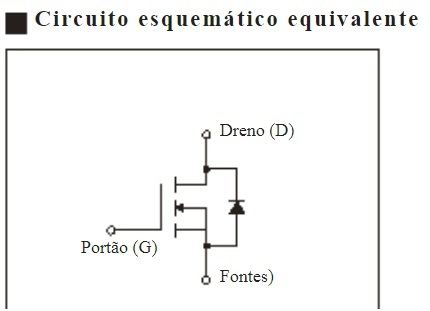
  3. POSSO RETIRAR O 08N50E E COLOCAR STP11NK50ZFP, ESSA PROTEÇÃO ZENER ENTRE GATE E SOURCE IMPEDE?
  4. notebook liga não da vide-o e apaga em seguida.

Account

Navigation

Pesquisar

Pesquisar

Configure browser push notifications

Chrome (Android)
  1. Tap the lock icon next to the address bar.
  2. Tap Permissions → Notifications.
  3. Adjust your preference.
Chrome (Desktop)
  1. Click the padlock icon in the address bar.
  2. Select Site settings.
  3. Find Notifications and adjust your preference.