Jessica e Rafael
Membros
-
Registrado em
-
Última visita
-
Créditos EBR
1
-
@Maxx7 sou novo aqui e não conheço muito desse sistema, mas já abri e já responderam vlw
-
Jessica e Rafael respondeu o tópico de Jessica e Rafael em Identificação e Equivalência de Componentes@K0rTy fui eu quem derreteu msm fui trocar o Jack e estava sem estação de solda foi no ferro de solda msm mas qdo vi passei o ferro de solda por cima do componente
-
Jessica e Rafael respondeu o tópico de Jessica e Rafael em Identificação e Equivalência de Componentes@K0rTy dai achei estranho pois em um o típico é bateria e no outro a simbologia é um diodo
-
Jessica e Rafael respondeu o tópico de Jessica e Rafael em Identificação e Equivalência de Componentes@K0rTy e isso

-
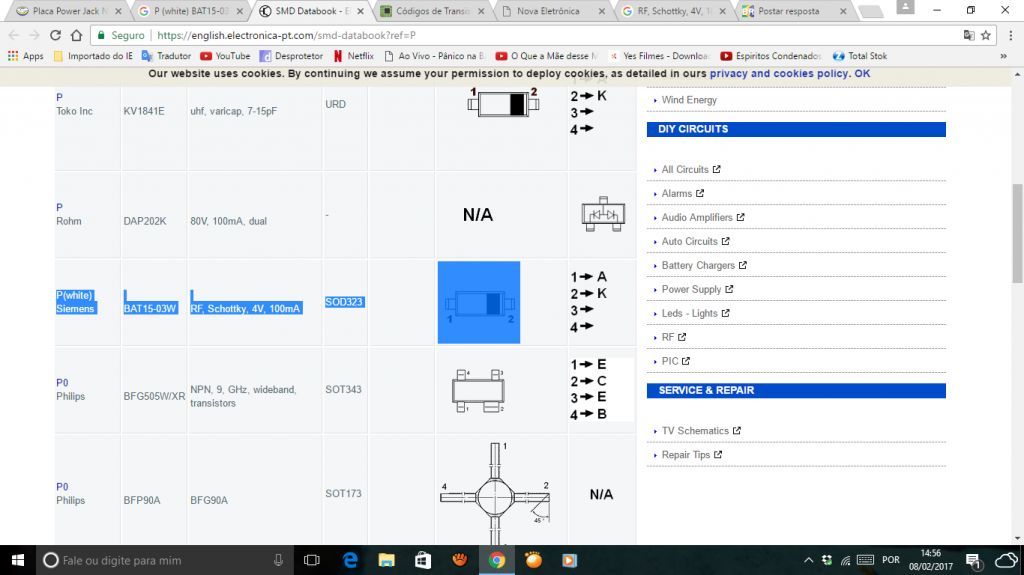
Jessica e Rafael respondeu o tópico de Jessica e Rafael em Identificação e Equivalência de Componentes@K0rTy então a unica coisa que eu achei foi isso

-
Jessica e Rafael respondeu o tópico de Jessica e Rafael em Identificação e Equivalência de Componentes@K0rTy

-
-
tenho uma placa dessas no notebook cce onix 7810b+ e gostaria de saber qual é o componente PF1 é um SMD branco com o códgo P