Ir para conteúdo
View in the app

A better way to browse. Learn more.

EletrônicaBR.com

A full-screen app on your home screen with push notifications, badges and more.

To install this app on iOS and iPadOS
  1. Tap the Share icon in Safari
  2. Scroll the menu and tap Add to Home Screen.
  3. Tap Add in the top-right corner.
To install this app on Android
  1. Tap the 3-dot menu (⋮) in the top-right corner of the browser.
  2. Tap Add to Home screen or Install app.
  3. Confirm by tapping Install.

atoniollo

Membros
  • Registrado em

  • Última visita

  • Créditos EBR

    1
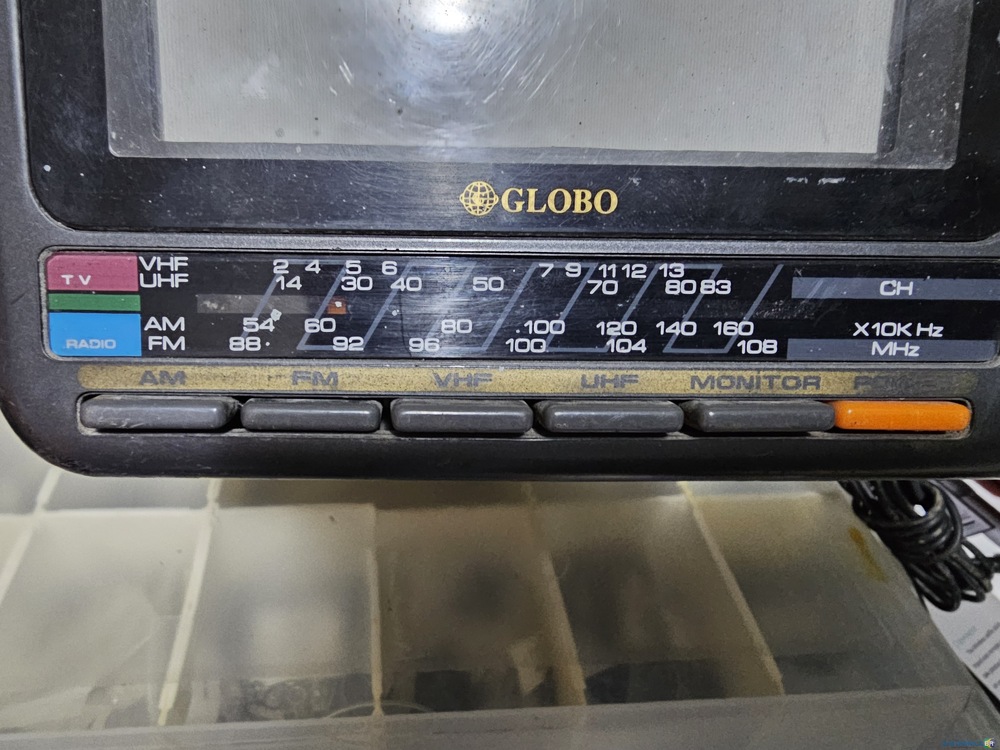
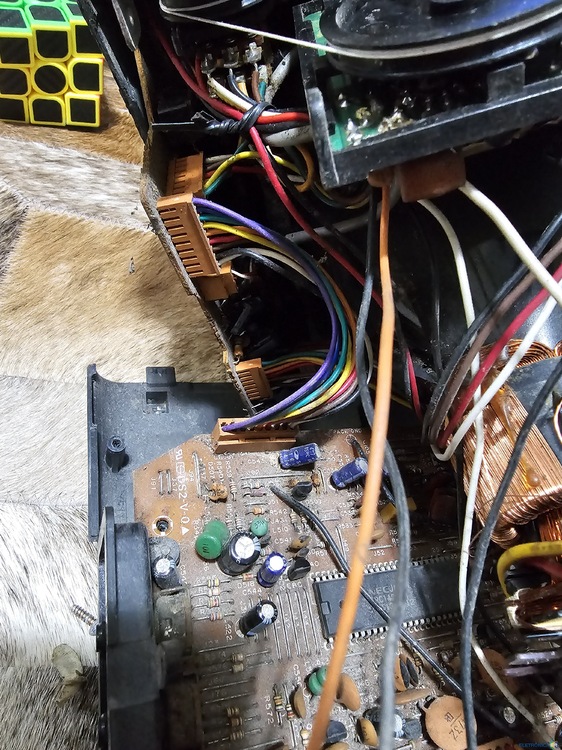
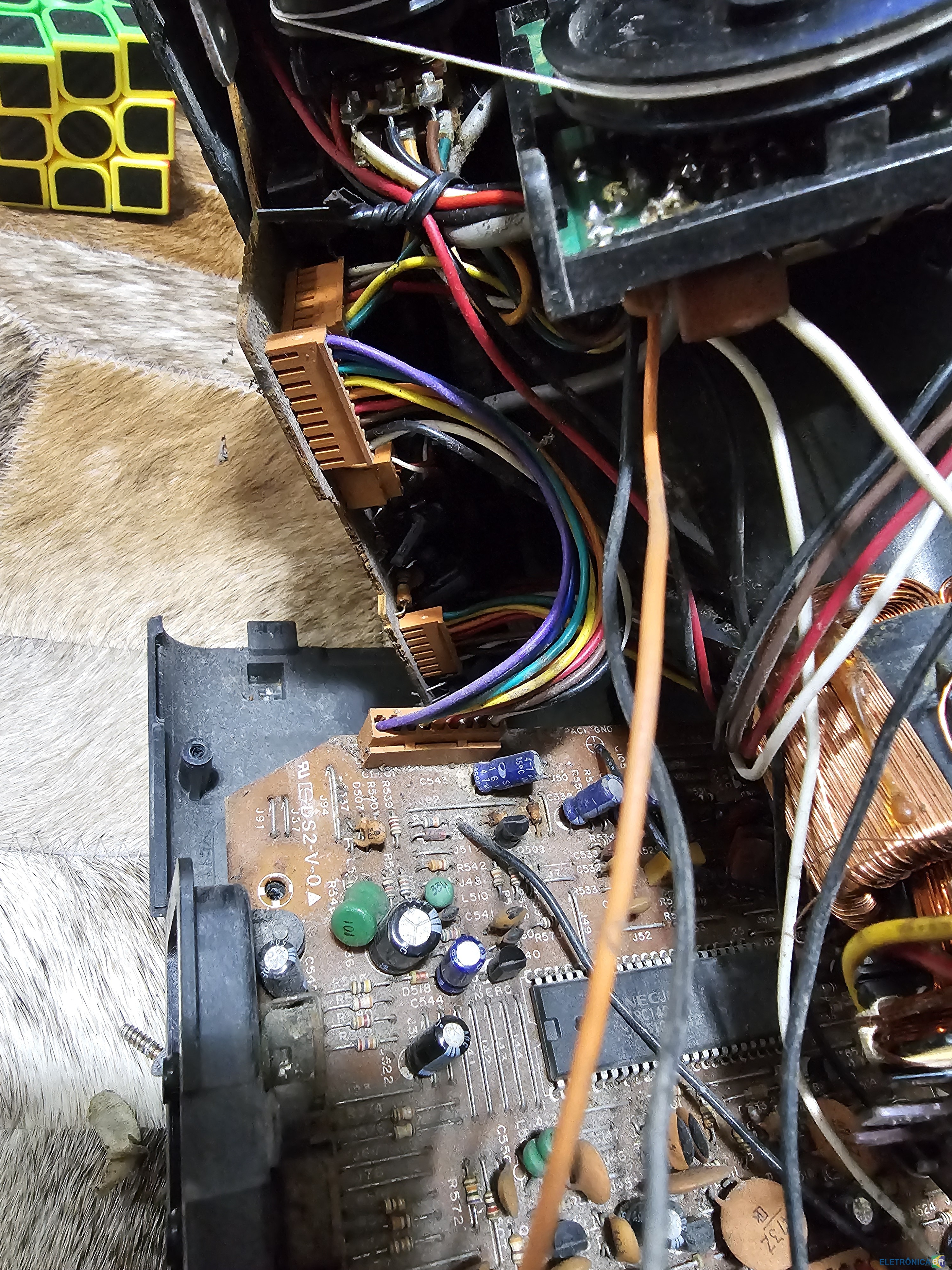
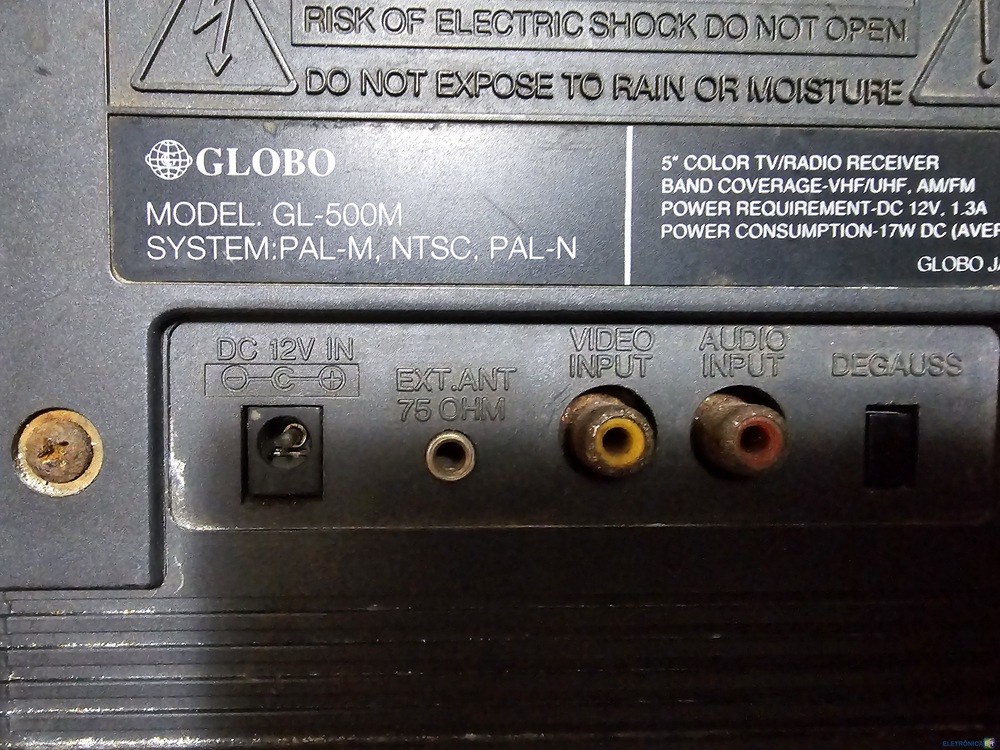
  1. Boa tarde Estou com essa TVzinha da Marca Globo para consertar a imagem esta toda rosa (sem problemas no horizontal ou vertical). Tentei conseguir os esquematicos mas não achei nada... Na placa principal esta escrito DS2-V-0 mas não consegui achar de jeito nenhum o esquema desta placa. Agradeço antecipadamente qualquer ajuda. Unico uso que quero nela é a entrada AV para games retro.
  2. Dae, pessoal Meu nome é Adriano estou me cadastrando hoje no forum e espero poder participar de forma ativa deste forum. Obrigado
Account

Navigation

Pesquisar

Pesquisar

Configure browser push notifications

Chrome (Android)
  1. Tap the lock icon next to the address bar.
  2. Tap Permissions → Notifications.
  3. Adjust your preference.
Chrome (Desktop)
  1. Click the padlock icon in the address bar.
  2. Select Site settings.
  3. Find Notifications and adjust your preference.