Ir para conteúdo
View in the app

A better way to browse. Learn more.

EletrônicaBR.com

A full-screen app on your home screen with push notifications, badges and more.

To install this app on iOS and iPadOS
  1. Tap the Share icon in Safari
  2. Scroll the menu and tap Add to Home Screen.
  3. Tap Add in the top-right corner.
To install this app on Android
  1. Tap the 3-dot menu (⋮) in the top-right corner of the browser.
  2. Tap Add to Home screen or Install app.
  3. Confirm by tapping Install.

Kaike Soares

Membros
  • Registrado em

  • Última visita

  • Créditos EBR

    0
  1. Kaike Soares alterou sua foto pessoal
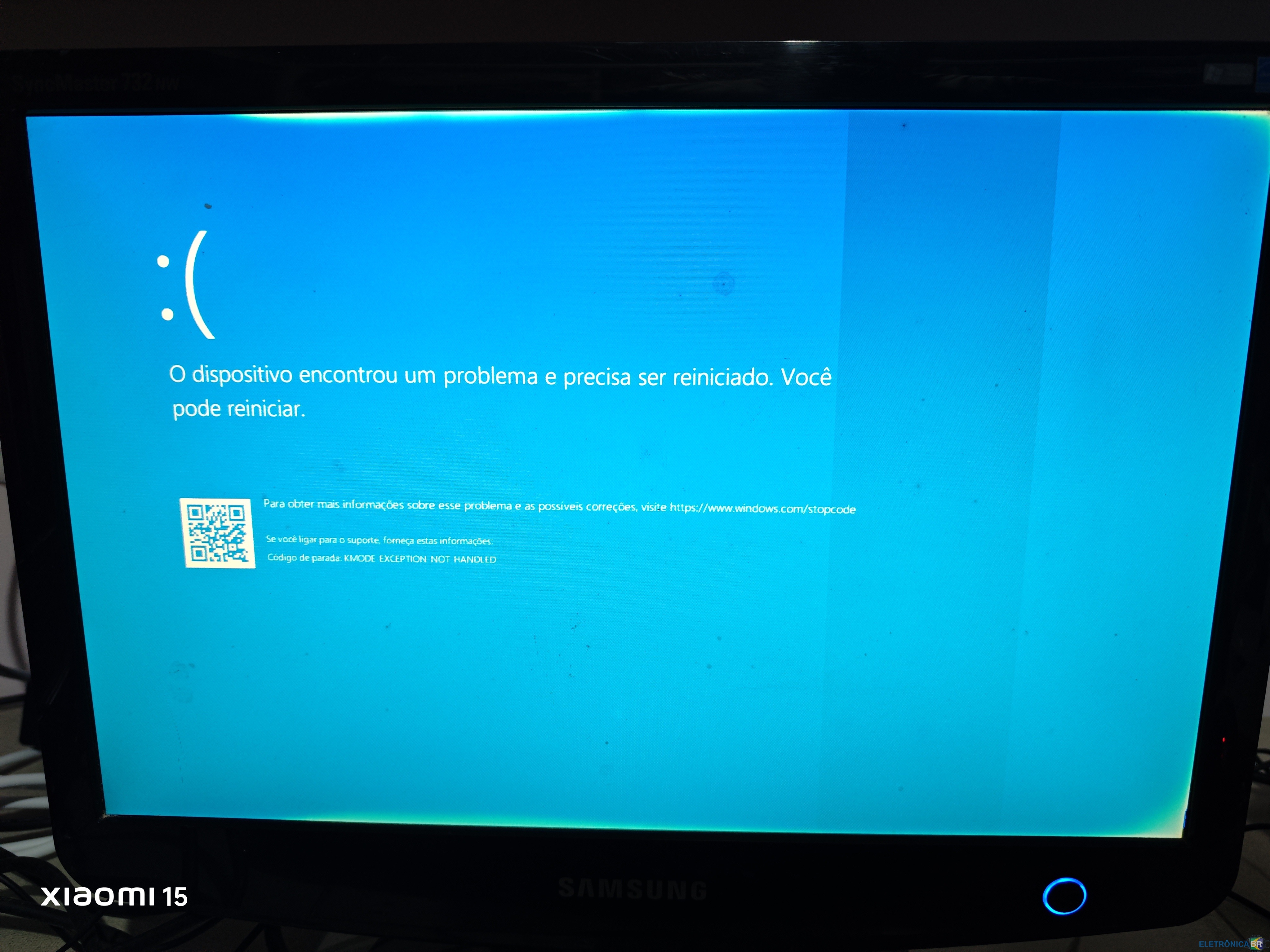
  2. Olá pessoal, sou novo no fórum e estou com um problema que a dias estou tentando resolver que é o seguinte. Comprei um PC com a placa mãe Q67H2 am, ele veio com windows 7, após instalar o windows 10 começou o problema, toda hora tela azul. No início suspeitei das memórias, testei uma por uma e não resolveu, baixei outro windows 10 direto do site da Microsoft, também não resolveu voltei para o windows 7 e o problema não acontece, fica normal, ao dar uma olhada no Google, vi que algumas pessoas tem o mesmo problema, e ele parece estar relacionado a atualização da BIOS, porém não consegui fazer o download, alguém poderia me ajudar com isso?

Account

Navigation

Pesquisar

Pesquisar

Configure browser push notifications

Chrome (Android)
  1. Tap the lock icon next to the address bar.
  2. Tap Permissions → Notifications.
  3. Adjust your preference.
Chrome (Desktop)
  1. Click the padlock icon in the address bar.
  2. Select Site settings.
  3. Find Notifications and adjust your preference.