Ir para conteúdo
View in the app

A better way to browse. Learn more.

EletrônicaBR.com

A full-screen app on your home screen with push notifications, badges and more.

To install this app on iOS and iPadOS
  1. Tap the Share icon in Safari
  2. Scroll the menu and tap Add to Home Screen.
  3. Tap Add in the top-right corner.
To install this app on Android
  1. Tap the 3-dot menu (⋮) in the top-right corner of the browser.
  2. Tap Add to Home screen or Install app.
  3. Confirm by tapping Install.

JokerJAS

Membros
  • Registrado em

  • Última visita

  • Créditos EBR

    0
  1. Seria dar começar em outro notebook e quando instalar o Windows trocar para o notebook da Samsung?
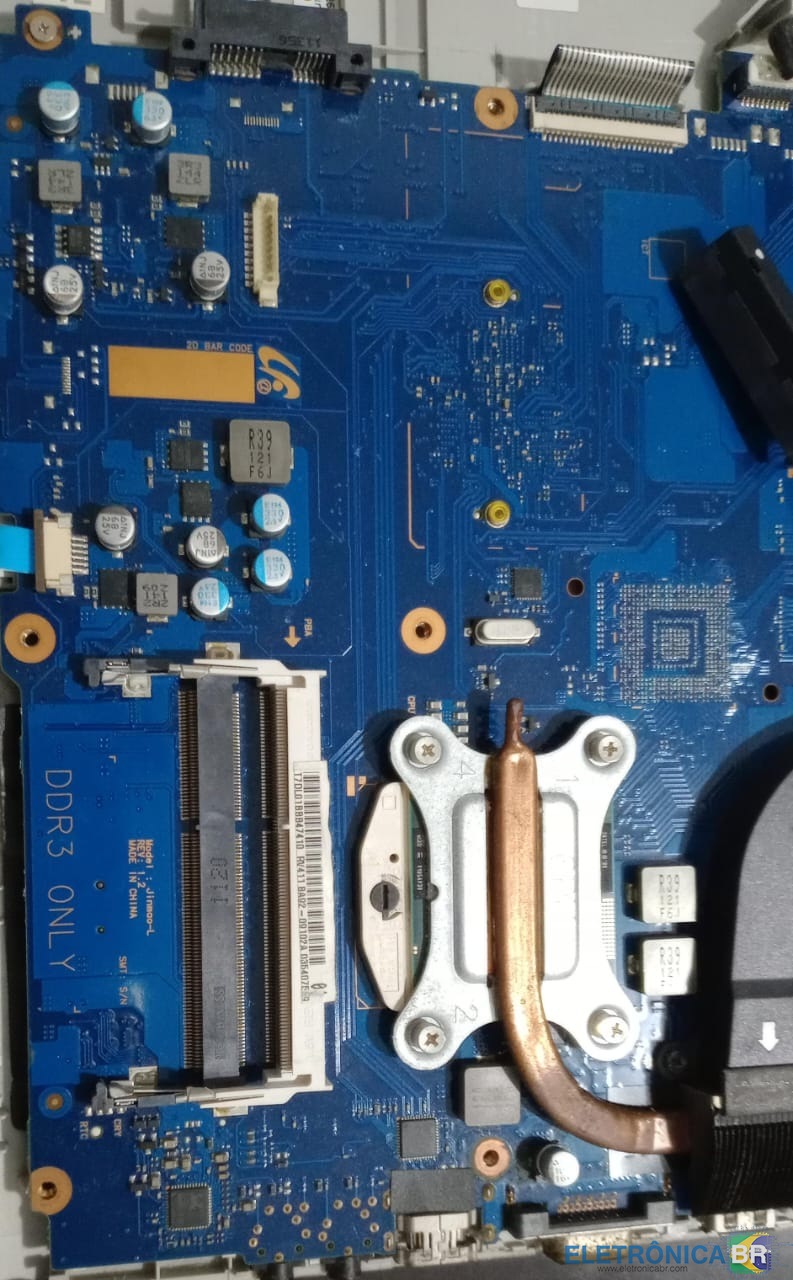
  2. Vou tentar aqui Tirei uma foto já que abri pra tirar a placa wireless
  3. Sim. Aparece a tela de iniciando o Windows e nem a logo aparece, já esperei quase uma hora e nada.
  4. Estou tentando instalar um distribuição Linux no notebook Samsung RV411 -BD3BR em um SSD zerado, porém não importa qual distribuição ele não funciona, já mexi em todas as configurações possíveis da bios, em alguns casos carrega o grub quando aperta no install linux ele trava outros nem isso, já mudei as possiveis configurações de boot para o linux referente a hardware, como nomodeset ou acpi, suspeito que seja a bios que foi atualizada versão 07PA. Tentei instalar o Windows e tbm não consegui. Gostaria de uma versão da BIOS anterior ou outra para teste. Placa Mãe Ba41-01433a Processador Intel® Pentium® P6100 2.00 GHz
  5. Conheci o site por meio do google Atualmente sou um amador nesse site pretendo pelos melhorar minha habilidade

Account

Navigation

Pesquisar

Pesquisar

Configure browser push notifications

Chrome (Android)
  1. Tap the lock icon next to the address bar.
  2. Tap Permissions → Notifications.
  3. Adjust your preference.
Chrome (Desktop)
  1. Click the padlock icon in the address bar.
  2. Select Site settings.
  3. Find Notifications and adjust your preference.