


Everton M. Cardoso
Membros
-
Registrado em
-
Última visita
-
Créditos EBR
0
-
Everton M. Cardoso alterou sua foto pessoal
-
Acessar página de download Bios - Ultrabook sti ub 1401 - Placa X300 Arquivo bios da placa x300. Uploader Everton M. Cardoso Enviado 19-08-2020 Categoria STI
-
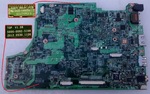 Arquivo bios da placa x300.Free
 -
Everton M. Cardoso respondeu o tópico de Everton M. Cardoso em Apresentações (Desbloqueie seu acesso)Feito rsrsr obrigado pela ajuda.
-
1- Conheci o eletronicabr via internet, e indicações de profissionais na área. 2- Amador, e com conhecimento prévio. 3- Formatação de Computador, atualização de Sistema Android e Firmware, Manutenção e conhecimento técnico em montagem. 4- Trabalho a 4 anos com computadores e no decorrer dessa jornada me vi consertando aparelhos simples, tais como Rádios, caixas de som, Tvs antigas e outros, com o tempo a demanda foi crescendo e me vi abrindo uma pequena área de manutenção em minha casa, que pretendo expandir com o tempo.

