


.PNG.316446c08b425b9561cad9bcc0afca89.PNG)
Walter_Ikeda
Membros
-
Registrado em
-
Última visita
-
Créditos EBR
0
-
@Ponto da Manutenção Sim, o estrago foi grande. Irei verificar os componentes ao redor e as trilhas também. Agradeço a atenção. Tenha um ótimo dia.
-
Bom dia colegas. Muito obrigado Jone Melo. Sou grato pela sua ajuda. Abraço.
-
Boa tarde Colegas. Estou com uma PCB da Compaq modelo 71R-H14BT4TL30 que está com um componente carbonizado. Gostaria de ajuda de vocês para identificar o componente em questão para que eu possa substitui-lo. Desde já agradeço a ajuda.
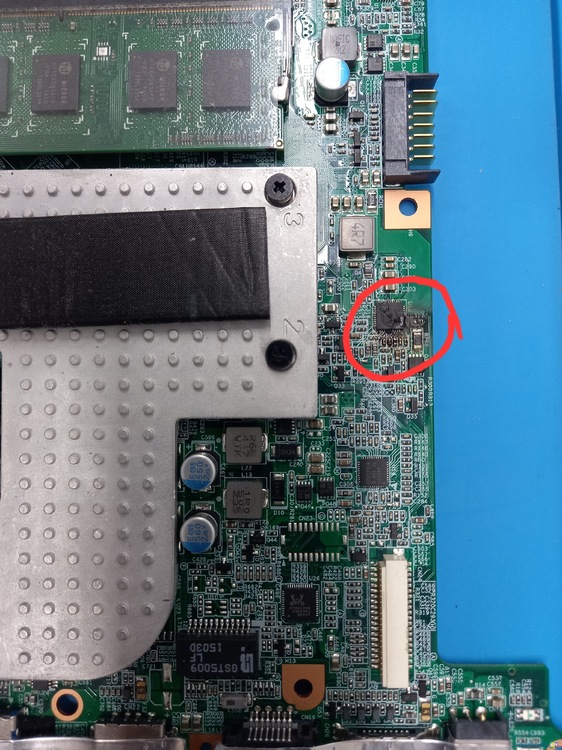
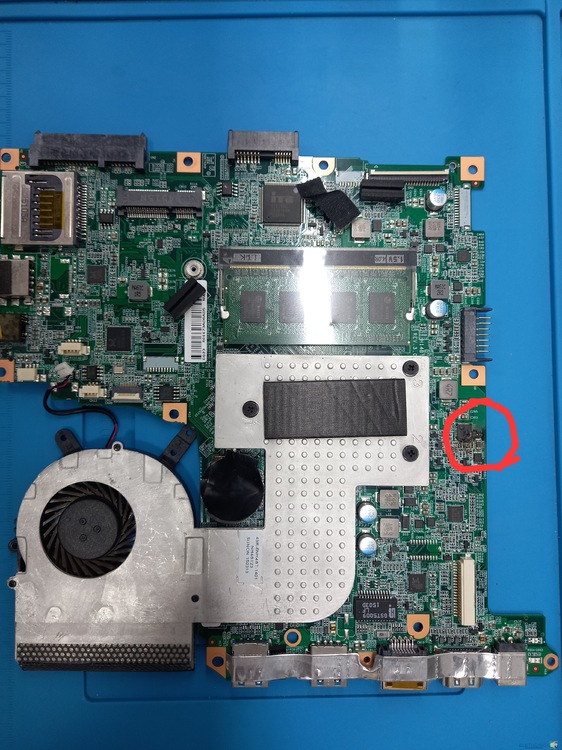
-
Walter_Ikeda alterou sua foto pessoal
-
1) Conheci através do Google; 2) Engenheiro; 3) Manutenção de Smartphones; 4) sou técnico em manutenção de Smartphones.
.thumb.PNG.c5dcdbe3a3ecbc407d4b3179ace5091b.PNG)

