Ir para conteúdo
View in the app

A better way to browse. Learn more.

EletrônicaBR.com

A full-screen app on your home screen with push notifications, badges and more.

To install this app on iOS and iPadOS
  1. Tap the Share icon in Safari
  2. Scroll the menu and tap Add to Home Screen.
  3. Tap Add in the top-right corner.
To install this app on Android
  1. Tap the 3-dot menu (⋮) in the top-right corner of the browser.
  2. Tap Add to Home screen or Install app.
  3. Confirm by tapping Install.

jaozinho beira

Membros
  • Registrado em

  • Última visita

  • Créditos EBR

    10
  1. jaozinho beira alterou sua foto pessoal
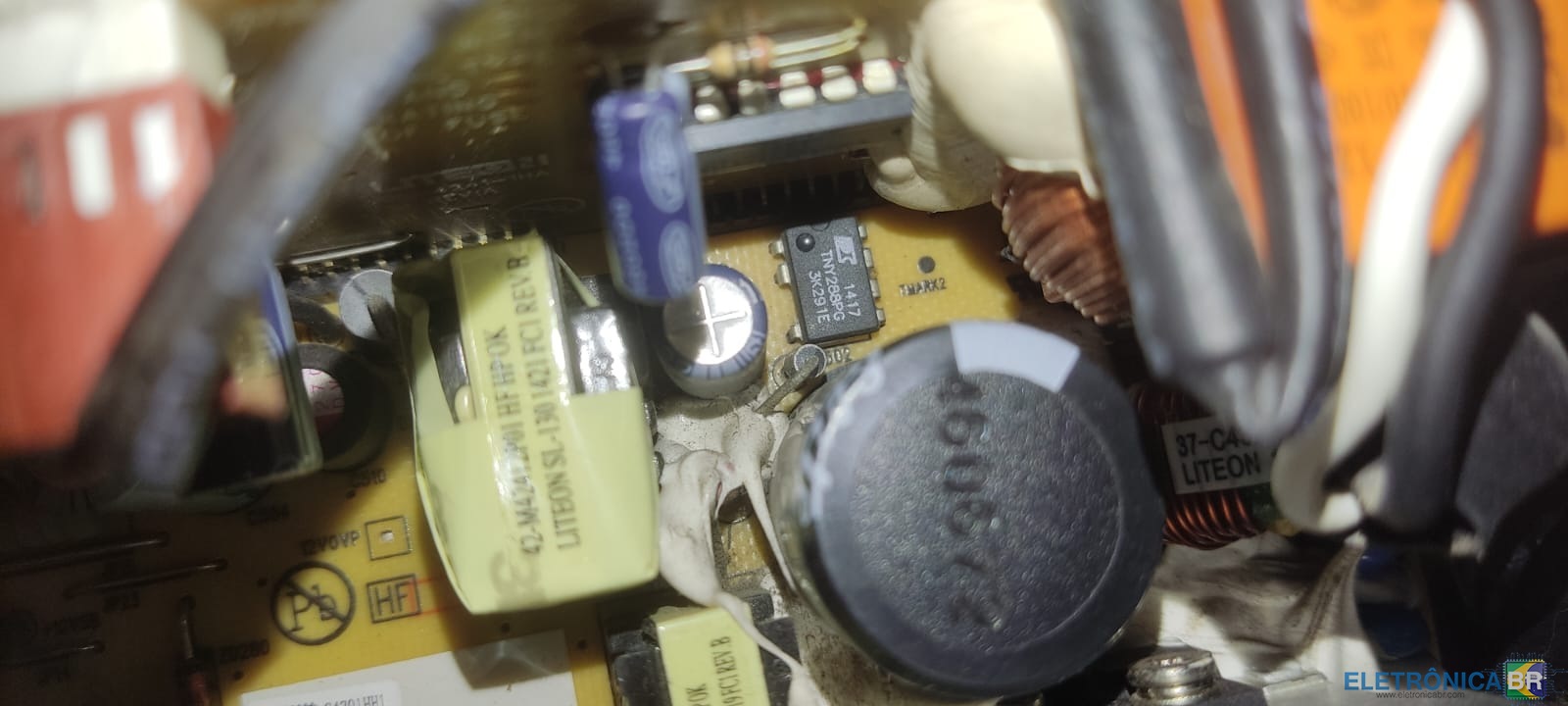
  2. a fonte do hp 705 g1 sff starta mas logo em seguida desliga. realizei teste no capacitor principal e esta ok. removi o tny288pg pra verificar tbm pois segundo relatos ele costuma entrar em curto, porem nenhum dos terminais está em curto. testei o fio roxo e ta fornecendo 11.56 v (foto em anexo)
  3. Conheci a eletronicaBr atraves de pesquisas ao google Sou estudante/técnico de informática.. e engenheiro da computação em formação pretendo utilizar a plataforma para adquirir conhecimento e fornecer quando possível.
  4. na fonte do modelo 705G1 (modelo da fonte: ps-4241-1hd) há componente semelhante, acredito que seja o mesmo é o tny288pg.

Account

Navigation

Pesquisar

Pesquisar

Configure browser push notifications

Chrome (Android)
  1. Tap the lock icon next to the address bar.
  2. Tap Permissions → Notifications.
  3. Adjust your preference.
Chrome (Desktop)
  1. Click the padlock icon in the address bar.
  2. Select Site settings.
  3. Find Notifications and adjust your preference.