Ir para conteúdo
View in the app

A better way to browse. Learn more.

EletrônicaBR.com

A full-screen app on your home screen with push notifications, badges and more.

To install this app on iOS and iPadOS
  1. Tap the Share icon in Safari
  2. Scroll the menu and tap Add to Home Screen.
  3. Tap Add in the top-right corner.
To install this app on Android
  1. Tap the 3-dot menu (⋮) in the top-right corner of the browser.
  2. Tap Add to Home screen or Install app.
  3. Confirm by tapping Install.

juan salamea

Membros
  • Registrado em

  • Última visita

  • Créditos EBR

    0
  1. Soy ingeniero en sistemas, me entere de este sitio por google, ya que estoy buscando respuestas a mis dudas. Me gusta dar soluciones relacionados a mi campo,
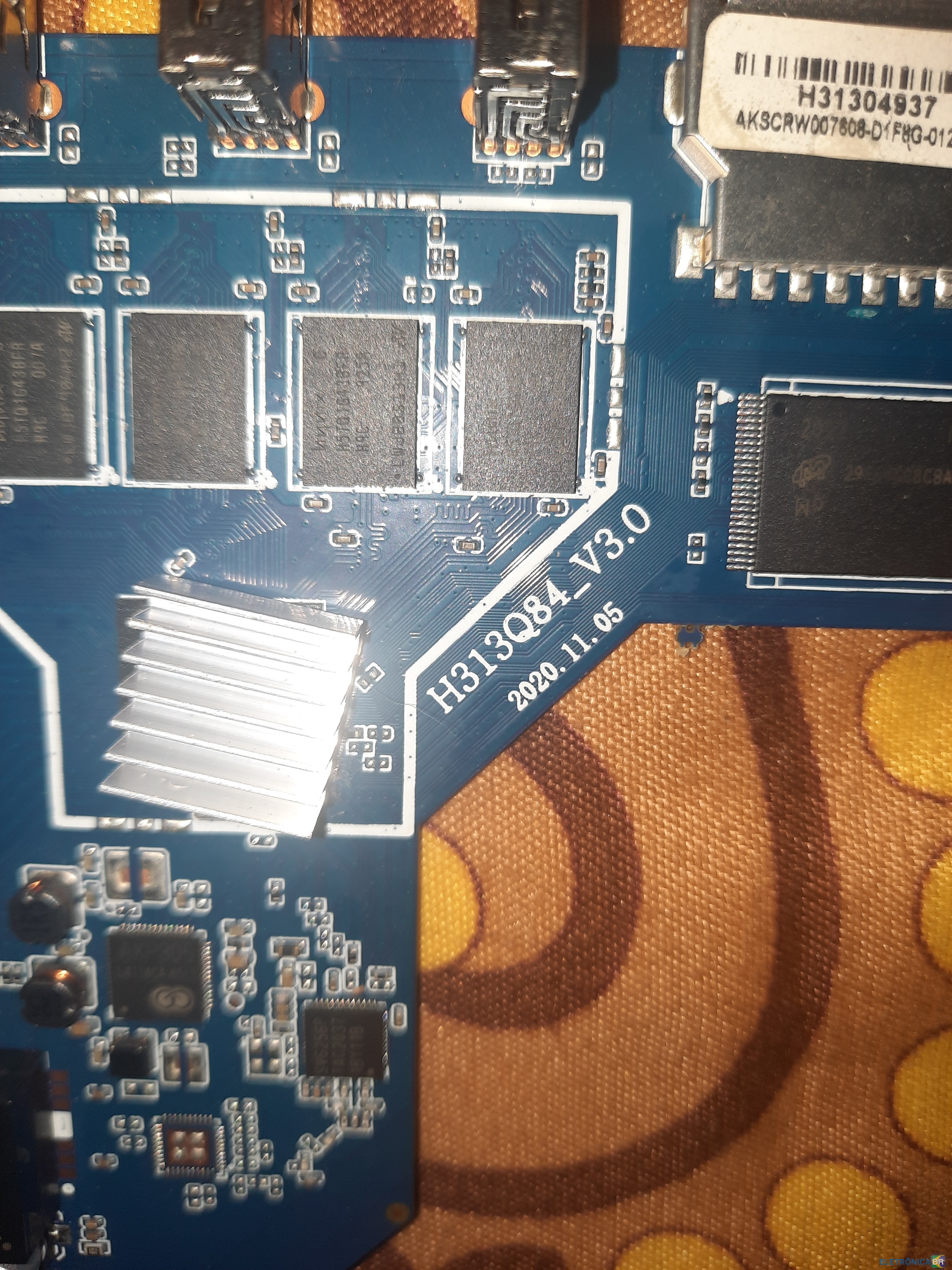
  2. Quiero flashear un nuevo firmware(rom) en mi tv box, pero no encuentro el rom adecuado, ya que no creo que los programas phoenix suit, phoenix usb pro, phoenixcard no me funcionen. he probado con los 3 y ps nada ni una rom me sirve. Obvio utilizo rom de tutoriales de youtube relacionados al modelo h313q84
Account

Navigation

Pesquisar

Pesquisar

Configure browser push notifications

Chrome (Android)
  1. Tap the lock icon next to the address bar.
  2. Tap Permissions → Notifications.
  3. Adjust your preference.
Chrome (Desktop)
  1. Click the padlock icon in the address bar.
  2. Select Site settings.
  3. Find Notifications and adjust your preference.