Ir para conteúdo
View in the app

A better way to browse. Learn more.

EletrônicaBR.com

A full-screen app on your home screen with push notifications, badges and more.

To install this app on iOS and iPadOS
  1. Tap the Share icon in Safari
  2. Scroll the menu and tap Add to Home Screen.
  3. Tap Add in the top-right corner.
To install this app on Android
  1. Tap the 3-dot menu (⋮) in the top-right corner of the browser.
  2. Tap Add to Home screen or Install app.
  3. Confirm by tapping Install.

Ciro Mendes de Melo

Membros
  • Registrado em

  • Última visita

  • Créditos EBR

    0
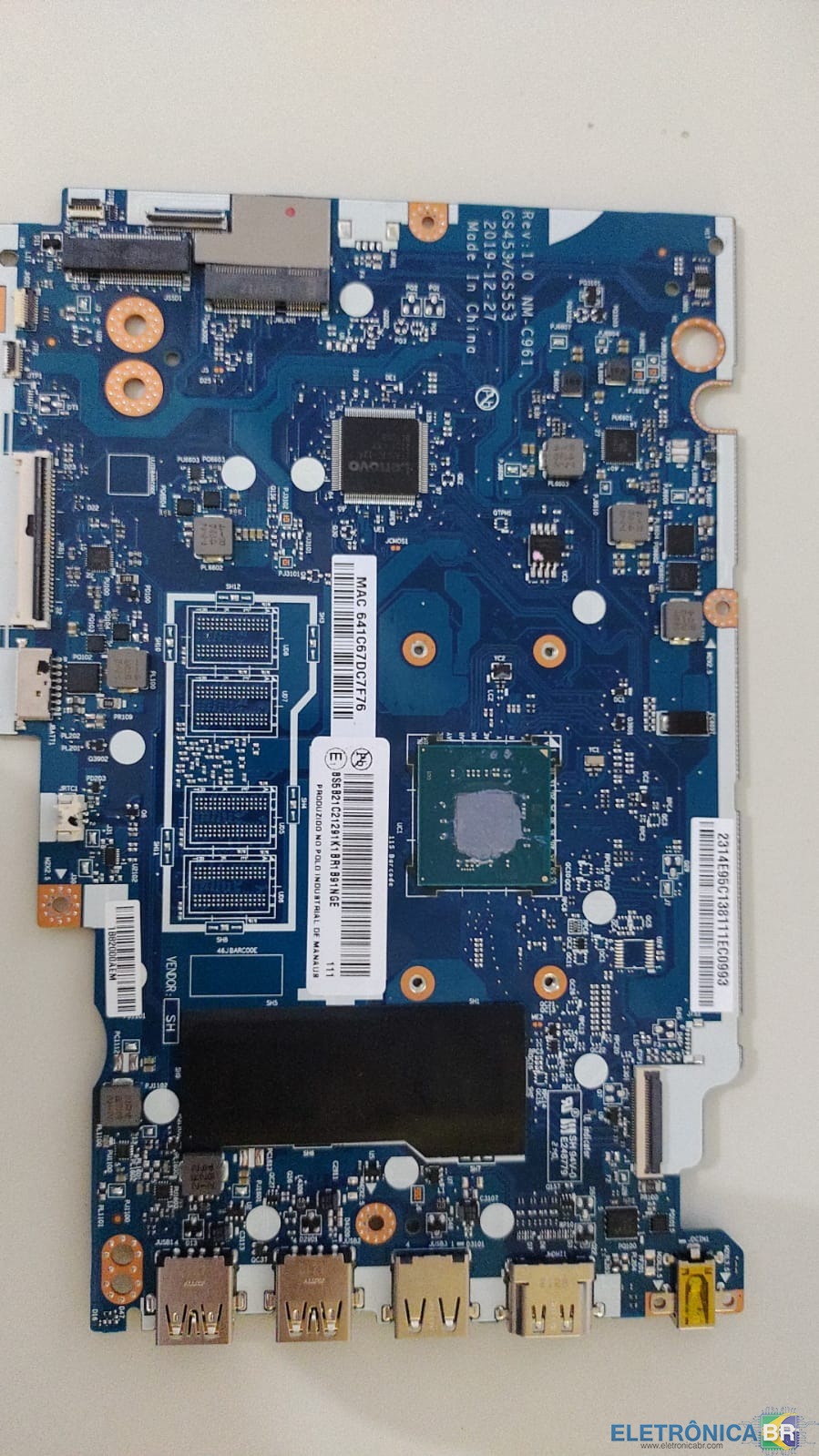
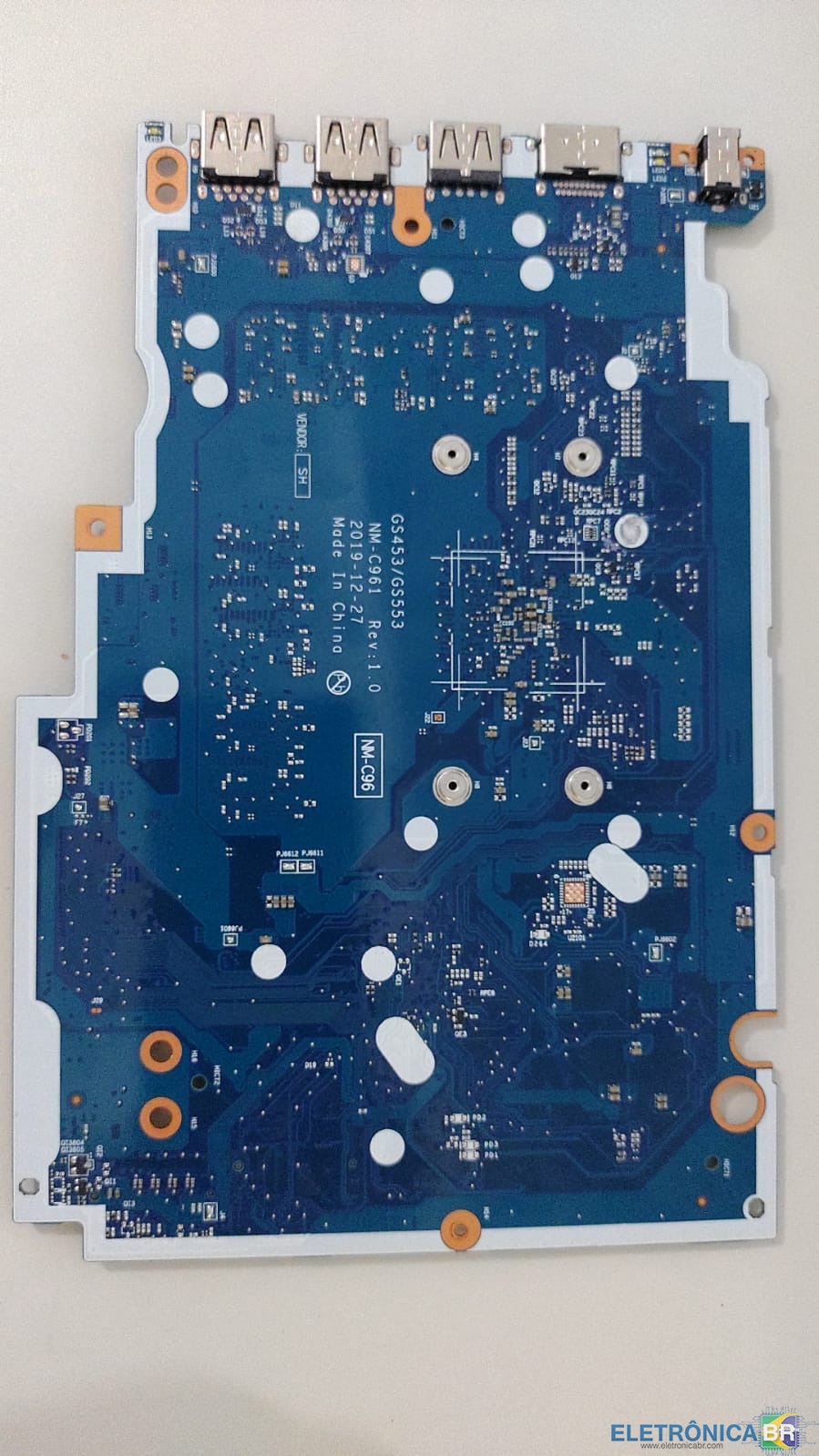
  1. Boa tarde, conheci o EletronicaBR em video no Youtube, estou começando como técnico, ja trabalho com informática e pequenos reparos em placas a uns 10 anos, mas decidi me especialisar, estou com uma dificuldade com uma placa especifica de um LENOVO IDEAPED 3i NM-61 GS453/GS553 com processador Celeron, ela não liga, não acende os les de carregamento da bateri, fiz alguns testes, testei diodos, continuidade, mas não encontrei nada a respeito deste problema desta placa em outro site, alguém ja pegou desta placa?

Account

Navigation

Pesquisar

Pesquisar

Configure browser push notifications

Chrome (Android)
  1. Tap the lock icon next to the address bar.
  2. Tap Permissions → Notifications.
  3. Adjust your preference.
Chrome (Desktop)
  1. Click the padlock icon in the address bar.
  2. Select Site settings.
  3. Find Notifications and adjust your preference.