Ir para conteúdo
View in the app

A better way to browse. Learn more.

EletrônicaBR.com

A full-screen app on your home screen with push notifications, badges and more.

To install this app on iOS and iPadOS
  1. Tap the Share icon in Safari
  2. Scroll the menu and tap Add to Home Screen.
  3. Tap Add in the top-right corner.
To install this app on Android
  1. Tap the 3-dot menu (⋮) in the top-right corner of the browser.
  2. Tap Add to Home screen or Install app.
  3. Confirm by tapping Install.

Mauricio silva92

Membros
  • Registrado em

  • Última visita

  • Créditos EBR

    0
  1. Prezados(as) bom dia, Achei uma solução para a minha tv box que funcionou muito bem segue link.
  2. Bom dia, Lucas fiz tudo o que achei possível e nada infelizmente. não sei onde baixa a rom e tão pouco o programa exato para a formatação.
  3. Bom dia, Lucas fiz tudo o que achei possível e nada infelizmente.
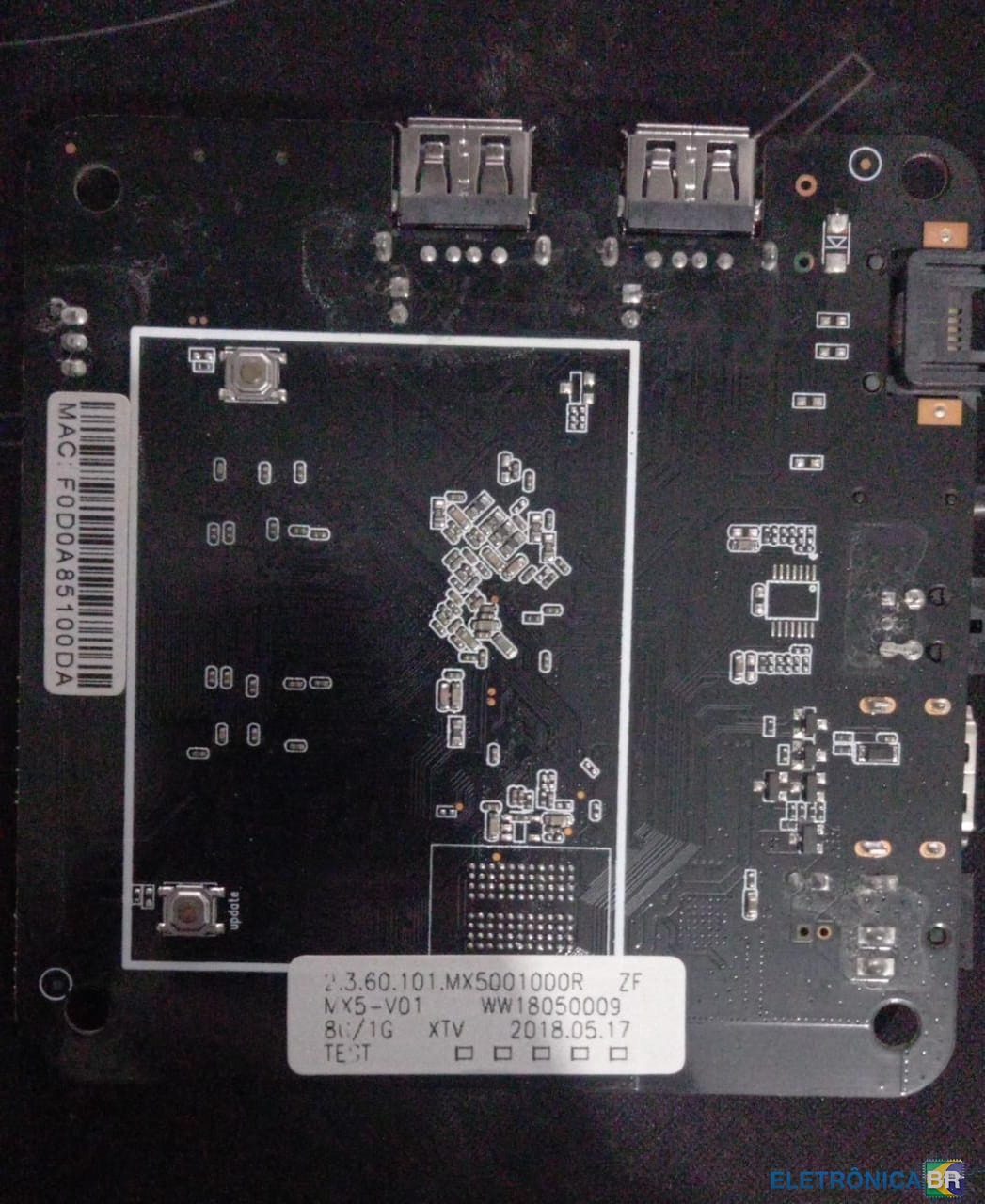
  4. Prezados, boa noite Sou novo no forum e gostaria da ajuda de voces, adquiri uma tv box e ela travou na tela de logo e não sei onde baixa a rom e tão pouco o programa exato para a formatação. Segue imagens da minha tv box

Account

Navigation

Pesquisar

Pesquisar

Configure browser push notifications

Chrome (Android)
  1. Tap the lock icon next to the address bar.
  2. Tap Permissions → Notifications.
  3. Adjust your preference.
Chrome (Desktop)
  1. Click the padlock icon in the address bar.
  2. Select Site settings.
  3. Find Notifications and adjust your preference.