Ir para conteúdo
View in the app

A better way to browse. Learn more.

EletrônicaBR.com

A full-screen app on your home screen with push notifications, badges and more.

To install this app on iOS and iPadOS
  1. Tap the Share icon in Safari
  2. Scroll the menu and tap Add to Home Screen.
  3. Tap Add in the top-right corner.
To install this app on Android
  1. Tap the 3-dot menu (⋮) in the top-right corner of the browser.
  2. Tap Add to Home screen or Install app.
  3. Confirm by tapping Install.

Robson3510

Membros
  • Registrado em

  • Última visita

  • Créditos EBR

    0
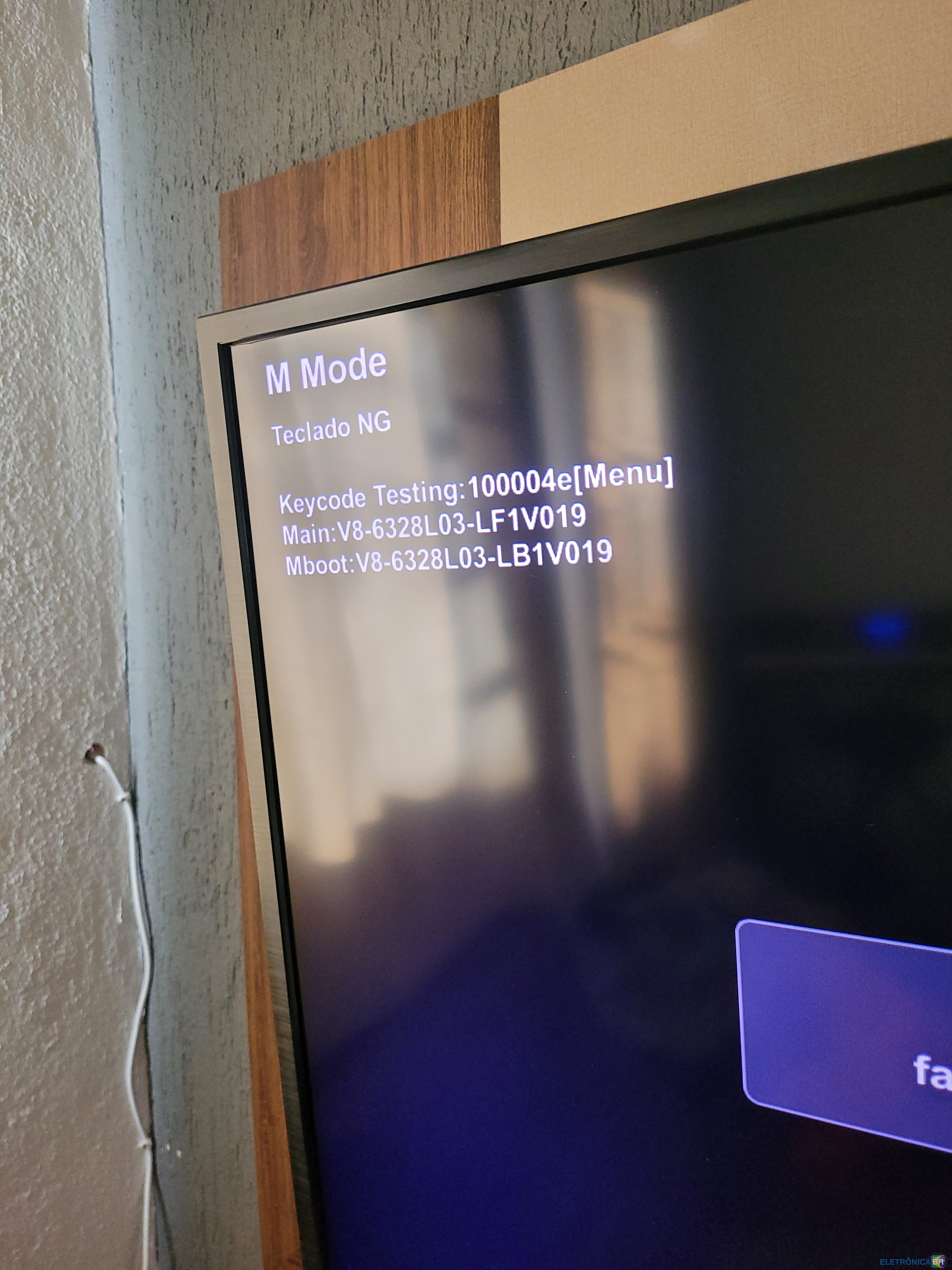
  1. Minha televisão STI do moledo LE-4064 BF está travado no "M Mode" e não sai essa mensagem da tela, ja desliguei a TV desconectei os aparelhos ligados a ela... e nada ja busquei alguns códigos de combinação pelo controle remoto e nada resolve, consigo assistir as progamações fechadas essas coisas, mas a mensagem não sai e incomoda muito

Account

Navigation

Pesquisar

Pesquisar

Configure browser push notifications

Chrome (Android)
  1. Tap the lock icon next to the address bar.
  2. Tap Permissions → Notifications.
  3. Adjust your preference.
Chrome (Desktop)
  1. Click the padlock icon in the address bar.
  2. Select Site settings.
  3. Find Notifications and adjust your preference.