Ir para conteúdo
View in the app

A better way to browse. Learn more.

EletrônicaBR.com

A full-screen app on your home screen with push notifications, badges and more.

To install this app on iOS and iPadOS
  1. Tap the Share icon in Safari
  2. Scroll the menu and tap Add to Home Screen.
  3. Tap Add in the top-right corner.
To install this app on Android
  1. Tap the 3-dot menu (⋮) in the top-right corner of the browser.
  2. Tap Add to Home screen or Install app.
  3. Confirm by tapping Install.

FranKurt 182

Membros
  • Registrado em

  • Última visita

  • Créditos EBR

    0
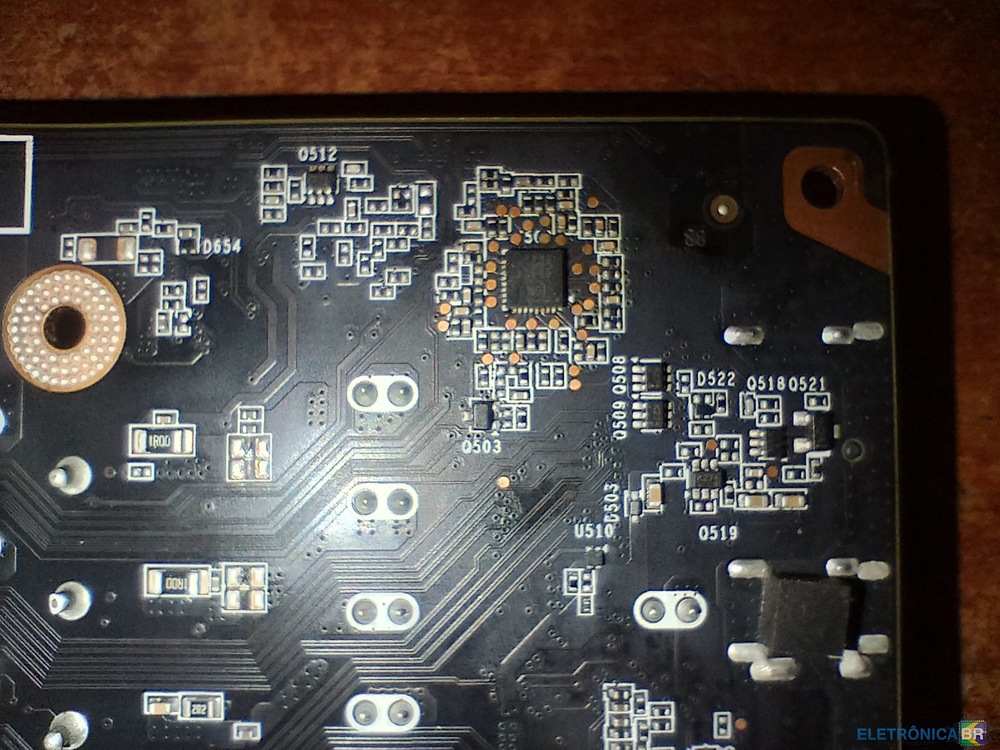
  1. @Êzzo Gabriel es un GS9219-08XM El mismo que está más arriba si la ves en vertical con la GPU arriba y los puertos abajo
  2. FranKurt 182 começou a seguir: infocel technology
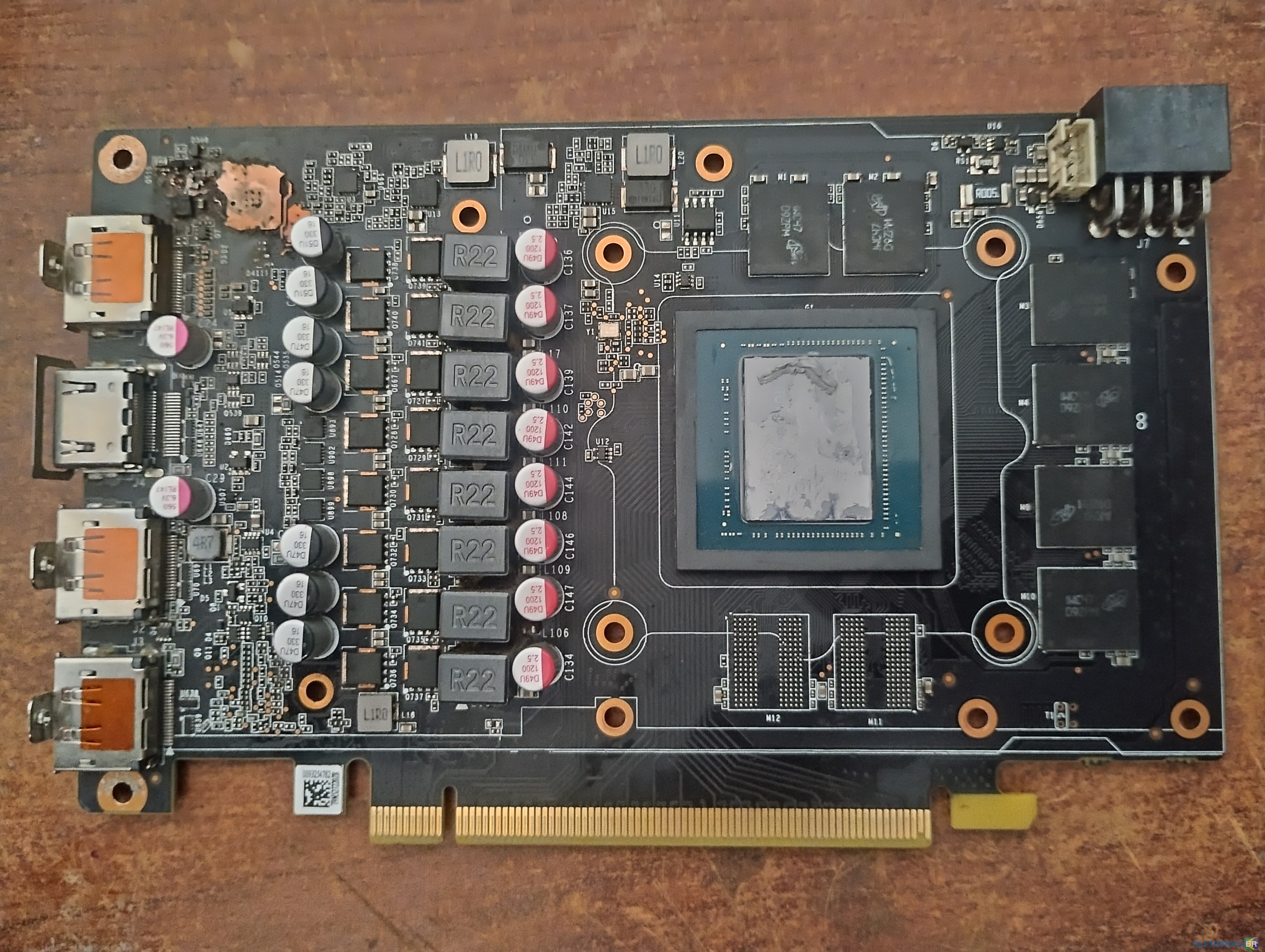
  3. Hola amigos, Necesito su ayuda con esta placa, está quemada en esa zona y nosé si tiene solución. No encuentro datos sobre los componentes quemados Alguien me puede ayudar a solucionarlo? Gracias Está quemada en esa zona, por detrás no se ve igual pero dudo que no esté dañado también

Account

Navigation

Pesquisar

Pesquisar

Configure browser push notifications

Chrome (Android)
  1. Tap the lock icon next to the address bar.
  2. Tap Permissions → Notifications.
  3. Adjust your preference.
Chrome (Desktop)
  1. Click the padlock icon in the address bar.
  2. Select Site settings.
  3. Find Notifications and adjust your preference.