Ir para conteúdo
View in the app

A better way to browse. Learn more.

EletrônicaBR.com

A full-screen app on your home screen with push notifications, badges and more.

To install this app on iOS and iPadOS
  1. Tap the Share icon in Safari
  2. Scroll the menu and tap Add to Home Screen.
  3. Tap Add in the top-right corner.
To install this app on Android
  1. Tap the 3-dot menu (⋮) in the top-right corner of the browser.
  2. Tap Add to Home screen or Install app.
  3. Confirm by tapping Install.

juca2jose

Membros
  • Registrado em

  • Última visita

  • Créditos EBR

    0
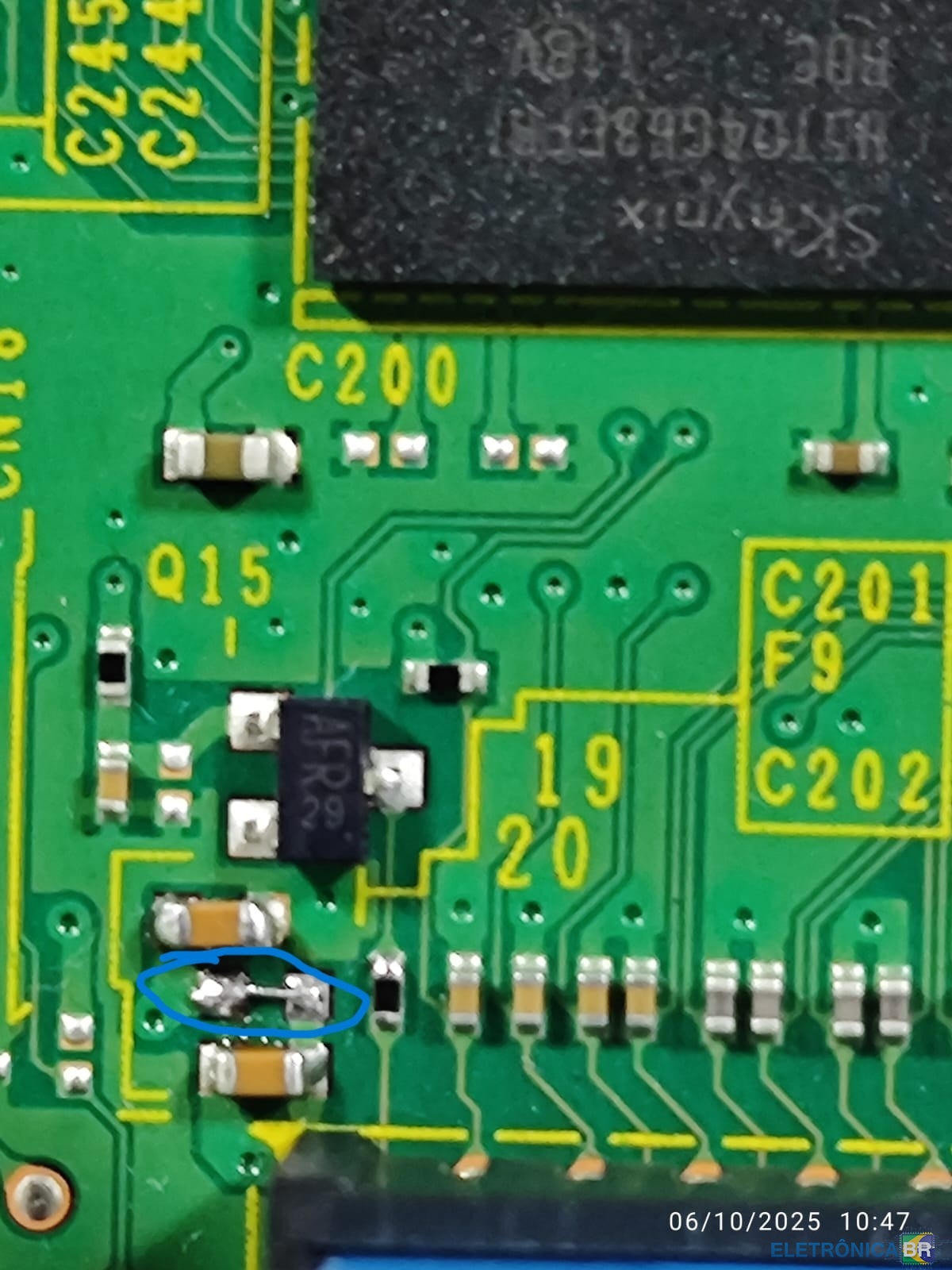
  1. Olá, sei que o post é antigo e talvez nem devesse estar respondendo nele, mas estamos em 2025 e ele me salvou. Estava com esse problema em uma impressora, e segui os passos: fiz a troca da placa de alta e fiz o jump no componente F9 e resolveu meu problema a impressora voltou a funcionar normalmente, vou enviar a imagem do jump que foi feito.

Account

Navigation

Pesquisar

Pesquisar

Configure browser push notifications

Chrome (Android)
  1. Tap the lock icon next to the address bar.
  2. Tap Permissions → Notifications.
  3. Adjust your preference.
Chrome (Desktop)
  1. Click the padlock icon in the address bar.
  2. Select Site settings.
  3. Find Notifications and adjust your preference.