
Ir para conteúdo
View in the app

A better way to browse. Learn more.

EletrônicaBR.com

A full-screen app on your home screen with push notifications, badges and more.

To install this app on iOS and iPadOS
  1. Tap the Share icon in Safari
  2. Scroll the menu and tap Add to Home Screen.
  3. Tap Add in the top-right corner.
To install this app on Android
  1. Tap the 3-dot menu (⋮) in the top-right corner of the browser.
  2. Tap Add to Home screen or Install app.
  3. Confirm by tapping Install.

skybrother

Membros
  • Registrado em

  • Última visita

  • Créditos EBR

    1
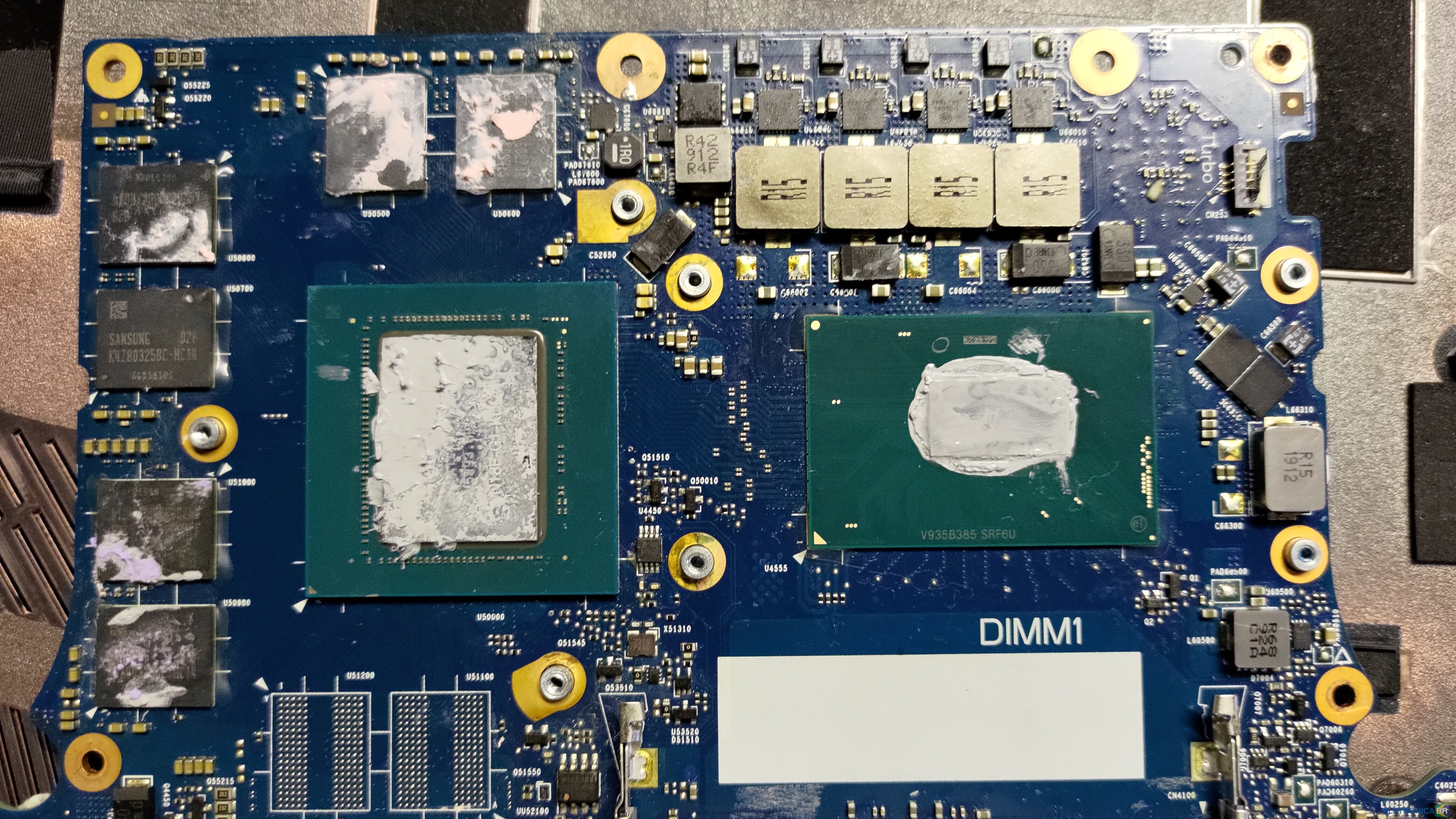
  1. Amigos, estou com o notebook Predator Helios 300 PH315-52-7210 com a placa de vídeo dedicada com problemas, gostaria de desativar e não tenho o esquema dessa placa. Se alguém já fez esse reparo ou tem o esquema e poderia disponibilizar agradeço muito.
  2. Conheci o EletrônicaBR buscando no google, sou técnico em eletrônica e informática, faço reparo em tv's, pc's e notebook's, etc pretendo colaborar e receber ajuda nesses assuntos.

Account

Navigation

Pesquisar

Pesquisar

Configure browser push notifications

Chrome (Android)
  1. Tap the lock icon next to the address bar.
  2. Tap Permissions → Notifications.
  3. Adjust your preference.
Chrome (Desktop)
  1. Click the padlock icon in the address bar.
  2. Select Site settings.
  3. Find Notifications and adjust your preference.