Ir para conteúdo
View in the app

A better way to browse. Learn more.

EletrônicaBR.com

A full-screen app on your home screen with push notifications, badges and more.

To install this app on iOS and iPadOS
  1. Tap the Share icon in Safari
  2. Scroll the menu and tap Add to Home Screen.
  3. Tap Add in the top-right corner.
To install this app on Android
  1. Tap the 3-dot menu (⋮) in the top-right corner of the browser.
  2. Tap Add to Home screen or Install app.
  3. Confirm by tapping Install.

fabioparma

Membros
  • Registrado em

  • Última visita

  • Créditos EBR

    1
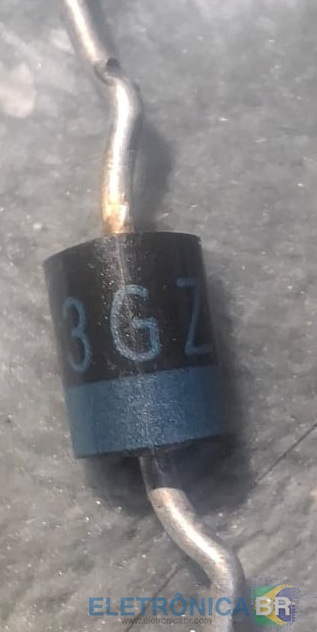
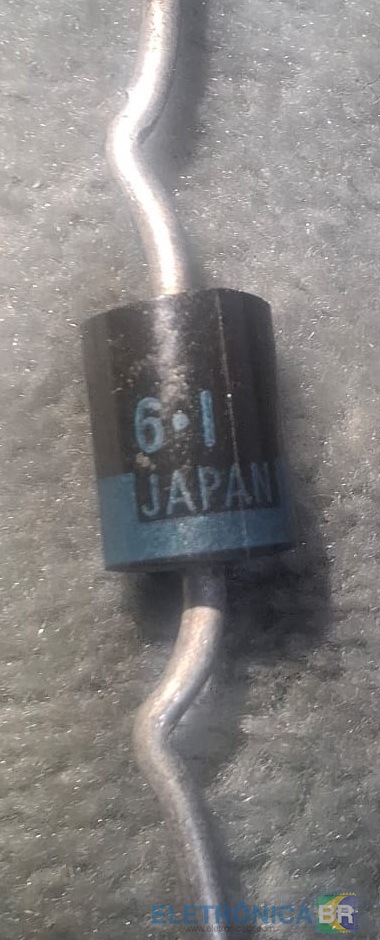
  1. Ele é estes 4 grandes da fonte de alimentação do Gradiente NS-657 creio que agora da pra entender melhor. Esses da fonte n sâo os originais ta.
  2. Já fiz isso e até a IA me diz que o componente é algo especifico, segue foto pra vc ver
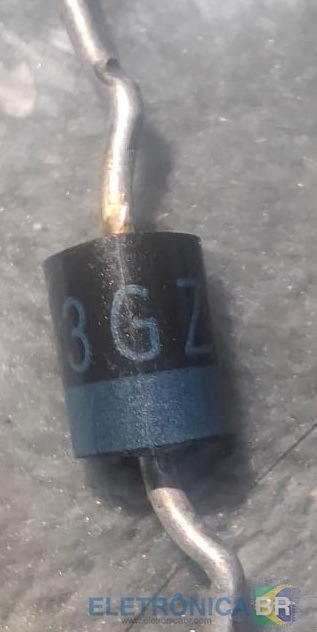
  3. Olá, estou dando manutenção no aparelho de som NS-657 e me deparei com um Diodo T3G241 é a única identificação que existe nele, alguém poderia me ajudar a identificar um diodo compatível para substituir ele.
  4. Alguém sabe e poderia disponibilizar a posição das correias, para troca, no duplo deck do aparelho de som Gradiente da linha NS 607 ou 657.

Account

Navigation

Pesquisar

Pesquisar

Configure browser push notifications

Chrome (Android)
  1. Tap the lock icon next to the address bar.
  2. Tap Permissions → Notifications.
  3. Adjust your preference.
Chrome (Desktop)
  1. Click the padlock icon in the address bar.
  2. Select Site settings.
  3. Find Notifications and adjust your preference.