Ir para conteúdo
View in the app

A better way to browse. Learn more.

EletrônicaBR.com

A full-screen app on your home screen with push notifications, badges and more.

To install this app on iOS and iPadOS
  1. Tap the Share icon in Safari
  2. Scroll the menu and tap Add to Home Screen.
  3. Tap Add in the top-right corner.
To install this app on Android
  1. Tap the 3-dot menu (⋮) in the top-right corner of the browser.
  2. Tap Add to Home screen or Install app.
  3. Confirm by tapping Install.

Sidiclei Menegaro

Membros
  • Registrado em

  • Última visita

  • Créditos EBR

    1
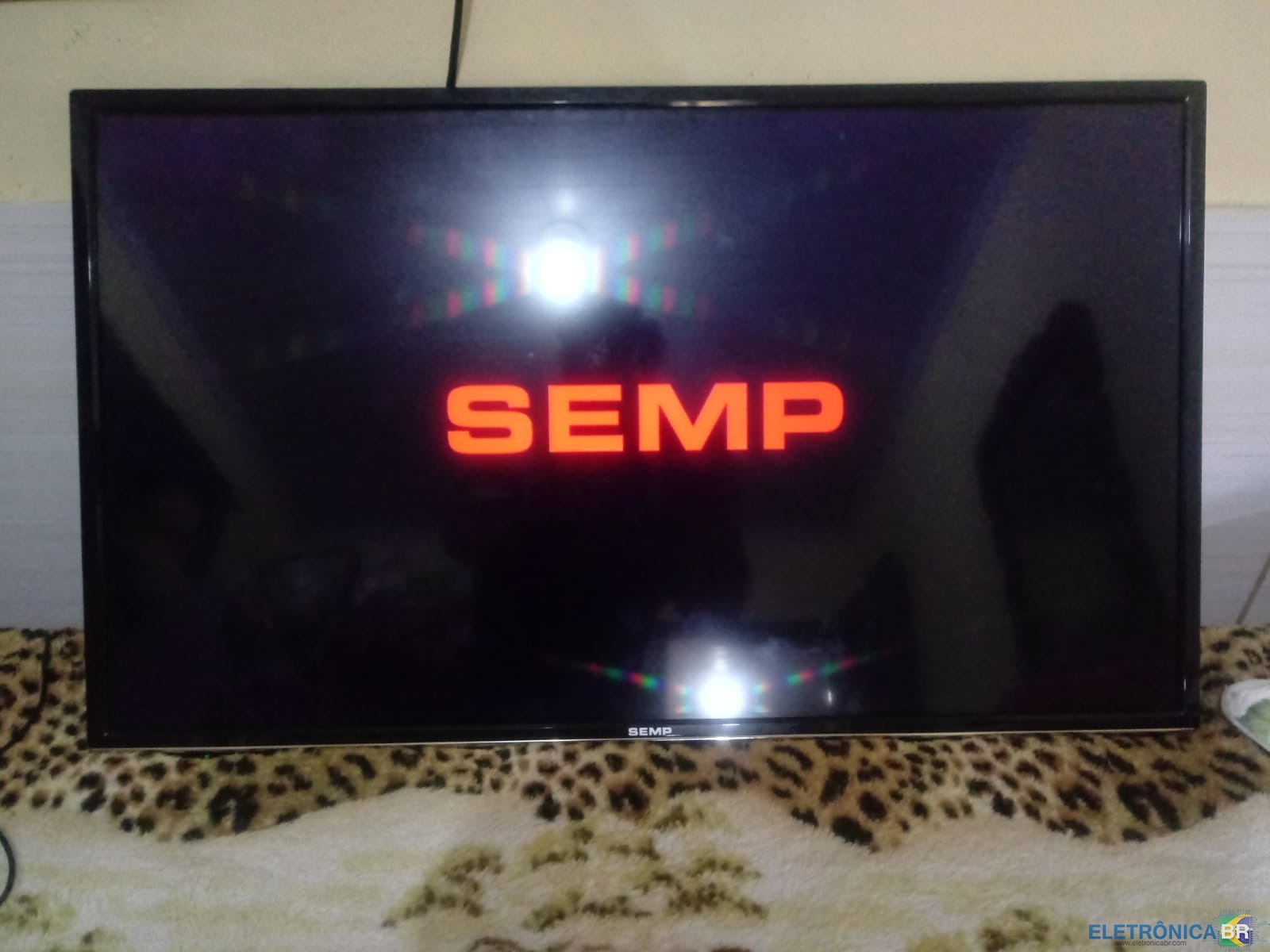
  1. Boa tarde. Estou com um pepino de um tv Semp que liga e fica travada no logo... Já fiz algumas medições e esta tudo ok... Depois consegui na internet um arquivo pra atualizar firmware e atualizou, mas na hora que ela reinicia trava novamente no logo... Alguma luz por favor, já pensei que pode ser que o arquivo que atualizei não seja o mais atual sei lá. Por favor se alguém já teve uma situação dessas e puder me ajudar, agradeço desde já..
  2. Me chamo Sidiclei e sou louco por eletrônicos e sempre que posso estou aprendendo um pouco sobre tudo que esta relacionado a tecnologia.

Account

Navigation

Pesquisar

Pesquisar

Configure browser push notifications

Chrome (Android)
  1. Tap the lock icon next to the address bar.
  2. Tap Permissions → Notifications.
  3. Adjust your preference.
Chrome (Desktop)
  1. Click the padlock icon in the address bar.
  2. Select Site settings.
  3. Find Notifications and adjust your preference.