Ir para conteúdo
View in the app

A better way to browse. Learn more.

EletrônicaBR.com

A full-screen app on your home screen with push notifications, badges and more.

To install this app on iOS and iPadOS
  1. Tap the Share icon in Safari
  2. Scroll the menu and tap Add to Home Screen.
  3. Tap Add in the top-right corner.
To install this app on Android
  1. Tap the 3-dot menu (⋮) in the top-right corner of the browser.
  2. Tap Add to Home screen or Install app.
  3. Confirm by tapping Install.

Anailson

Membros
  • Registrado em

  • Última visita

  • Créditos EBR

    0
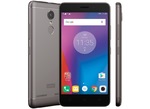
  1. Olá furum estou com um problema. Meu Lenovo vibe k6 funcionava perfeitamente o Vibracall e derrepente parou n da mais sinal. Já troquei o Vibracall e nada do mesmo jeito oque pode ter acontecido alguma peça responsável pelo vibra queimou alguém pode me ajudar. ?Obrigado!
  2. Mano esse cara e um cuzao não disponibiliza o download tomar no cu filho da pt
  3. Olá mano preciso muito deste arquivo

Account

Navigation

Pesquisar

Pesquisar

Configure browser push notifications

Chrome (Android)
  1. Tap the lock icon next to the address bar.
  2. Tap Permissions → Notifications.
  3. Adjust your preference.
Chrome (Desktop)
  1. Click the padlock icon in the address bar.
  2. Select Site settings.
  3. Find Notifications and adjust your preference.