Ir para conteúdo
View in the app

A better way to browse. Learn more.

EletrônicaBR.com

A full-screen app on your home screen with push notifications, badges and more.

To install this app on iOS and iPadOS
  1. Tap the Share icon in Safari
  2. Scroll the menu and tap Add to Home Screen.
  3. Tap Add in the top-right corner.
To install this app on Android
  1. Tap the 3-dot menu (⋮) in the top-right corner of the browser.
  2. Tap Add to Home screen or Install app.
  3. Confirm by tapping Install.

mauriliosc

Membros
  • Registrado em

  • Última visita

  • Créditos EBR

    1
  1. e so fazer a adaptacao no u19 ele entra em curto e nao chega os 5v ai qundo vc coloca a bateria elenao da video
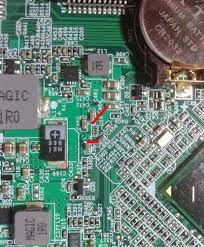
  2. eu tenho um aservo bem grande de bios mais sou novo no site e não posso postar trabalho na area de manutenção de notebooks
  3. ola vc ja viu se ta chegando tenção no processador se não ta chegando tem algum transistor queimado..
  4. e so vc dar uma olhada ai no sockete que tem uma numeração por exemplo 898.936.....
  5. vc tem que testar um outro cabo flat se não for o flat pode ser bga
  6. ola boa noite meu nome e maurilio sou técnico em manutenção de notebook tem varias peças de notebook

Account

Navigation

Pesquisar

Pesquisar

Configure browser push notifications

Chrome (Android)
  1. Tap the lock icon next to the address bar.
  2. Tap Permissions → Notifications.
  3. Adjust your preference.
Chrome (Desktop)
  1. Click the padlock icon in the address bar.
  2. Select Site settings.
  3. Find Notifications and adjust your preference.