
Ir para conteúdo
View in the app

A better way to browse. Learn more.

EletrônicaBR.com

A full-screen app on your home screen with push notifications, badges and more.

To install this app on iOS and iPadOS
  1. Tap the Share icon in Safari
  2. Scroll the menu and tap Add to Home Screen.
  3. Tap Add in the top-right corner.
To install this app on Android
  1. Tap the 3-dot menu (⋮) in the top-right corner of the browser.
  2. Tap Add to Home screen or Install app.
  3. Confirm by tapping Install.

tifon

Membros
  • Registrado em

  • Última visita

  • Créditos EBR

    1
  1. ESSE COMPONENTE QUE TA COM O RISCO DE AMARELO...QUE TROQUEI...
  2. galera to com um notebook sti 1422 infinity com defeito que nao liga!! o cliente me informou que foi molhado, quando eu abri, ele tava com um componente oxidado.....fiz a troca dele mas nao resolveu
  3. Fiz o jumper no u19 e resolvel tudo galera
  4. fiz esse jumper na placa no U19 e ela deu video.....muito massa...hehhhhe :)
  5. fiz esse procedimento porem a plca fica ligando siozinha e a tela ta toda branca....como posso resolver issso amigo;
  6. fiz essse procedimento mas o note ta lingando sozinho e a tela ta toda branca.....como posso resolver issso amigo
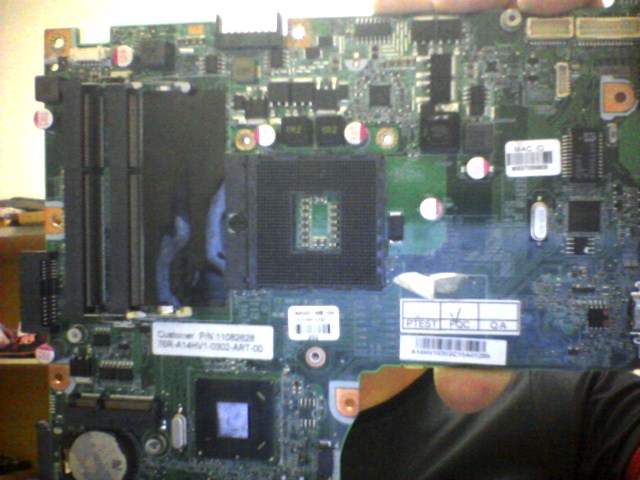
  7. galera tou com essa placa mae que dá a partida mas logo desliga..ja troquei alguns componentes mas nada de ligar

Account

Navigation

Pesquisar

Pesquisar

Configure browser push notifications

Chrome (Android)
  1. Tap the lock icon next to the address bar.
  2. Tap Permissions → Notifications.
  3. Adjust your preference.
Chrome (Desktop)
  1. Click the padlock icon in the address bar.
  2. Select Site settings.
  3. Find Notifications and adjust your preference.