Diamantinogp
Membros
-
Registrado em
-
Última visita
-
Créditos EBR
0
-
-
Visualizar Arquivo Electronic Device & Circuit Theory 11th Eddition Electronic Device & Circuit Theory 11th Eddition Uploader Diamantinogp Enviado 15-07-2020 Categoria Eletrônica
-
-
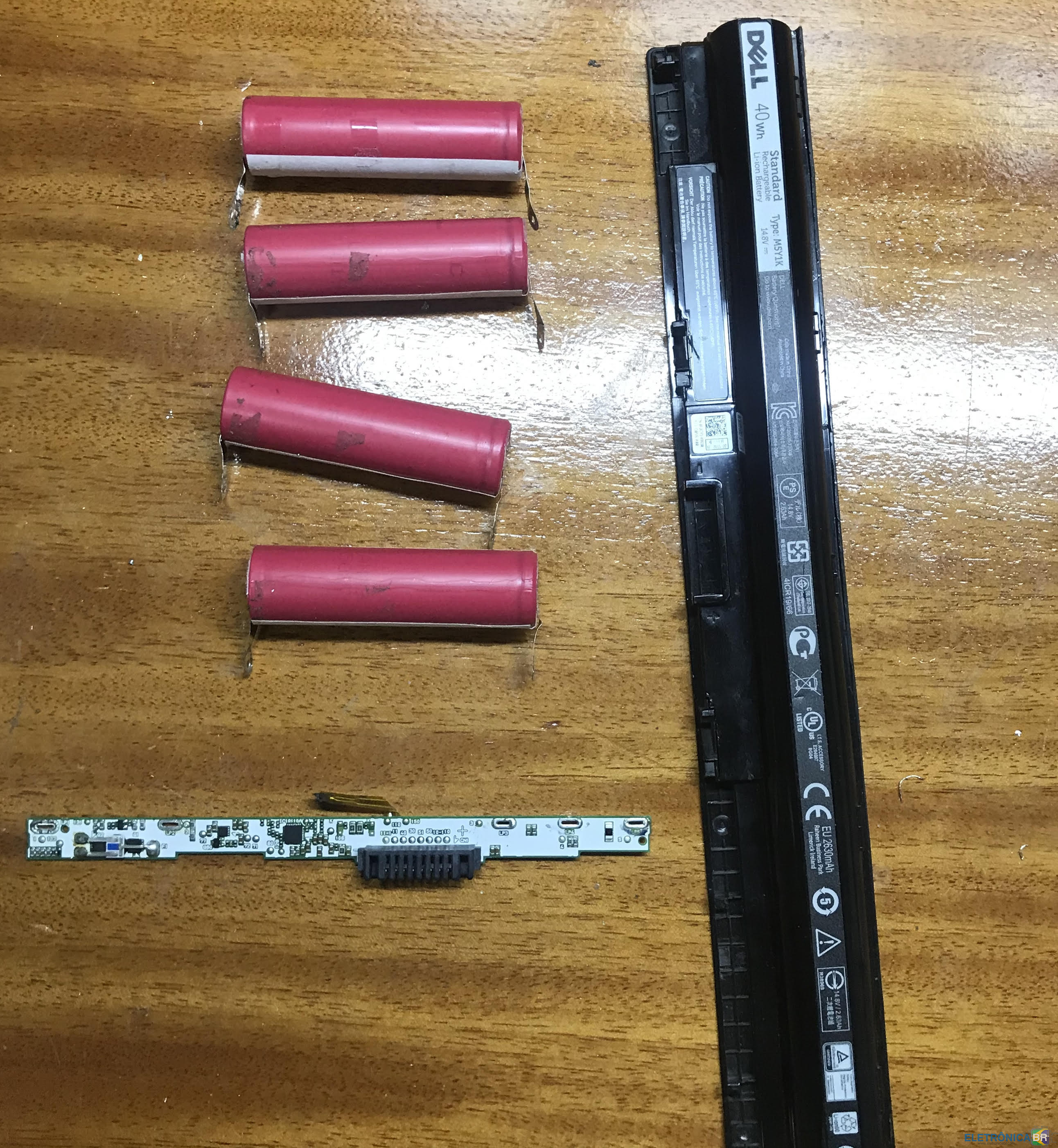
Eu só estou com a bateria.
-
Abri a bateria de notebook m5y1k pois apresentava erro no notebook, uma das células estava com a tensão bem abaixo. Substituí as células mas a placa não produz saída. Alguém tem a pinagem da bateria? É difícil achar uma documentação uma forma de se testar a bateria fora do notebook. O Notebook é um Dell I14-5458-A40.

-
Diamantinogp alterou sua foto pessoal
-
Conheci EletrônicaBR? buscando no Google um esquema. Meu nível técnico é Técnico Estou voltando ao ramo e tentando me aperfeiçoar em micro soldagens. Meu trabalho principal é manutenção industrial, formado em eletrônica tenho a bancada de casa como Hoby....