Ir para conteúdo
View in the app

A better way to browse. Learn more.

EletrônicaBR.com

A full-screen app on your home screen with push notifications, badges and more.

To install this app on iOS and iPadOS
  1. Tap the Share icon in Safari
  2. Scroll the menu and tap Add to Home Screen.
  3. Tap Add in the top-right corner.
To install this app on Android
  1. Tap the 3-dot menu (⋮) in the top-right corner of the browser.
  2. Tap Add to Home screen or Install app.
  3. Confirm by tapping Install.

Mayara Figueiredo

Membros
  • Registrado em

  • Última visita

  • Créditos EBR

    0
  1. Mayara Figueiredo alterou sua foto pessoal
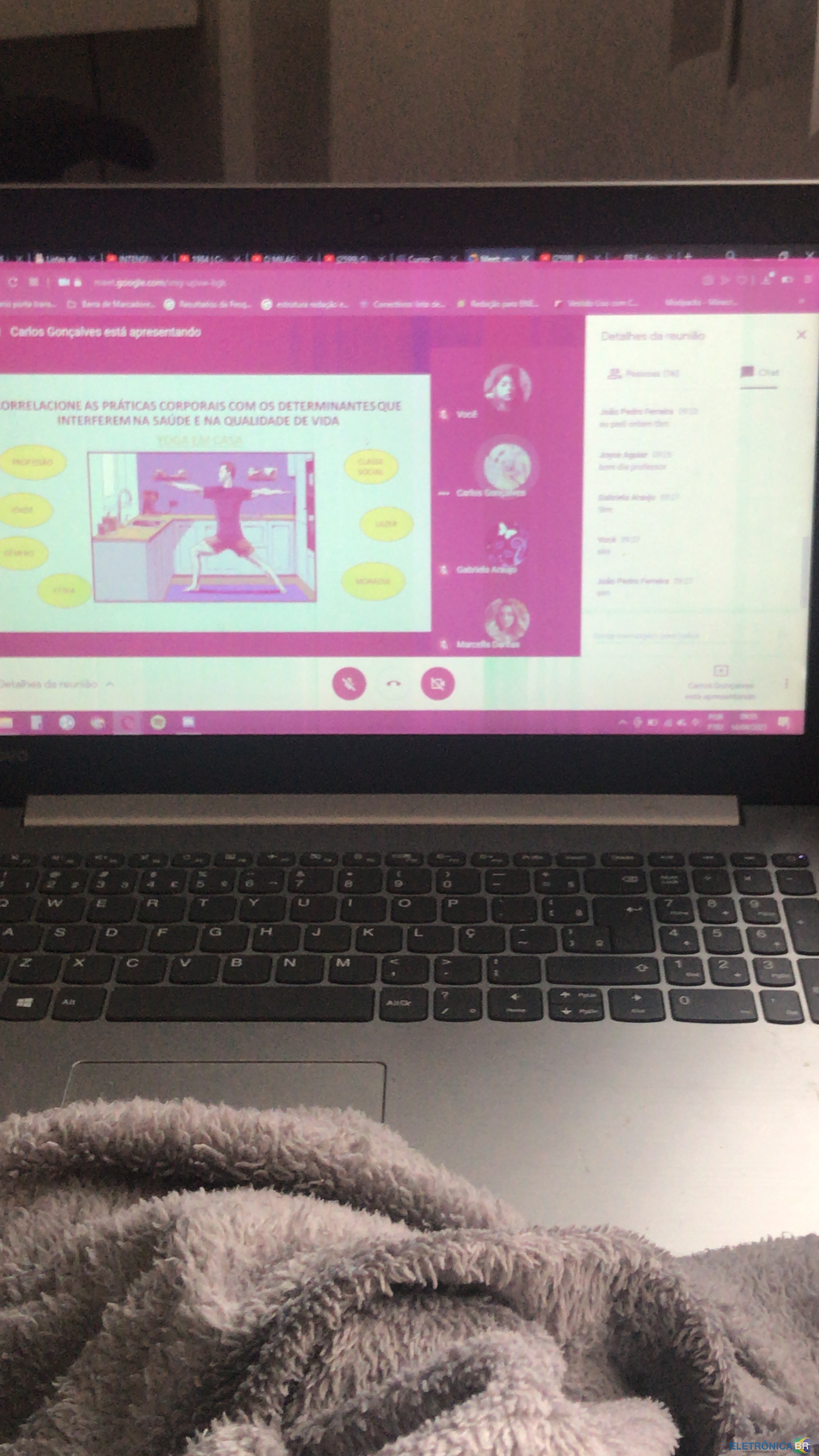
  2. pessoal, tenho um ideapad 330 e ele apresenta uma falha na tela que aconteceu do nada, ele não caiu nem nada. Apenas tava assistindo aula, fui pegar um lanche e quando voltei a tela estava rosa e só uma faixa no canto superior normal. Vocês têm algum palpite do que pode ser? pois dependendo do problema ficaria muito caro, vou por fotos de como ele está (as vzs oscila do rosa para o verde) e algumas teclas não estão funcionando direito ( a interrogação não funciona e outras estão funcionando como se fosse a tecla ao lado)

Account

Navigation

Pesquisar

Pesquisar

Configure browser push notifications

Chrome (Android)
  1. Tap the lock icon next to the address bar.
  2. Tap Permissions → Notifications.
  3. Adjust your preference.
Chrome (Desktop)
  1. Click the padlock icon in the address bar.
  2. Select Site settings.
  3. Find Notifications and adjust your preference.