Ir para conteúdo
View in the app

A better way to browse. Learn more.

EletrônicaBR.com

A full-screen app on your home screen with push notifications, badges and more.

To install this app on iOS and iPadOS
  1. Tap the Share icon in Safari
  2. Scroll the menu and tap Add to Home Screen.
  3. Tap Add in the top-right corner.
To install this app on Android
  1. Tap the 3-dot menu (⋮) in the top-right corner of the browser.
  2. Tap Add to Home screen or Install app.
  3. Confirm by tapping Install.

Jrdata Santos

Membros
  • Registrado em

  • Última visita

  • Créditos EBR

    0
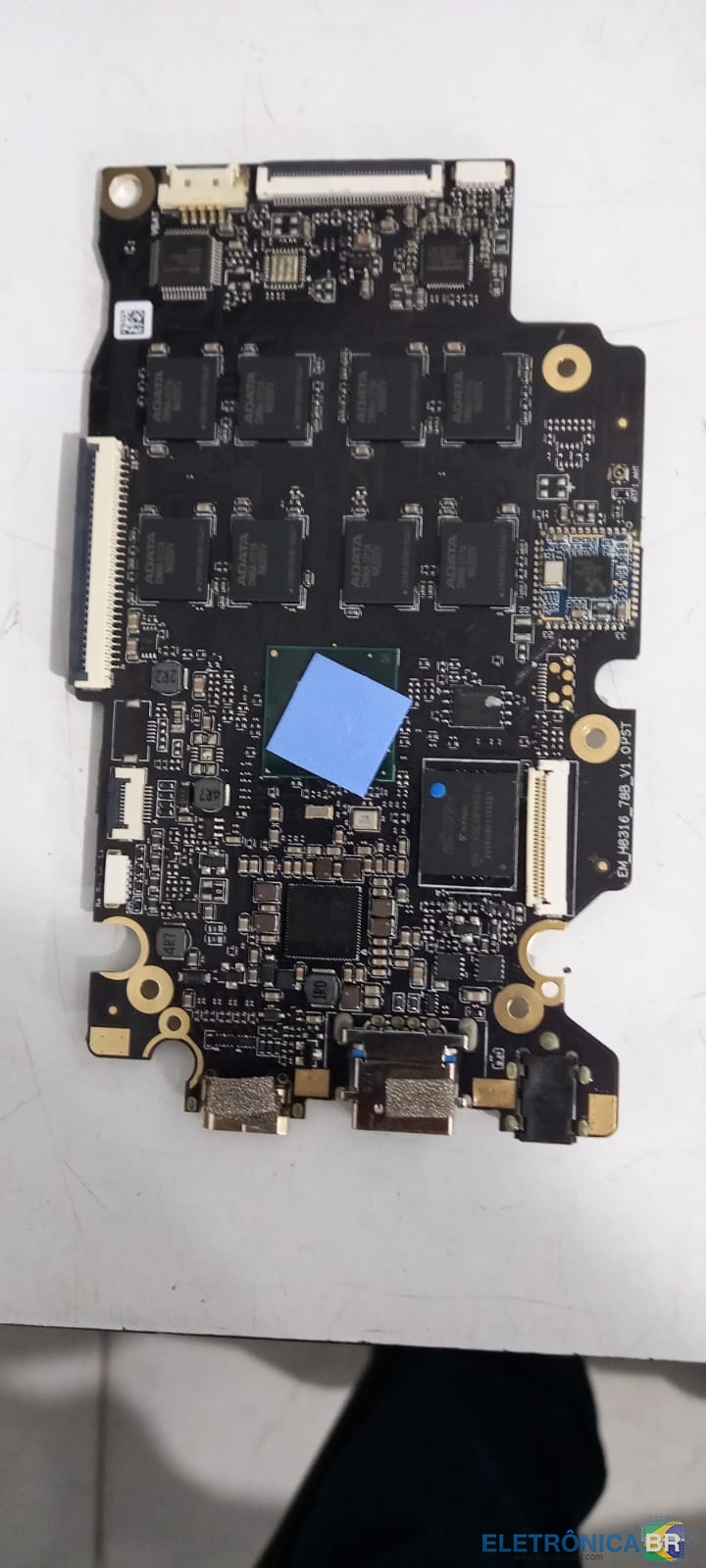
  1. Boa tarde, preciso saber se tem como recuperar essa placa em anexo de um positivo motion plus q464b??. a bateria esta normal, o botão liga desliga não é no flat do teclado, testei a continuidade da placa botão até a placa mãe e tudo ok, mas o mesmo não da video nem on-bnoard nem off por outra tela.
  2. Boa tarde, amigos estou com problemas com um positivo motion q464b, pressiono o botão liga/desliga o led de power esta verde normal, bateria com voltagem normal mas o mesmo não liga!!! desliguei todos os componentes da placa deixando somente a bateria, o led permanece acesso, repeti isso sem a bateria e sim com o carregador e a mesma coisa. liguei o teclado (o mesmo só com teclado) e nada desabilitei o vídeo onborad e liguei a um monitor com um cabo mini hdmi e nada. alguém pode me ajudar.

Account

Navigation

Pesquisar

Pesquisar

Configure browser push notifications

Chrome (Android)
  1. Tap the lock icon next to the address bar.
  2. Tap Permissions → Notifications.
  3. Adjust your preference.
Chrome (Desktop)
  1. Click the padlock icon in the address bar.
  2. Select Site settings.
  3. Find Notifications and adjust your preference.