


Meno KL desce e rasga
Membros
-
Registrado em
-
Última visita
-
Créditos EBR
0
-
Meno KL desce e rasga alterou sua foto pessoal
-
Olá Meu Nome é Lucas , Tenho 32 Anos , E Estou Nesse Ramo De Eletronica , Quero Conseguir Um Dinheiro Com Isso Algum Dia , Estou Estudando Muito Pra Isso Ser Possivel , Hoje Tive Minha Primeira Cliente , Minha Mãe , Hoje Estou Atualizando o Driver da TV Dela , Fico Muito Feliz Em Poder Fazer Isso , Nunca Imaginei Que Isso Seria Possivel , Obrigado Pela Atenção De Todos E Uma Boa Tarde Pra VCS !
-
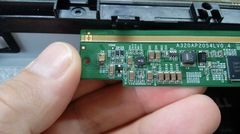 Quer Saber Como Concertar E Como eu Fiz ? Acesse : https://pastebin.com/0qqADE51
© Eu Mesmo

