Ir para conteúdo
View in the app

A better way to browse. Learn more.

EletrônicaBR.com

A full-screen app on your home screen with push notifications, badges and more.

To install this app on iOS and iPadOS
  1. Tap the Share icon in Safari
  2. Scroll the menu and tap Add to Home Screen.
  3. Tap Add in the top-right corner.
To install this app on Android
  1. Tap the 3-dot menu (⋮) in the top-right corner of the browser.
  2. Tap Add to Home screen or Install app.
  3. Confirm by tapping Install.

hunmike000

Membros
  • Registrado em

  • Última visita

  • Créditos EBR

    0
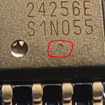
  1. Situation is worse than I thought. Mistaken a 32 kbyte EEPROM which blown up with the bios. haven't tried to read bios chip yet (GD25R256E) but the contents of the small EEPROM is lost forever. anybody willing to do a dump for me please?
  2. thx will check it out if its compatible with my ZM model
  3. hunmike000 alterou sua foto pessoal
  4. Hi, The bios chip in my ASUS TUF Dash F15 FX517ZM has blown up. I ha no bios available but can solder a EEPROM replacement to the board. Tried to hack together a bios form a different model but didn't work. Please share a clean or dirty bios please.
  5. 1. How did you find out about EletrônicaBR? Google 2. What is your technical level? Engineer 3. What skills related to electronics/IT do you have or intend to acquire? BIOS assembly, CSME, UEFI 4. Tell us a little about yourself. Used to be Electrical Engineer, now mostly dealing with software.
Account

Navigation

Pesquisar

Pesquisar

Configure browser push notifications

Chrome (Android)
  1. Tap the lock icon next to the address bar.
  2. Tap Permissions → Notifications.
  3. Adjust your preference.
Chrome (Desktop)
  1. Click the padlock icon in the address bar.
  2. Select Site settings.
  3. Find Notifications and adjust your preference.