uninfopel
Membros
-
Registrado em
-
Última visita
-
Créditos EBR
0
-
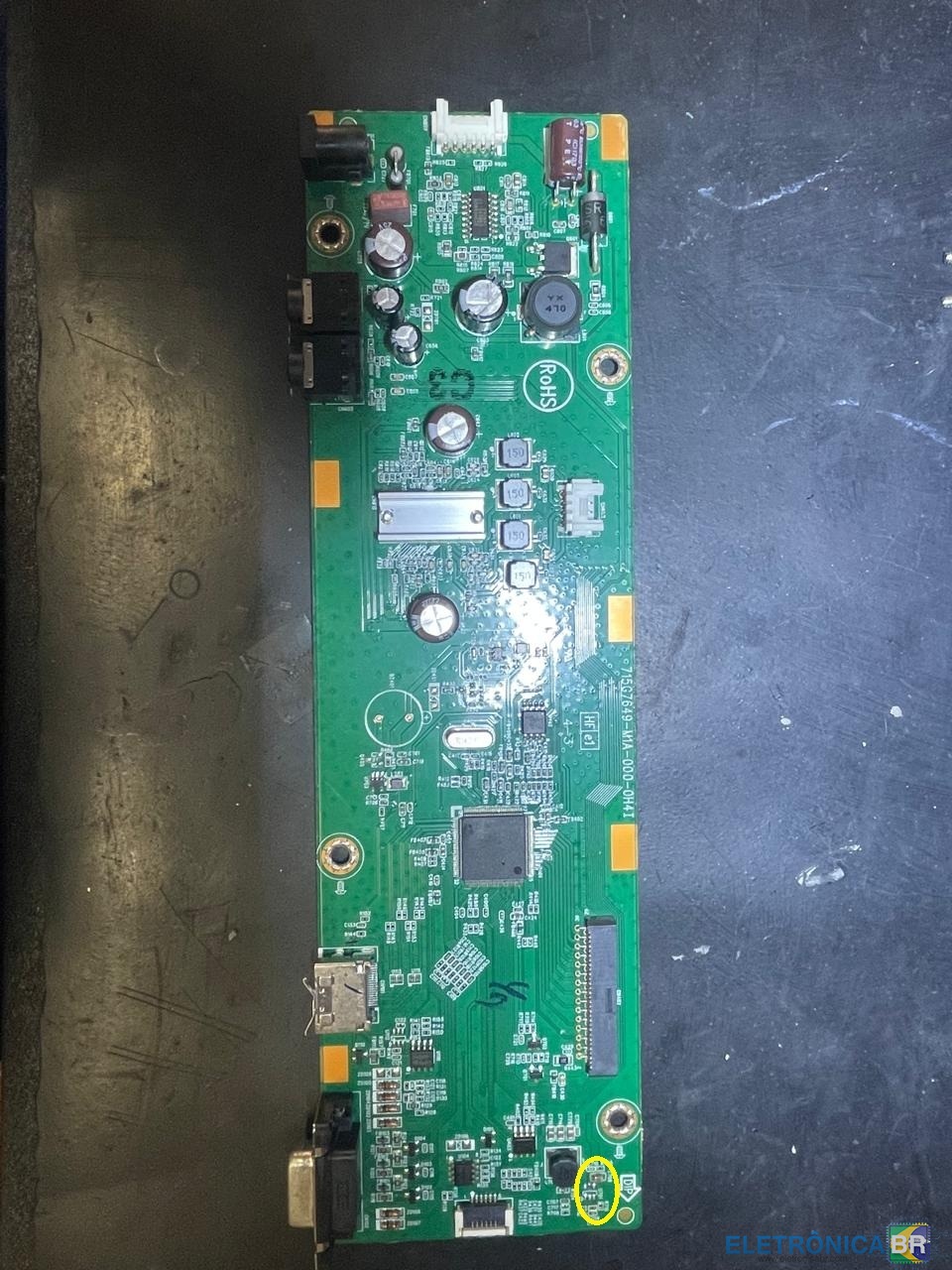
Olá Pessoal, Tenho esse Dell S2318H que preciso achar o componente U701. Não achei referencia, sei que no pino 6 tem 1.8v / pino 5 recebe 12v. Caso alguem tenha um igual poderia me fornecer qual componente é esse? Grande abraço!

.png.91db8a5c165cce6f51ecd36fe953f2a8.png)
-
-
Como conheceu o EletrônicaBR: Através do Google, pesquisando por esquemas e informações técnicas sobre placas e componentes eletrônicos. Nível técnico: Técnico iniciante e empresário na área de informática e eletrônica. Habilidades: Trabalho com manutenção de computadores, servidores e redes, diagnóstico de placas-mãe, fontes, notebooks e DVRs. Também atuo com TI empresarial, redes Mikrotik, servidores Oracle/Linux, e integração de sistemas. Sobre mim: Sou o Daniel Lucas, proprietário da Uniinfo Informática e Soluções em Pelotas/RS. Tenho grande interesse por eletrônica aplicada à informática, reparos em placas, automação e soluções de rede. Entrei no fórum para compartilhar conhecimento e aprender com a comunidade técnica.