


Ângelo Gums
Membros
-
Registrado em
-
Última visita
-
Créditos EBR
11
-
Olá, fiz os testes aqui, quando clico em "Injeção Eletrônica" da essa msg "Seu sistema está bloqueado por falta de pagamento. Entre em contato com a SIMPLO. Fone: 054 32127084", e aí depois o Simplo se fecha. Tem algum problema que precisa ser corregido.

-
Eu tenho o instalador do Simplo 2025/3, se alguém interessar faço o uplood. Não sei se tem vírus ou se funciona, eu não tenho o keygen.
-
Agora deu certo, o problema era o seguinte, na unidade C: estrai os arquivos tudo para a pasta "Simplo 2025", aí não deu certo renomeei a pasta para "Simplo" e aí funcionou.
-
Obrigado. Coloquei a chave, registro deu certo, porem quando clico para abrir o Simplo não da nada.
-
Olá Segue o ID: 4C1DC-58575-4E3EE-C7BAA Identificação: GumSystem Simplo 2025
-
Já baixei, agora estou extraindo, tomara que de certo.
-
-
Olá, gera um registro pra mim com esse, ID: AEA07D-D8B391-28600C-B4A3A6-5EEC0D-117EF3 Eu tenho o Simplo 2023/2 instalado, o Ativador/Keygen que tenho aqui é o 01.2023, só que não estou conseguindo gerar o registro ID. Tem algum procedimento para fazer?? Desde já agradeço.
-
Consegue Gerar o registro para esse ID: AEA07D-D8B391-28600C-B4A3A6-5EEC0D-117EF3
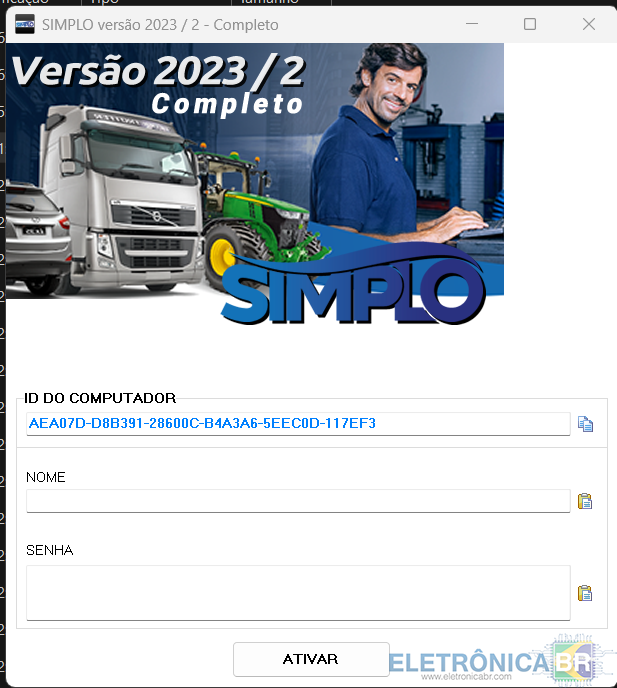
-
-
Alguém consegue me ajudar? Já tentei fazer o registro mas não da certo. Alguém consegue o gerar um registro em cima desse ID: AEA07D-D8B391-28600C-B4A3A6-5EEC0D-117EF3 O Simplo que tenho instalado aqui é o 2023/2 e o Keygen que tenho é 01.2023

-
Rapaz, não dá para instalar a parte 1, já baixei 2x e nada.
-
-
Nome: GumSystem ID: 5B0E0-2982D-E2D52-339EE Registro: DTSTREqW+SbJWCoogjABWPj+FJzkPzlffW=aoPqEisephnqpd6fgTOdXqy6jd4L3tVxCBMQnqetGg3ohT73P9JtlMGAE2UsbEIABdWWYCOzrSkHmPBDPYws6ubw07EFGjM5XedavanZ2WMYNI3
-
Hardware ID is invalid. Verifica se é para o Simplo 2023, pois aqui deu erro.


