Ir para conteúdo
View in the app

A better way to browse. Learn more.

EletrônicaBR.com

A full-screen app on your home screen with push notifications, badges and more.

To install this app on iOS and iPadOS
  1. Tap the Share icon in Safari
  2. Scroll the menu and tap Add to Home Screen.
  3. Tap Add in the top-right corner.
To install this app on Android
  1. Tap the 3-dot menu (⋮) in the top-right corner of the browser.
  2. Tap Add to Home screen or Install app.
  3. Confirm by tapping Install.

lcoliveira2006

Membros
  • Registrado em

  • Última visita

  • Créditos EBR

    1
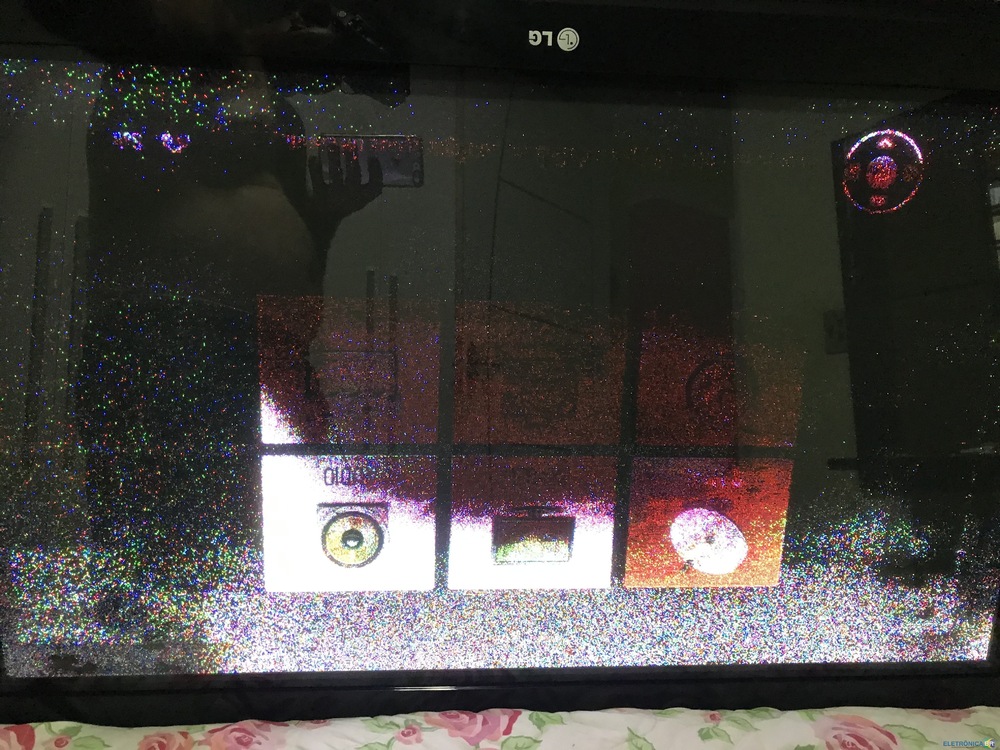
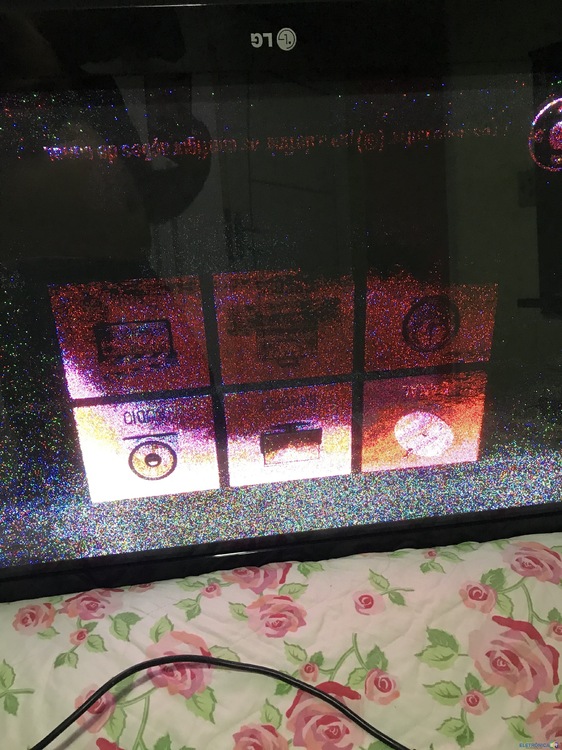
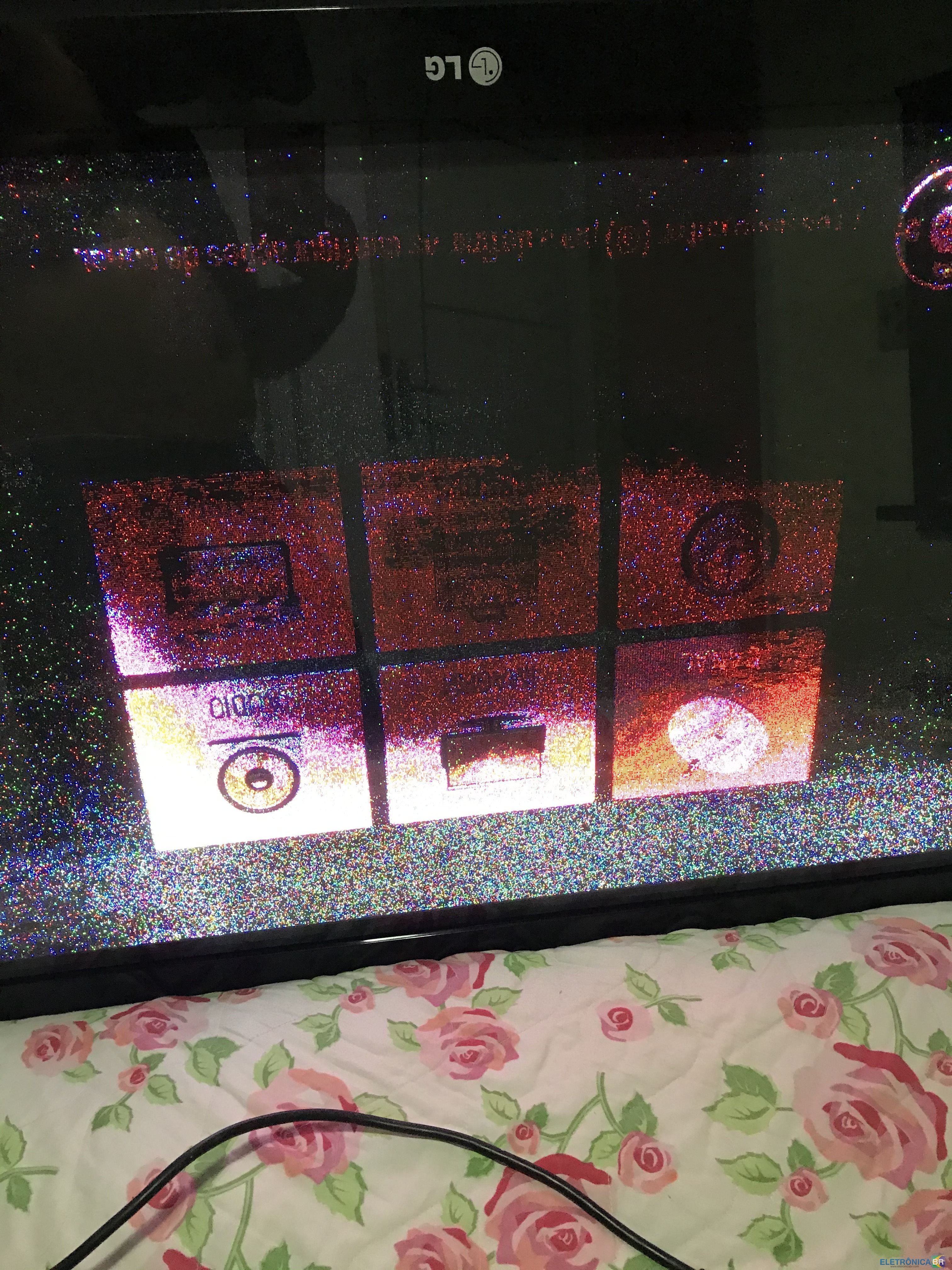
  1. Pessoal, bom dia! EStou coma tv LG 42pq30r de plasma, que queimou a placa YSUS. Efetuei a troca da Placa por outra, porém a TV Fica cheia de chuviscos. veja as fotos em anexo. Alguém pode ajudar?
  2. Olá, todos, boa noite! Meu nome é Luiz Sou técnico a 5 anos e estou aqui para compartilhar meus conhecimentos e agregar novos conhecimentos.
  3. 90% de Ser o LCD que está incompatível. A final, hoje em dia não dá para confiar se o LCD é original ou não. Tive um problema assim e era o LCD. Troquei por outro e funcionou na hora!
  4. Prezados, bom dia! Alguém tem a bios do notebook Positivo 2040M - C14cr21? Agradeço a todos pela atenção. Att. Luiz Claudio
Account

Navigation

Pesquisar

Pesquisar

Configure browser push notifications

Chrome (Android)
  1. Tap the lock icon next to the address bar.
  2. Tap Permissions → Notifications.
  3. Adjust your preference.
Chrome (Desktop)
  1. Click the padlock icon in the address bar.
  2. Select Site settings.
  3. Find Notifications and adjust your preference.