renatoxavier
Membros
-
Registrado em
-
Última visita
-
Créditos EBR
0
-
alguem indica um gravador compativel? todos que olhei a lista ate agora nenhum foi compativel.
-
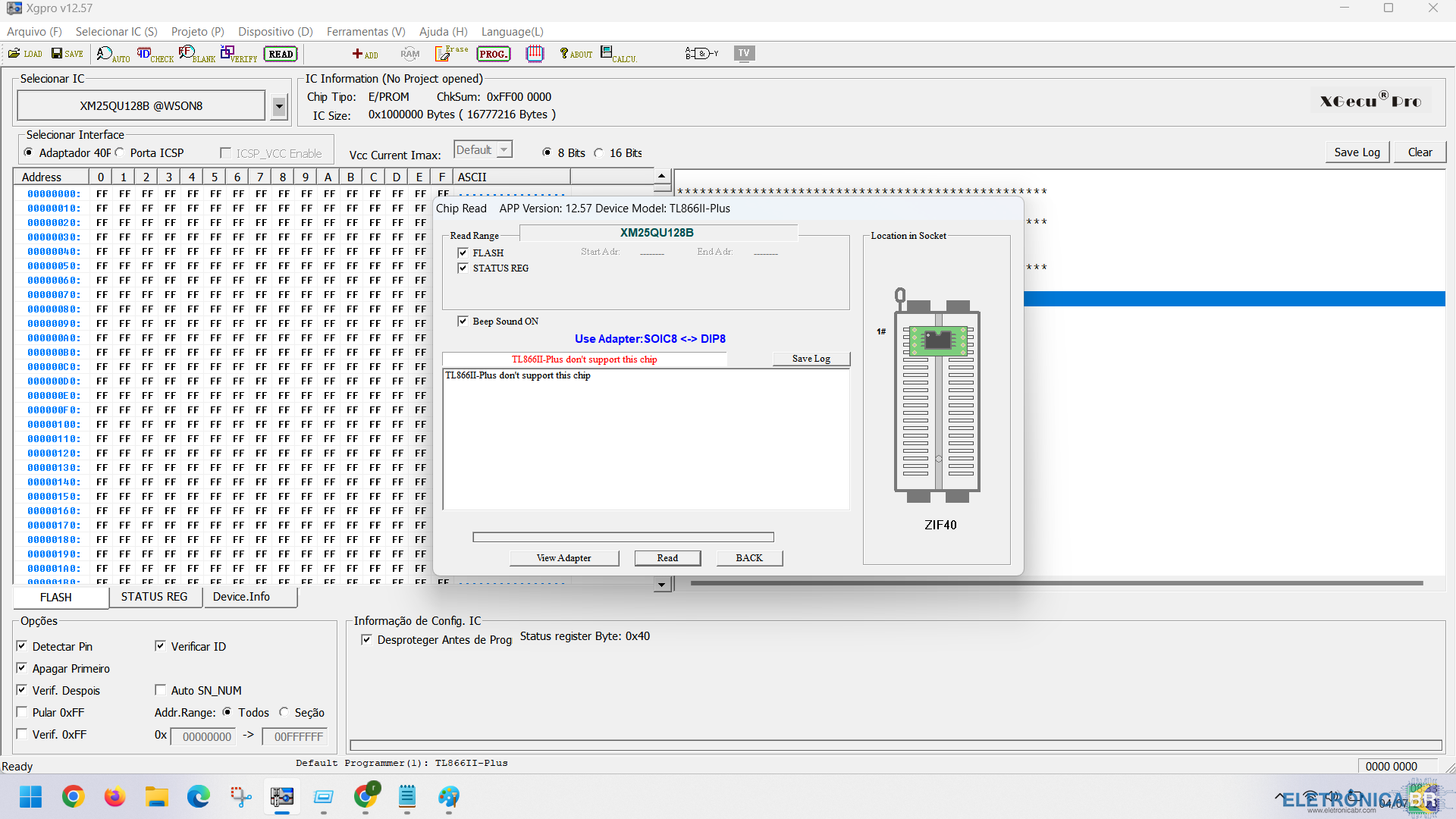
Gravadora TL866II-Plus reconhece a bios XM25QU128B @SOIC8 mais não lê nem grava mensagem apresentada: APP Version : 12.57 Model : TL866II Plus Device : XM25QU128B @SOIC8 TL866II-Plus don't support this chip


-
meu amigo venho aqui agradecer pela ajuda Resolveu meu problema, notebook iniciando normalmente e sem erro
-
Boa noite, estou com um notebook de um cliente que chegou sem funcionar dai identifiquei que era bios troquei o chip e regravei usando algumas bios do forum a maioria não funcionou. Essa foi a unica que deu tela demora a abrir tela e sempre que liga aparece a mensagem: Alert! TPM device is not detected Alguem poderia ajudar?
.thumb.jpeg.1739a7fabfc96eec3eb23de61c91e182.jpeg)
.thumb.jpeg.eb4b76413900fa46224cd53016755e57.jpeg)



.jpeg.ce6501802cdd873d402a45cb7de958cc.jpeg)
.jpeg.dc9d7c46252ed3ef894bfa49ada802cd.jpeg)