


Abu Haider Aliraqi
Membros
-
Registrado em
-
Última visita
-
Créditos EBR
2
-
Hello, I have a Smart-UPS SC 1500 that has a malfunction. It does not work on electricity only on batteries. I am from Iraq and I translate from Google. I only know Arabic. I will attach pictures showing the malfunction that occurred.
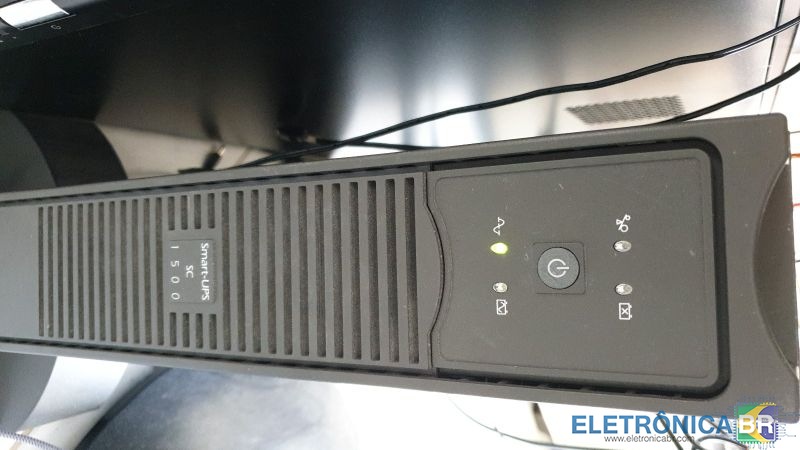


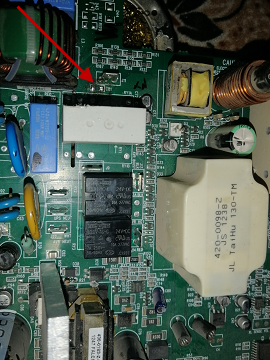
-
انت انسان رائع تحياتي الحارة لك واشكرك على كلمات الجميلة You are a wonderful person, my warm greetings to you and thank you for the beautiful words
-
I replaced the BT136 600E and found it in the ceiling fan regulator Same number and prince The hot air is working properly Thank you, colleague, for your help from Iraq
-
Welcome After checking it turned out that this BT136 600E does not work as shown in the picture This is not available to me Does this bt137 600e fit because I have it right now or what is the alternative? Thanks a lot
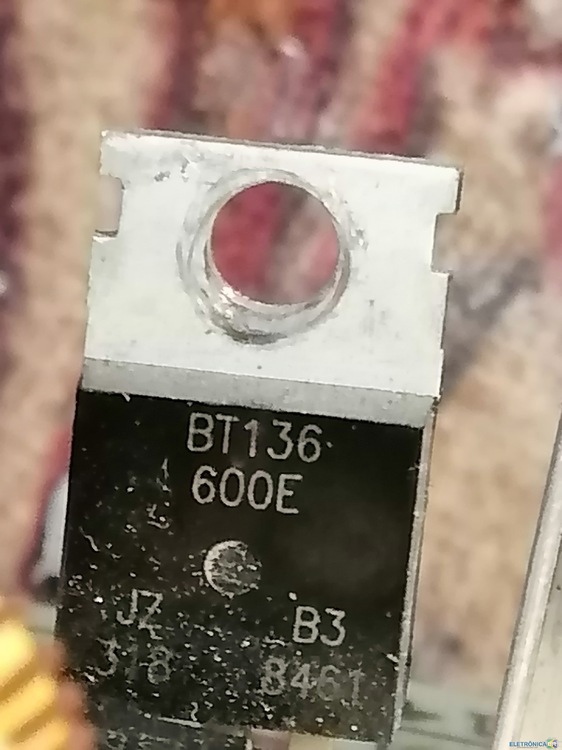
-
I will do the test and let you know the result
-
This plate I disassembled for examination
.thumb.jpg.3e213e2acb388d8a79c80040ba8ed8f8.jpg)
-
Hello, I use Google for translation I have a BAKU 852D Hot Air device that works on its own when connected to the electricity without using the switches on and off. It works as an air conditioner and screen. Thank you in advance for the help

-
اهلا ياجماعة أنا من العراق لا أعرف اللغة ، أترجم بواسطة Google الرجاء المساعدة اشتريت مكواة BAKU 852D مستعملة ، لكنها تعمل من تلقاء نفسها دون فتح مفتاح التشغيل. تعمل الشاشة ويتم نفخ الهواء عند توصيل سلك الطاقة وبدون فتح مفتاحي التشغيل والإيقاف. آمل أن يكون لدى شخص ما معلومات تساعدني ، شكرًا جزيلاً لك



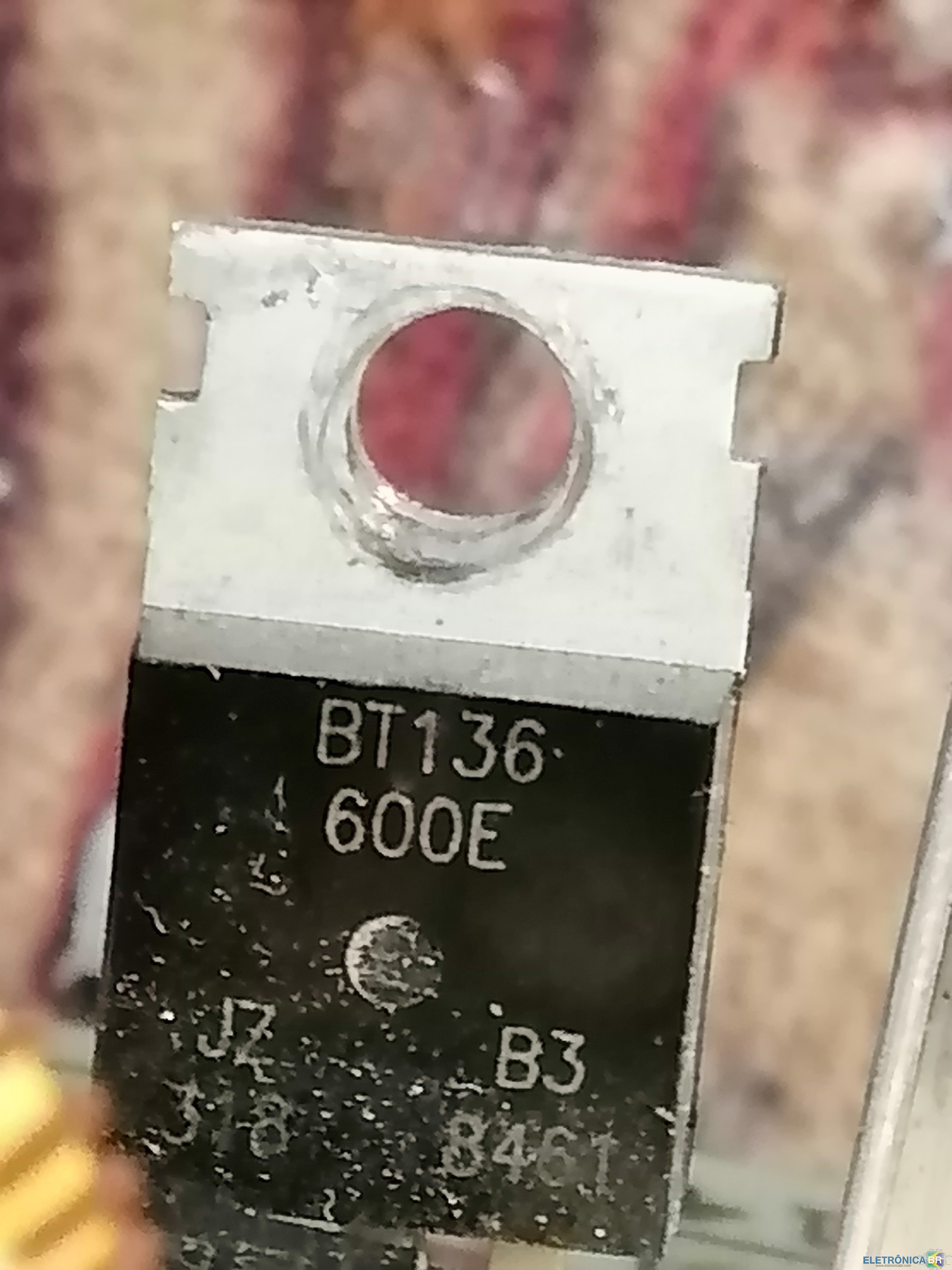
.jpg.2a15d6437d7d1ebaabdd1dfb760faa99.jpg)