Fsenna
Membros
-
Registrado em
-
Última visita
-
Créditos EBR
10
-
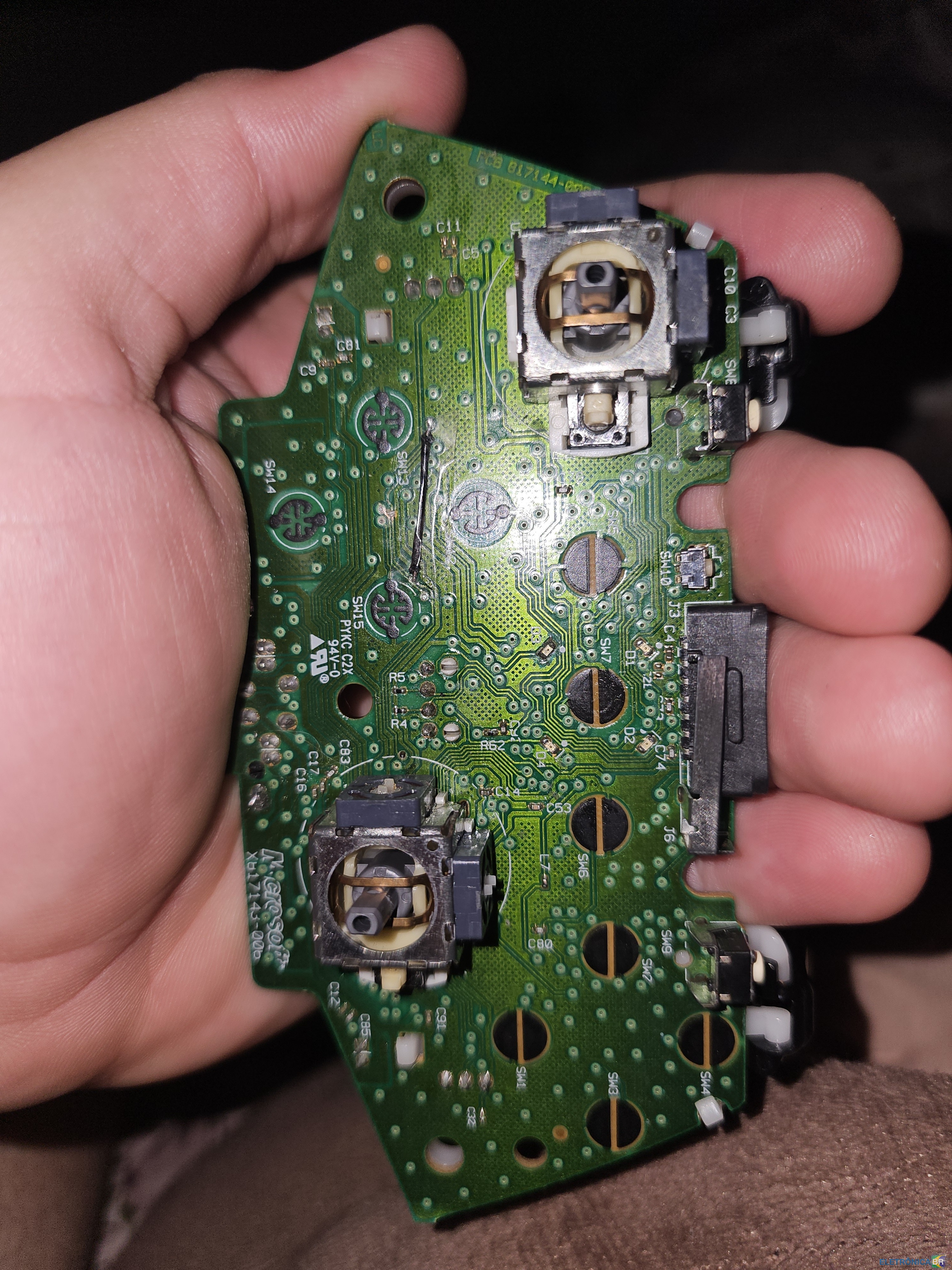
Pessoal, agradeço a todos pela ajuda. Consegui fazer funcionar L3 fazendo um jumper quase direto haha. Desculpa a demora para interagir aqui.


-
Muito obrigado 🙏 Fiz este jumper ligando esta trilha rosa. Funcionou!

-
Pessoal, meu L3 do controle X817143-006 do Xbox360 não funciona. Não encontrei lugar nenhum esquemático dele. Muito difícil seguir as trilhas deste controle por olho rsrs.

-
1. Como conheceu o EletrônicaBR? (ex: Google ou outro site) R: PROCURANDO SOLUÇOES NO GOOGLE 2. Qual seu nível técnico? (Amador, Estudante, Técnico, Engenheiro, Empresário) R: TECNICO EM TI / ESTUDANTE 3. Quais habilidades relacionadas a eletrônica/informática você tem ou pretende adquirir? R: OBTER CONHECIMENTO E COMPARTILHAR CONHECIMENTO 4. Conte um pouco de você. Qualquer coisa. R: JOVEM ENTUSIASTA EM HARDWARE E SISTEMAS LINUX.