Ir para conteúdo
View in the app

A better way to browse. Learn more.

EletrônicaBR.com

A full-screen app on your home screen with push notifications, badges and more.

To install this app on iOS and iPadOS
  1. Tap the Share icon in Safari
  2. Scroll the menu and tap Add to Home Screen.
  3. Tap Add in the top-right corner.
To install this app on Android
  1. Tap the 3-dot menu (⋮) in the top-right corner of the browser.
  2. Tap Add to Home screen or Install app.
  3. Confirm by tapping Install.

cabg00

Membros
  • Registrado em

  • Última visita

  • Créditos EBR

    0
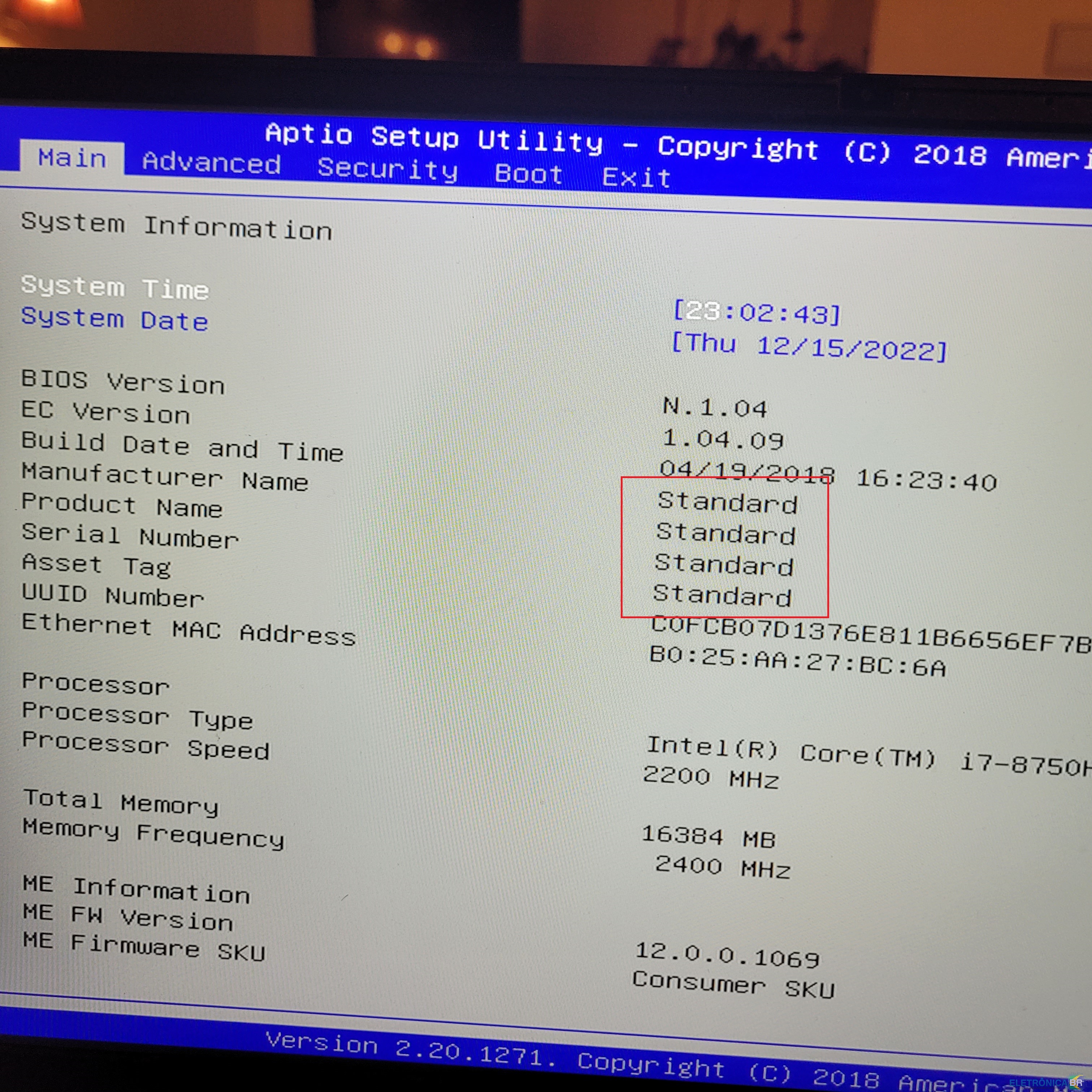
  1. Bom dia, este laptot tongfang gk5cn5z depois da instalação do win 11 e varias actualizações de drivers começou a não iniciar, indo constantemente para o menu da Bios e fica bloqueado não conseguindo aceder a nenhem separador . Já substitui a bateria cr2032 que alimenta a Bios mas o problema continua, na minha opinião alguma actualização deve ter corrumpido a bios, porque como podem ver na foto, no retangulo assinalado a vermelho não tem as informações do fabricante. Se alguém puder dar uma ajuda, agradeço.
Account

Navigation

Pesquisar

Pesquisar

Configure browser push notifications

Chrome (Android)
  1. Tap the lock icon next to the address bar.
  2. Tap Permissions → Notifications.
  3. Adjust your preference.
Chrome (Desktop)
  1. Click the padlock icon in the address bar.
  2. Select Site settings.
  3. Find Notifications and adjust your preference.