


Flow do Flow Cortes
Membros
-
Registrado em
-
Última visita
-
Créditos EBR
10
-
vou tentar atualizar... eu comprei cooler novo e não funciona ! mais vou fazer os testes e retorno com resultado
-
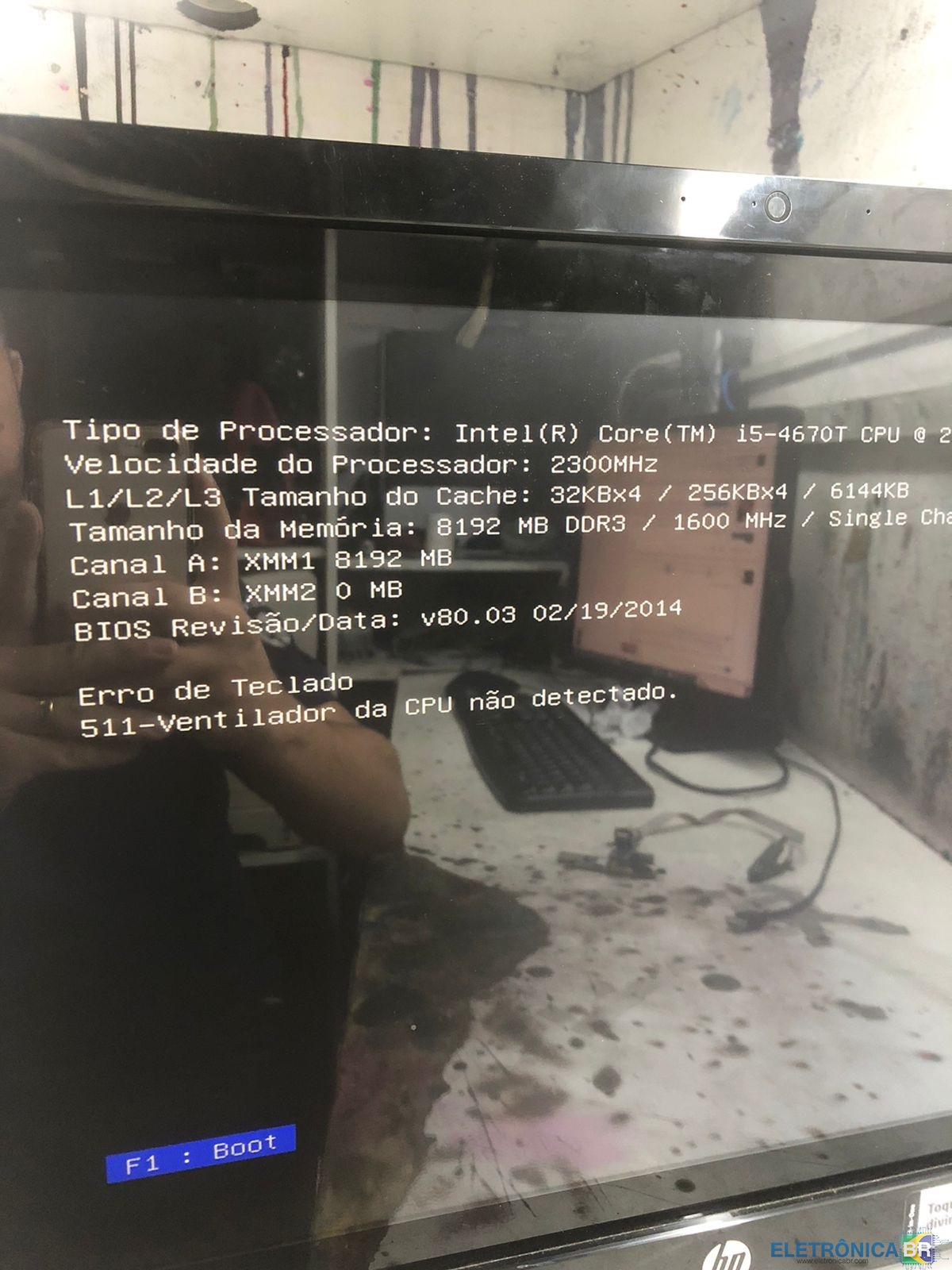
Ela está acusando erro 511 ventilador da CPU não detectado, eu queria tentar regravar a bios dela p ver se funciona, eu vi em outro lugar que resolveram modelos parecidos... porém não estou conseguindo o arquivo! se tiver e puder me mandar, vai ser de grande valia!

-
ao ligar o computador, ela da mensagem que Fan ausente !
-
Ela liga normal... porém o cooler não aciona, já troquei a peça e permanece na mesma
-
segue o modelo da placa
.thumb.jpeg.ab1314886e16df2d9ecf8b5530703241.jpeg)
-
vou desmontar novamente o equipamento, e já mando aqui!
-
Bom dia amigos, estou com um HP modelo ts 23-h000br no qual ela não arma o cooler, já coloquei novo e nada... acredito ser bios, alguem já pegou esse problema? pode ajudar ?
-
1. Como conheceu o EletrônicaBR? GooGle 2. Qual seu nível técnico? Técnico em informática 3. Quais habilidades relacionadas a eletrônica/informática você tem ou pretende adquirir? Impressoras, notebooks e eletrônicos 4. Conte um pouco de você. Sou técnico com mais de 15 anos de mercado, especialista em impressoras !


.jpeg.1b2ede7f81efa207cbbdfacfd5e6cbab.jpeg)