Ir para conteúdo
View in the app

A better way to browse. Learn more.

EletrônicaBR.com

A full-screen app on your home screen with push notifications, badges and more.

To install this app on iOS and iPadOS
  1. Tap the Share icon in Safari
  2. Scroll the menu and tap Add to Home Screen.
  3. Tap Add in the top-right corner.
To install this app on Android
  1. Tap the 3-dot menu (⋮) in the top-right corner of the browser.
  2. Tap Add to Home screen or Install app.
  3. Confirm by tapping Install.

Bernardo Soares T.

Membros
  • Registrado em

  • Última visita

  • Créditos EBR

    10
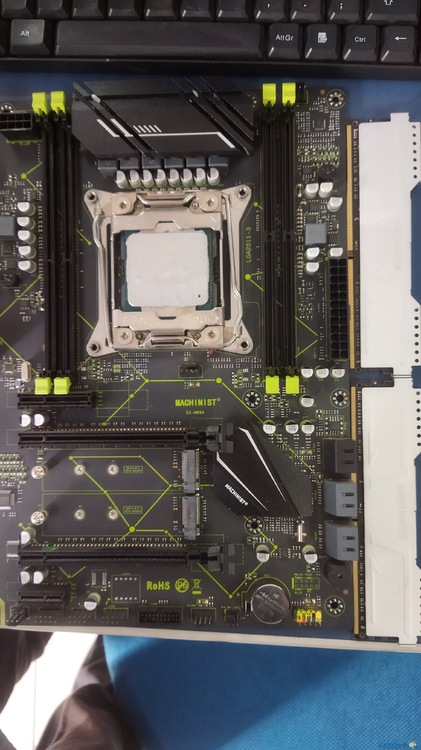
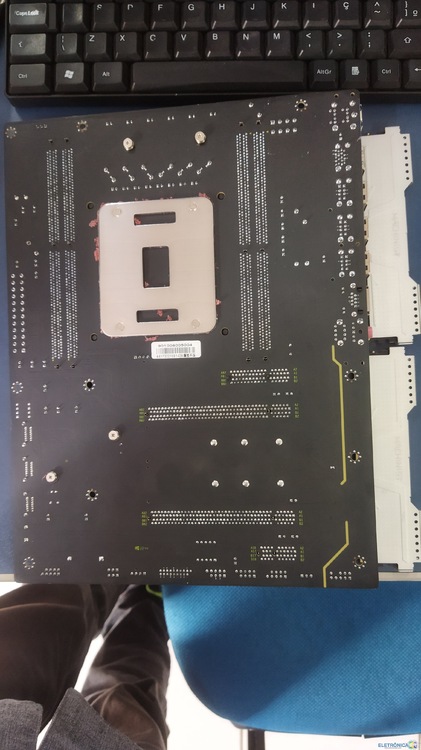
  1. Comprei um Kit Xeon de um amigo que estava dando 5 bips curtos, ele usava no setup uma fonte sem marca de 500w, uma RX 580, Placa mãe X99 Machinist E9-MR9A(LGA 2011-3) que está com 2 pentes Machinist (2X8) e Xeon E5-2666V3, porém comprei sem fonte e placa de vídeo anteriormente usadas. Fui testar com uma Fonte ATX 500W PFC Ativo Black Hawk e Placa de vídeo g210 512mb da point of view(só pra dar vídeo) que estavam funcionando em outros PC-s e resultado: Nem bips está dando mais.
Account

Navigation

Pesquisar

Pesquisar

Configure browser push notifications

Chrome (Android)
  1. Tap the lock icon next to the address bar.
  2. Tap Permissions → Notifications.
  3. Adjust your preference.
Chrome (Desktop)
  1. Click the padlock icon in the address bar.
  2. Select Site settings.
  3. Find Notifications and adjust your preference.