Ir para conteúdo
View in the app

A better way to browse. Learn more.

EletrônicaBR.com

A full-screen app on your home screen with push notifications, badges and more.

To install this app on iOS and iPadOS
  1. Tap the Share icon in Safari
  2. Scroll the menu and tap Add to Home Screen.
  3. Tap Add in the top-right corner.
To install this app on Android
  1. Tap the 3-dot menu (⋮) in the top-right corner of the browser.
  2. Tap Add to Home screen or Install app.
  3. Confirm by tapping Install.

Gabriel Fortunato

Membros
  • Registrado em

  • Última visita

  • Créditos EBR

    1
  1. Ola,eu nao chegei a ver isso. Voce teria uma orientação sobre as tensões que deve ter ? Ola,eu nao chegei a ver isso. Voce teria uma orientação sobre as tensões que deve ter ?
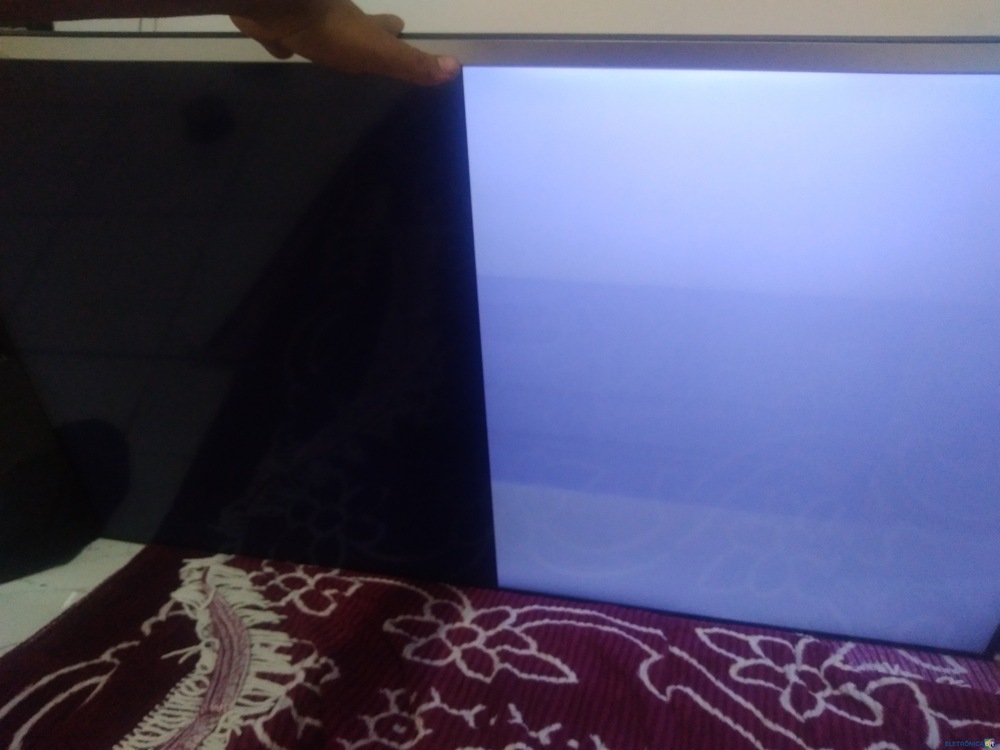
  2. Estou com essa tv e apresenta o seguinte defeito Tem backlight porem sem imagem Removendo um dos lados da tcom uma parte fica branca e a outra preta Desligando o outro lado e religando o outro fica totalmente preta Na parte que fica branca aparece a marca philips bem fraca Testei todos capacitores ceramicos e nenhum dele deu beep Sera que pode ser a tcom ?

Account

Navigation

Pesquisar

Pesquisar

Configure browser push notifications

Chrome (Android)
  1. Tap the lock icon next to the address bar.
  2. Tap Permissions → Notifications.
  3. Adjust your preference.
Chrome (Desktop)
  1. Click the padlock icon in the address bar.
  2. Select Site settings.
  3. Find Notifications and adjust your preference.