Ir para conteúdo
View in the app

A better way to browse. Learn more.

EletrônicaBR.com

A full-screen app on your home screen with push notifications, badges and more.

To install this app on iOS and iPadOS
  1. Tap the Share icon in Safari
  2. Scroll the menu and tap Add to Home Screen.
  3. Tap Add in the top-right corner.
To install this app on Android
  1. Tap the 3-dot menu (⋮) in the top-right corner of the browser.
  2. Tap Add to Home screen or Install app.
  3. Confirm by tapping Install.

Erick Jankunas

Membros
  • Registrado em

  • Última visita

  • Créditos EBR

    0
  1. Editado, obrigado pela dica, em questão das dos teste tudo ok, vou somente tentar regravar a bios e ver no que vai dar, porém não acho a mesma.
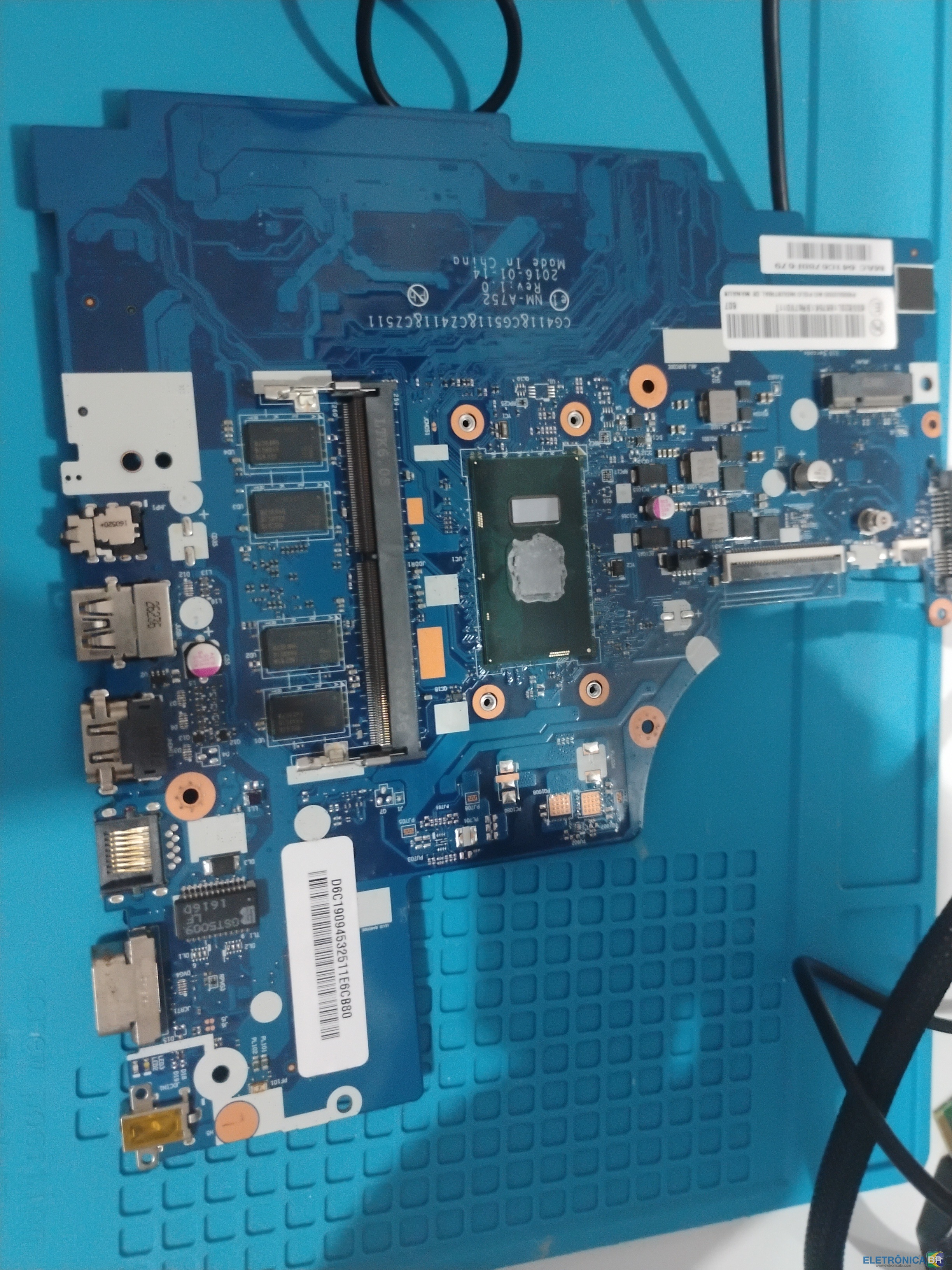
  2. Estou com um lenovo idepad 310-14isk 80UG na bancada com os seguinte defeito, liga, há tensão no jack, chega tensão no processador pois o mesmo esquenta e em todos os componentes, porém não há imagem, creio que seja a bios corrompida, vi no fórum a bios que necessito e deixarei aqui caso dê certo.

Account

Navigation

Pesquisar

Pesquisar

Configure browser push notifications

Chrome (Android)
  1. Tap the lock icon next to the address bar.
  2. Tap Permissions → Notifications.
  3. Adjust your preference.
Chrome (Desktop)
  1. Click the padlock icon in the address bar.
  2. Select Site settings.
  3. Find Notifications and adjust your preference.